


Active Directory Gpos On Windows Server 2019/2022 100% Labs.
Published 5/2025
MP4 | Video: h264, 1920×1080 | Audio: AAC, 44.1 KHz
Learn How To Manage Active Directory And GPOs On Windows Server 2019/2022. (Build A Server AD GPOs From Scratch)
What you’ll learn
Deploying a Windows Server 2019/2022/10/11
Managing a trust relationship between different Companies. (Forests)
Managing Replication between Different Sites for the same company. (Same Forest)
What is the difference between a GC and a DC.
What IS A RODC And the Difference with an Actual WRDC.
Merge from Windows Server 2019 To Windows Server 2022.
What Are GPOs and Their Importance in Active Directory
The difference between User and Computer Configuration Policies.
How To Link GPOs And Their Relationship With AD.
What Is Enforced and Block Inheritance GPOs.
Troubleshooting GPOs
Backup And Restore GPOs
How To Deploy Software Through GPOs.
Requirements
Anyone that want to put at least 12 Hours of their Life to learn, enhance and sharpen there Networking Skills.
A Computer With At Least 16 GB Of RAM.
To Perform All The Labs that i am doing so You would have the actual understanding of How It Works.
Description
Overview
Section 1: Introduction To Entire Course
Lecture 1 Introduction To Course Setup
Section 2: Setting Up Your Lab Environment Using VMware Player
Lecture 2 Download And Install VMware Player
Lecture 3 Download The ISOs of W10/W11/W2019/W2022
Lecture 4 Install Windows 10 And Windows 11
Lecture 5 Install Windows Server 2019 And Windows 2022
Section 3: Setting Up Your Lab Using Hyper-V
Lecture 6 Enable Hyper-V On Your System
Lecture 7 Install Windows 10 And Windows 11
Lecture 8 Install Windows Server 2019 And Windows 2022
Section 4: Setting Your Lab Using VirtualBox
Lecture 9 Download And Install VirtualBox
Lecture 10 Install Windows 10 And Windows 11
Lecture 11 Install Windows Server 2019 And Windows 2022
Section 5: AD Environment (2 Windows Server 2019 And 2 Windows 10).
Lecture 12 Change Computer and Server Names and Setting Up IP Addresses
Lecture 13 Testing Connectivity Between all Systems (Server 2019,10)
Section 6: Installing Active Directory On Multiple Windows Server 2019 for Redundancy .
Lecture 14 Installing and Configuring DNS Before the deployment of AD.
Lecture 15 Installing Active Directory on the 1st Server (Windows Server 2019)
Lecture 16 Installing Active Directory on the 2nd Server (Windows Server 2019)
Section 7: The Difference between 1st and 2nd Server (GC,DC,DNS,FSMO) Including Replication
Lecture 17 What is A GC and DC and the difference between them Including DNS.
Lecture 18 Manage Replication Between both Servers
Section 8: FSMO Roles
Lecture 19 What are the FSMO Roles and How to display Them
Lecture 20 More Details on FSMO Roles
Lecture 21 Testing and transferring FSMO Roles using the GUI
Lecture 22 Testing and transferring FSMO Roles using the CLI
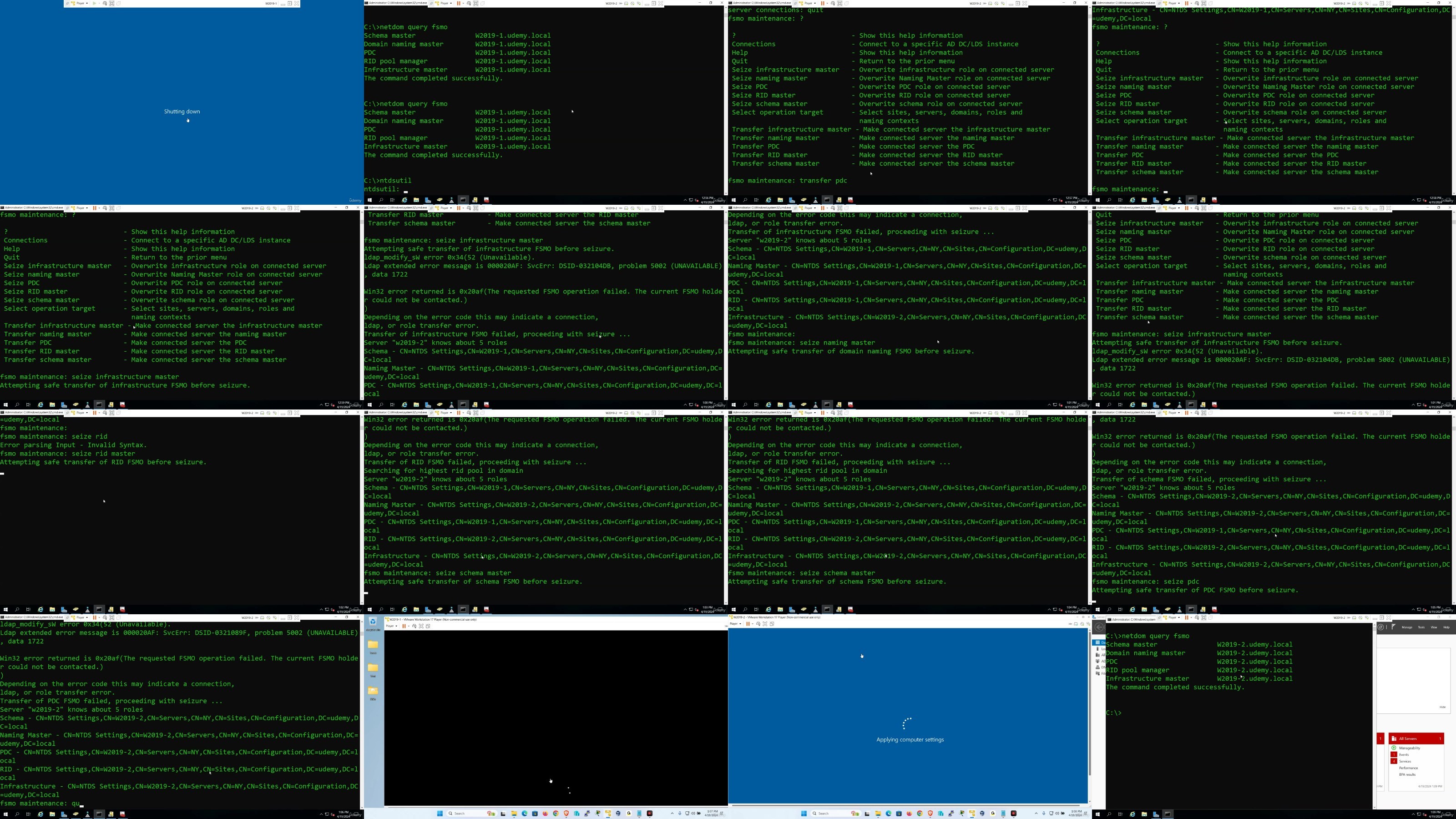
Lecture 23 Testing and Seizing FSMO Roles
Lecture 24 Forest VS Domain Level FSMO Roles By Setting Up a Child Domain
Section 9: Removing Active Directory (Demoting a DC/GC)
Lecture 25 Removing Active Directory From the 3rd Server
Lecture 26 Removing Active Directory From the 2nd Server
Lecture 27 Removing Active Directory From The 1st Server
Lecture 28 Difference between (Member Server , Domain Controller and a Standalone Server).
Section 10: Getting AD Back on the 1st Server To Continue
Lecture 29 Installing AD On the 1st Server Only
Section 11: RODC
Lecture 30 Setup a RODC as a Replica on Server2
Lecture 31 Setting up DNS On the RODC
Lecture 32 Comparing RODC and the WRDC (GC)
Section 12: Demoting Both DCs
Lecture 33 Demoting The RODC and the WRDC In a Weird Way
Section 13: Installing AD back on Server1 The Proper Way
Lecture 34 Making Server1 as a DC
Lecture 35 Joining Both Windows 10 PCs to the Domain.
Lecture 36 Creating and Managing OUs
Lecture 37 User Account Management (Reset,Disable,Expire,Change)
Lecture 38 User Account Management (Acct and Time Restriction, Queries)
Lecture 39 User Account Management (User Profiles, Home Directories)
Lecture 40 User Account Management (Template Account)
Lecture 41 Filtering and Searching AD
Lecture 42 Groups Types and Scopes
Lecture 43 DSADD
Lecture 44 DSRM
Lecture 45 DSMOVE
Lecture 46 DSQUERY
Section 16: How to Manage and Control AD From a Client Machine (RSAT)
Lecture 47 What is RSAT . Download and Install RSAT.
Lecture 48 Test Management and Control Of AD using the RSAT Tools
Lecture 49 Delegate and Remove Control To Junior Administrators to Manage AD using W10
Lecture 50 Enterprise Admins VS Domain Admins VS Administrators VS Domain Users
Section 17: Maintain The Database Of Active Directory.
Lecture 51 Setting up 5 Additional Hard Drives
Lecture 52 Installing Windows Server Backup
Lecture 53 Backup the Database of AD Using the GUI.
Lecture 54 Backup the Database of AD Using the CLI.
Lecture 55 Restore the Database of AD Using GUI
Lecture 56 Restore the Database of AD Using CLI.
Lecture 57 Moving the Database of AD To Raid1.
Section 18: Working with Active Directory Administrative Center
Lecture 58 Creating,Deleteing and Restoring Objects using the AD Administrative Center
Lecture 59 What is the Domain and Forest Function Level and How to Raise Them
Section 19: Active Directory Domains and Trusts
Lecture 60 What is AD Domains and Trusts
Lecture 61 Setup AD For Two Different Companies.
Lecture 62 Test Connectivity between both Seperate Companies (Forests)
Lecture 63 Establish Routing between the 2 Companies (Forests)
Lecture 64 Establish Name Resolution (DNS) between both Forests.
Lecture 65 Establish a Trust between both Companies
Lecture 66 Test Connection through NTFS shares and delegation of AD between both companies.
Section 20: Active Directory Sites and Services
Lecture 67 Change IP Addresses and Computer Names on all 4 Servers
Lecture 68 Install and Configure DNS on 1st Server Only.
Lecture 69 Install AD Domain Services on all 4 Servers and Promote all Servers To DCs
Lecture 70 Create The Sites,Subnets,SiteLinks,GCs,BridgeHead Server using AD Sites Services
Lecture 71 Change the Subnets and Configure Routing.
Lecture 72 Installing DNS On NYDC2,CTDC1,CTDC2 and store the zones in AD.
Section 21: Merging To Windows Server 2022
Lecture 73 Set AD on the W2019 Server as Parent Domain (Forest) and Create OUs and Objects.
Lecture 74 Setup AD on the W2022 as a Replica (Additional DC) to the W2019 Domain and DNS.
Lecture 75 Transfer the FSMO Roles From the 2019 server to 2022 . Than Decommission 2019
Lecture 76 Join Windows 11 To the Domain and Test With User Objects.
Section 22: Setup The Environment For GPOs. ( 1 Server2022 1 W10,1 W11.)
Lecture 77 Change Computer Names and Set Proper IP Addresses.
Lecture 78 Test Connectivity Between All Systems Using Ping.
Section 23: Setup AD on The Server and Join PCs To The Domain.
Lecture 79 Install AD On The Server And Join Both Client PCs To The Domain.
Section 24: Setup To Prepare For Working With The GPMC (Group Policy Management Console).
Lecture 81 Create Multiple Users and Groups Under Each Corresponding Dept(OU).
Section 25: Working With The GPMC At The Domain And OU Level.
Lecture 83 Working With The Default Domain Policy (Account /Password and Audit Policies).
Lecture 84 Working With The Default Domain Controller Policy (Security Options/User Rights)
Lecture 88 Creating a Policy That Has User and Computer Configuration and Link To Domain.
Lecture 89 How To Disable/Enable/Filter Policies.
Lecture 90 Create A GPO and Link It To The Sales OU. (User Config).
Lecture 91 Create A GPO and Link It To The QA OU. (Computer Config).
Lecture 92 Block Inheritance and Enforcement
Section 26: Deploying Software Through GPOs.
Lecture 93 Deploying Software Using Computer Config.
Lecture 94 Deploying Software Using User Config.
Section 27: Backing and Restoring GPOs
Lecture 95 How To Backup And Restore GPOs (SYSVOL).
Section 28: GPO Modeling and GPO Results
Lecture 96 What Are GPO Modeling and GPO Results.
Section 29: Final Conclusion
Lecture 97 In A NutShell
To Become a Successful Network Administrator,IT Support Specialist,Help Desk Techs,To Feel Confidence About Your IT Skills.,To Enter The IT Field With Real World Experience
RapidGator
https://www.keeplinks.org/p27/68b42c163f168
NitroFlare
https://www.keeplinks.org/p27/68b42dde9b086
DDownload
https://www.keeplinks.org/p27/68b42f80be389