


Affinity Photo For Beginners | Updated For Version 2
Published 11/2022
MP4 | Video: h264, 1280×720 | Audio: AAC, 44.1 KHz
Everything you need to master Affinity Photo!
What you’ll learn
You will learn the foundational skills of Affinity Photo, even if you are brand new to photo editing
You will learn a step-by-step workflow to enhance your own photos
You will gain a solid understanding of layers, masks, and adjustments
You will feel confident working in Affinity Photo
Requirements
A copy of Affinity Photo
No prior knowledge or experience of Affinity Photo is required
Description
Overview
Lecture 1 Introduction
Lecture 2 Download the Exercise Files
Section 2: Affinity Photo Overview
Lecture 3 Affinity Photo Overview
Lecture 4 Opening Photos, Saving, & Exporting
Lecture 5 Affinity Photo’s Workspace
Lecture 6 Mac vs. PC
Lecture 7 Navigating in Affinity Photo
Lecture 8 Layers for Beginners
Lecture 9 Update to Layers Panel
Lecture 10 What are Adjustment Layers?
Lecture 11 Working with Adjustment Layers
Lecture 12 Practice Makes Perfect!
Section 3: The Most Important Adjustments
Lecture 13 Chapter Introduction
Lecture 14 White Balance
Lecture 15 HSL
Lecture 16 Black & White
Lecture 17 Levels
Lecture 18 Black & White Practice
Lecture 19 Multiple Adjustments Practice
Section 4: Applying Adjustments to Specific Areas
Lecture 20 Chapter Introduction
Lecture 21 More Than Erasing
Lecture 22 Paintbrush for Beginners
Lecture 24 Adding a Bit of Saturation
Lecture 26 Adding Gradual Light
Lecture 27 Applying Layered Adjustments
Section 5: The Most Important Tools
Lecture 28 Chapter Introduction
Lecture 29 New Documents
Lecture 30 Working with Layers
Lecture 31 Shapes
Lecture 32 Text Tool
Lecture 33 Layer Effects
Lecture 34 Layer Groups
Lecture 35 Child Layers
Lecture 36 Cropping
Section 6: Personas for Beginners
Lecture 39 Introduction to Personas
Lecture 40 Liquify Persona
Lecture 41 Export Persona
Lecture 42 Tone Mapping Persona
Lecture 43 What are RAW Photos?
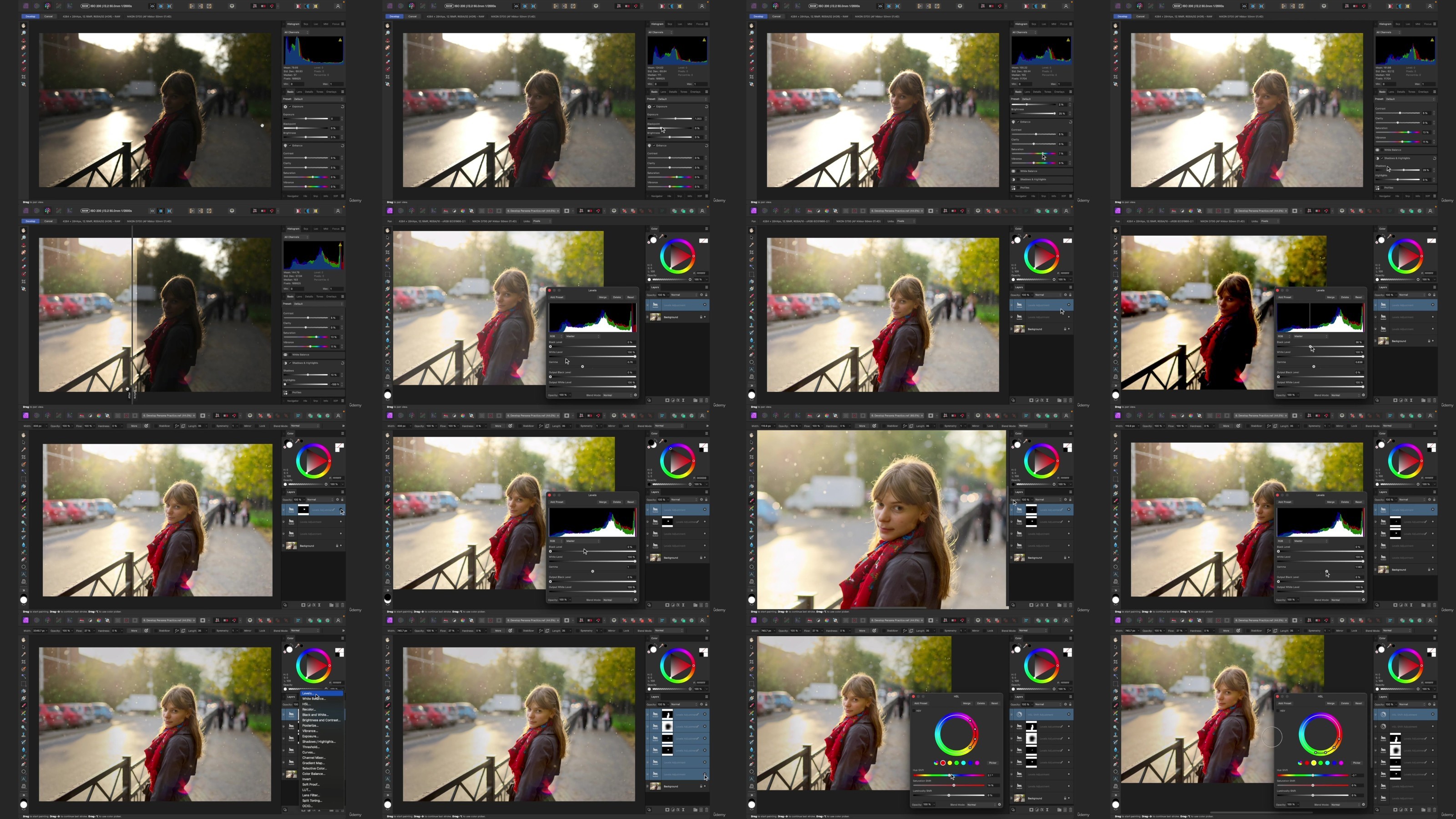
Lecture 44 Develop Persona for Beginners
Lecture 45 Develop Persona for Intermediate Users
Lecture 46 Develop Persona Practice
Section 7: Retouching for Beginners
Lecture 47 Chapter Introduction
Lecture 48 Shaping Light
Lecture 49 Bringing Colors to Life
Lecture 50 Clean Up
Lecture 51 Filters for Beginners
Lecture 52 Gaussian Blur
Lecture 53 Sharpening
Lecture 54 Retouching Project – Make a Plan
Lecture 55 Retouching Project – Crop & Clean Up
Lecture 56 Retouching Project – Global Lighting & Coloring
Lecture 57 Retouching Project – Darken the Edges
Lecture 58 Retouching Project – Brighten the Subject
Lecture 59 Retouching Project – Add a Blur
Lecture 60 Retouching Project – Finishing Touches
Section 8: Selections & Masks for Beginners
Lecture 61 Chapter Introduction
Lecture 62 What is a Mask?
Lecture 63 Update to Masks
Lecture 64 Mask Example 1
Lecture 65 Mask Example 2
Lecture 66 Mask Example 3
Lecture 67 What are Selections?
Lecture 68 Flood Select Tool
Lecture 69 Selection Brush Tool
Lecture 70 Using Multiple Selections & Masks
Section 9: Compositing for Beginners
Lecture 71 Chapter Introduction
Lecture 72 Apply a Mask
Lecture 73 Add the New Photo
Lecture 74 Match the Two Photos
Lecture 75 Continue Editing
Lecture 76 Example 2 – Apply a Mask
Lecture 77 Example 2 – Add the New Photo
Lecture 78 Example 2 – Match the Two Photos
Lecture 79 Example 2 – Continue Editing
Section 10: Final Projects
Lecture 80 Chapter Introduction
Lecture 81 Winter Portrait – Make a Plan
Lecture 82 Winter Portrait – Clean Up
Lecture 83 Winter Portrait – Global Light & Color
Lecture 84 Winter Portrait – Painting with Light
Lecture 85 Winter Portrait – Focus on the Face
Lecture 86 Winter Portrait – Stylized Blur
Lecture 87 Winter Portrait – Finishing Touches
Lecture 88 Summer Portrait – Make a Plan
Lecture 89 Summer Portrait – Replace the Sky
Lecture 90 Summer Portrait – Clean Up
Lecture 91 Summer Portrait – Global Lighting & Coloring
Lecture 92 Summer Portrait – Change the Dress Color
Lecture 93 Summer Portrait – Painting with Light
Lecture 94 Summer Portrait – Finishing Touches
Lecture 95 Course Conclusion
This course is designed for beginners to Affinity Photo. Even if you have zero photo editing experience, you will feel confident working in Affinity Photo by the time you finish this course.
TurboBit
https://filecrypt.cc/Container/E61911696A.html
https://www.keeplinks.org/p27/67add0994614d
RapidGator
https://filecrypt.cc/Container/015A1FE5A1.html
https://www.keeplinks.org/p27/67add1db84351
AlfaFile
https://filecrypt.cc/Container/60094FC2E8.html
https://www.keeplinks.org/p27/67add1fe4f829
FileFactory