

After Effects Mastery Course (Master Vfx + Motion Graphics)
Published 1/2025
MP4 | Video: h264, 1920×1080 | Audio: AAC, 44.1 KHz
Design, Animate, and Amaze – Master motion graphics and VFX in Adobe After Effects like a Pro.
What you’ll learn
Perfectly use Adobe After Effects even if you’ve never heard of it before.
Learn about the Principles of animation and how to follow them in your creative work.
Learn how to create lettering and text animations.
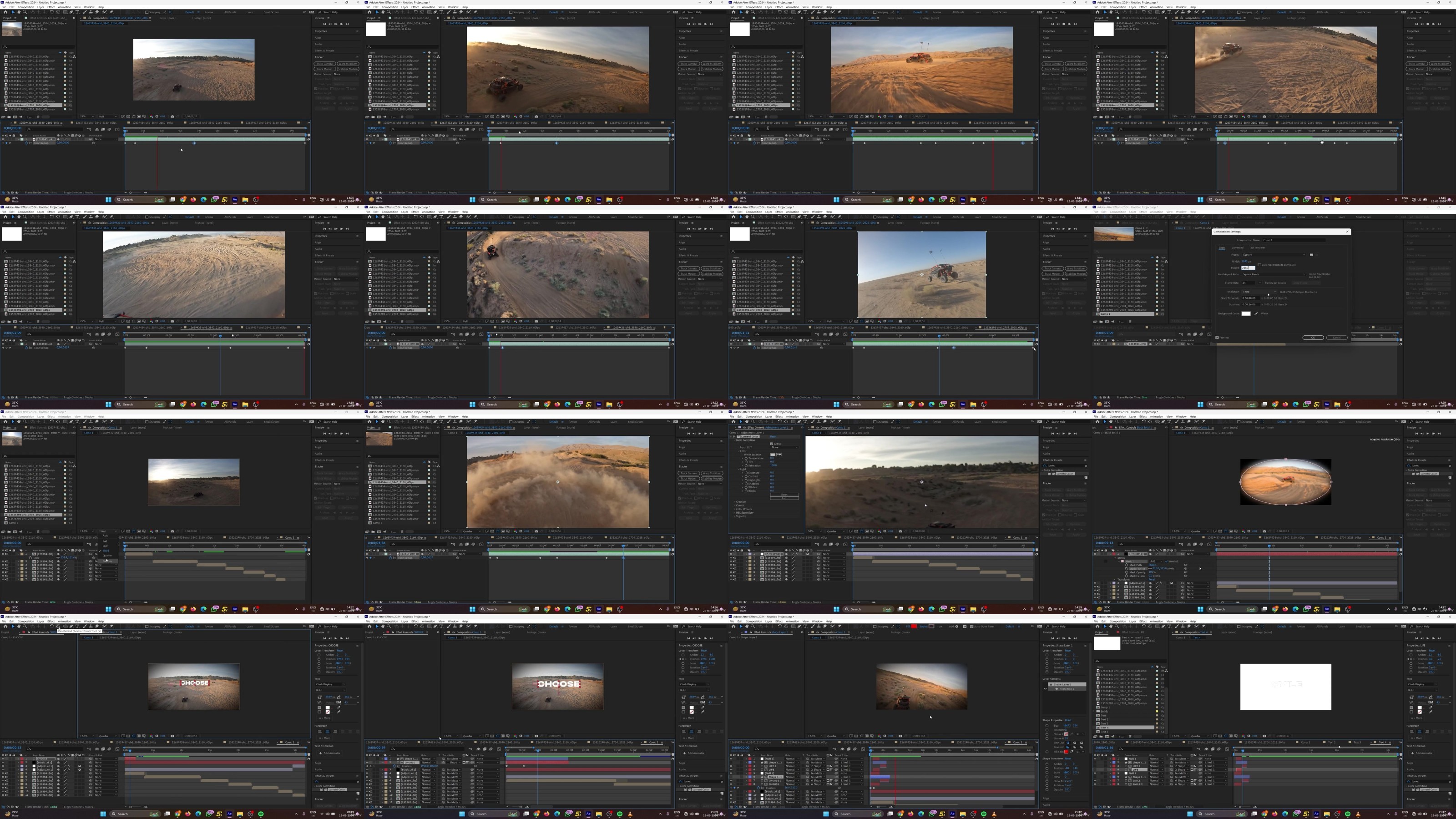
You’ll learn how to do time remapping in Adobe After Effects.
Requirements
No after effects knowledge or experience required. You will learn all you need know from scratch.
Description
Overview
Section 1: Introduction
Lecture 1 How to get Adobe After Effects CC Installed
Section 2: Adobe After Effects Basics
Lecture 2 Module Introduction
Lecture 3 Interface and Functionality
Lecture 4 How to customize the Interface
Lecture 5 Composition, timeline & viewport
Lecture 6 Important Tools
Lecture 7 How to speedup After Effects
Section 3: Layers
Lecture 8 Module Introduction
Lecture 9 Introduction to Layers & Layer Types
Lecture 10 layers properties
Lecture 11 Tiny layer features and their functions
Lecture 12 Introduction to Animation
Lecture 13 Layer Styles
Lecture 14 Layer Masks
Lecture 15 Convert Text to Shapes
Lecture 16 Exercise – Our First Animation
Lecture 17 Homework
Section 4: Exporting out of After Effects
Lecture 18 Module Introduction
Lecture 19 How to export out of After Effect
Lecture 20 How to export with a transparent background
Lecture 21 How to export GIFs from After Effects
Section 5: Adobe Libraries
Lecture 22 Module Introduction
Lecture 24 Adobe color
Section 6: Useful After Effects Skills
Lecture 25 Module Introduction
Lecture 26 Track mattes
Lecture 27 Frame blending, Invert selection
Lecture 28 Time Remapping
Lecture 29 Time Reverse, Stretch anf Frame Freeze
Lecture 30 Precompositions
Lecture 31 Content aware fill
Lecture 32 Stabilize shaky footage
Lecture 33 Exercise
Lecture 34 Homework
Lecture 35 Module Introduction
Lecture 36 Important Shortcuts in After Effects
Lecture 37 Custom shortcuts
Lecture 38 Important workflow tips
Section 8: Principles of Animation
Lecture 39 Module Introduction
Lecture 40 Principles of Animation
Lecture 41 Principles of Animation in practice
Section 9: Keyframes and the Graph Editor
Lecture 42 Module Introduction
Lecture 44 Keyframes
Lecture 45 Exercise
Lecture 46 Homework
Section 10: Shape Modifiers in After Effects
Lecture 47 Module Introduction
Lecture 48 Merge paths
Lecture 49 Offset Paths
Lecture 50 Plucker and Bloat
Lecture 51 Repeater
Lecture 52 Round Corner
Lecture 53 Trim Paths
Lecture 54 Twist
Lecture 55 Wiggle Paths
Lecture 56 Wiggle Transform
Lecture 57 Zigzag
Lecture 58 Fill and Stroke
Lecture 59 Rectangle, Elipse, Polystar and Path
Lecture 60 Exercise
Lecture 61 Exercise
Lecture 62 Exercise
Lecture 63 Exercise
Lecture 64 Exercise
Lecture 65 Homework
Section 11: Text Animation in After Effects
Lecture 66 Module Introduction
Lecture 67 Transform Text Animators
Lecture 68 Fill, Stroke and Stroke width Text Animators
Lecture 69 Tracking, Line anchor and Line spacing Text Animators
Lecture 70 Character offset, value and Blur Text Animators
Lecture 71 3D Text Animator
Lecture 72 Exercise
Lecture 73 Homework
Section 12: Effects and Presets
Lecture 74 Module Introduction
Lecture 77 How to create custom animation presets
Lecture 78 Brightness, Contrast & color balance
Lecture 79 Lumetri color
Section 13: Transitions
Lecture 80 Module Introduction
Lecture 82 Zoom-Rotate Transitions
Lecture 83 Shape Transitions
Lecture 84 Exercise – Transform Transitions
Lecture 85 Homework – Transform Transitions
Lecture 86 Exercise – Shape Transitions
Lecture 87 Homework – Shape
Section 14: Expressions Basics
Lecture 88 Module Introduction
Lecture 90 Expression tools
Lecture 91 The Expression language reference
Lecture 92 Expression controls
Lecture 93 5 must know after effect expressions
Section 15: Motion Tracking in After Effects
Lecture 94 Module Introduction
Lecture 96 Advance motion tracking with Mocha
Lecture 97 Exercise – Phone screen projection
Lecture 98 Exercise – screen replacement
Lecture 99 Exercise – 3D motion tracking
Lecture 100 Homework
Section 16: Puppet tool animations
Lecture 101 Module Introduction
Lecture 103 Exercise – Swimming fish
Lecture 104 Homework
Section 17: Rotoscoping
Lecture 105 Module Introduction
Lecture 107 Exercise – Roto brushing
Lecture 108 Homework
Section 18: Paint Brush & Clone stamp tools in After Effects
Lecture 109 Module Introduction
Lecture 112 Exercise – Scribble in Video
Lecture 113 Homework – Scribbles
Lecture 114 Homework – Clone stamp tool
Section 19: Chroma keying (Green Screen)
Lecture 115 Module Introduction
Lecture 116 Removing Green Screen – Keylight
Lecture 117 Adding a Background that matches the Foreground
Graphic designers looking to explore the opportunities in the motion graphics world.,Anyone who wants to learn Adobe After Effects and be a Pro at it!
RapidGator
https://filecrypt.cc/Container/235F824DE7.html
https://www.keeplinks.org/p27/678766da257ee
AlfaFile
https://filecrypt.cc/Container/09D1A7A9E1.html
https://www.keeplinks.org/p27/6787672b4a7fd
TurboBit
https://filecrypt.cc/Container/5D8B081FE8.html
https://www.keeplinks.org/p27/678768c9b917c