

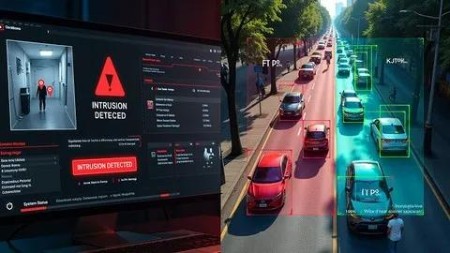
Ai Human Intrusion & Object Detection With Yolov7, Python&Cv
Published 5/2025
MP4 | Video: h264, 1920×1080 | Audio: AAC, 44.1 KHz
Intelligent Human Intrusion & Object Detection System using YOLOv7, Python & Computer Vision
What you’ll learn
Learn object detection fundamentals and its applications in intrusion detection, surveillance, and real-world domains using AI and computer vision.
Set up a Python environment with essential libraries like Tkinter, OpenCV, and PyTorch for computer vision and object detection tasks.
Understand object detection concepts and how they’re used in monitoring unauthorized intrusions via video streams in real-time scenarios.
Use YOLOv8 and YOLOv7-Tiny models for accurate, real-time object and human intrusion detection using lightweight and efficient algorithms.
Load and configure YOLOv8 and YOLOv7-Tiny pre-trained weights to enable real-time, high-accuracy detection of objects and intruders.
Preprocess video streams and images to integrate smoothly with YOLO models for real-time monitoring and effective object detection.
Write Python scripts to detect objects and intruders, extracting bounding boxes, class labels, and confidence scores for interpretation.
Visualize detection results by drawing bounding boxes, adding labels, and showing confidence scores on video frames for better insight.
Optimize YOLOv7-Tiny for real-time performance on devices with limited resources without compromising detection speed or accuracy.
Tackle challenges like low-light detection, occlusions, motion blur, small or overlapping objects in object and intrusion detection.
Apply AI-based intrusion detection in restricted zones, industries, homes, offices, and public places to improve safety and surveillance.
Requirements
Basic understanding of Python programming (helpful but not mandatory).
A laptop or desktop computer with internet access [Windows OS with Minimum 4GB of RAM).
No prior knowledge of AI or Machine Learning is required-this course is beginner-friendly.
Enthusiasm to learn and build practical projects using AI and IoT tools.
DescriptionOverview
Section 1: Introduction of the Object Detection using yolov7
Lecture 1 Course Overview and Features
Section 2: Environment Setup for Python Development
Lecture 2 Installing Python
Lecture 3 VS Code Setup for Python Development
Section 3: Object Detection Project Overview
Lecture 4 Object Detection Project Overview
Section 4: Understanding Key Packages for Object Detection
Lecture 5 Understanding Key Packages for Object Detection
Section 5: Understanding the YOLOv7-tiny Model Weights
Lecture 6 Detailed Explanation of the YOLOv7-tiny.pt File
Section 6: Real-Time Object Detection with YOLOv7-tiny
Lecture 7 Implementing YOLOv7-tiny for Live Video Analysis
Section 7: Building a Tkinter GUI for Real-Time Object Detection
Lecture 8 Integrating YOLOv7-tiny with a Tkinter GUI
Section 8: Executing Real-Time Model Inference for Object Detection
Lecture 9 Performing Real-Time Object Detection with YOLOv7-tiny
Section 9: Environment Setup for Python Development
Lecture 10 Installing Python
Lecture 11 VS Code Setup for Python Development
Section 10: Launching VS Code from the Command Line
Lecture 12 Using CMD to Open VS Code
Section 11: Managing Folders and Files of the Project
Lecture 13 Understanding Folder and File Structure
Section 12: Understanding and Setting Up Required Packages
Lecture 14 Understanding Key Packages for Intrusion Detection System
Section 13: Accessing and Using Polygon Coordinates for Tracking
Lecture 15 Polygon Coordinate File Access and Parsing
Section 15: Model Inference for Intrusion Detection
Lecture 17 Model Inference Code Explanation for Intrusion Detection
Section 16: Tkinter Implementation for Real-Time Intrusion Detection
Lecture 18 Tkinter Implementation for Real-Time Intrusion Detection
Section 17: Getting Polygon Coordinates Using Roboflow for Intrusion Detection
Lecture 19 Getting Polygon Coordinates Using Roboflow
Section 18: Intrusion Detection Code Execution
Lecture 20 Intrusion Detection Code Execution
Section 19: Wrapping Up
Lecture 21 Course Wrap-Up

DDownload
https://www.keeplinks.org/p27/685c38e1b6334
https://ddownload.com/qujdw91okknt/yxusj.AI.human.Intrusion.Object.Detection.with.YOLOv7.PythonCV.rar
RapidGator
https://www.keeplinks.org/p27/685c395384ac9
https://rapidgator.net/file/e64aa55868d47dd726d82bcd3625050b/yxusj.AI.human.Intrusion.Object.Detection.with.YOLOv7.PythonCV.rar
NitroFlare
https://www.keeplinks.org/p27/685c3980b9bd7
https://nitroflare.com/view/898DA4F2D52855E/yxusj.AI.human.Intrusion.Object.Detection.with.YOLOv7.PythonCV.rar