

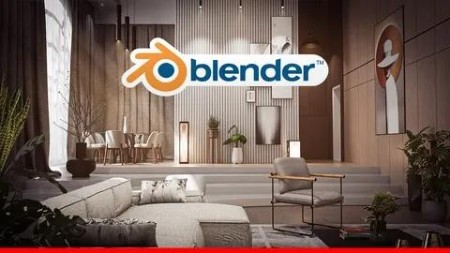
Blender 4.2: Full Interior Scene Creation
Published 9/2024
MP4 | Video: h264, 1920×1080 | Audio: AAC, 44.1 KHz
Step by step we will learn how to create a full interior scene using Blender 4.2
What you’ll learn
Create Detailed Interior Scenes: Students will learn how to design and model complete interior environments using Blender
Utilize BlenderKit for Models and Materials: Learners will understand how to efficiently use BlenderKit to import additional 3D models and high-quality material
Create Realistic Night and Natural Lighting: Learners will understand how to create both night scenes and natural daylight setups for stunning, realistic lighti
Sunbeam Effect: Students will learn how to create a sunbeam effect, where sunlight streams through windows, adding depth and atmosphere to the scene.
Render High-Quality Images: Students will learn how to render high-quality images, ensuring their interior scenes are ready for post-processing or final present
Requirements
Basic Knowledge of Blender: This course is designed for students who already have a fundamental understanding of Blender’s interface and know how to navigate the software.
Familiarity with 3D Modeling: Learners should have experience in basic 3D modeling techniques, as this course will not cover beginner-level modeling concepts.
BlenderKit Add-on: We will be using the BlenderKit add-on for importing models and materials, so make sure it’s installed and ready to use.
Photoshop (Optional): While not mandatory, having access to Photoshop or similar software will be helpful for post-processing the final rendered images.
Description
Overview
Section 1: Introduction
Lecture 1 The Intro
Section 2: Modeling
Lecture 3 003_Setting up the reference plane image
Lecture 4 004_Setting up the reference elevation images
Lecture 5 005_Extruding walls and creating window openings
Lecture 6 006_Creating multi-Level floors with steps
Lecture 7 007_Designing the interior window frame
Lecture 9 009_Designing the door
Lecture 10 010_creating wall paneling decoration
Lecture 12 012_Arranging picture frames on the wall
Lecture 13 013_Creating the TV console
Lecture 14 014_Creating the TV
Lecture 15 015_Creating the BookShelf
Lecture 16 016_Creating the wall book shelf
Lecture 17 017_Creating the WallClock
Lecture 18 018_Creating the Ceilling
Lecture 21 021_Creating Spherical Ceiling Lighting
Lecture 22 022_Creating the curtain box and fixing the windows height
Lecture 23 023_Modeling modern minimalist chair design
Lecture 24 024_Modeling round chair
Lecture 25 025_How to use BlenderKit to download 3D models
Lecture 26 026_Adding some curtains
Lecture 27 027_Adding more objects to the scene
Section 3: Materials
Lecture 28 028_Adding materials for the wall and panels
Lecture 29 029_Texturing the picture frames and other panels
Lecture 32 032_Adding materials for the chairs and adding a new carpet
Lecture 33 033_Focusing on the furniture materials
Lecture 34 034_Adding materials for the curtains
Lecture 35 035_Adding materials for the windows
Section 4: Lighting and post processing
Lecture 36 036_Adding lights for the scene
Lecture 37 037_Rendering the scene with interior lighting
Lecture 38 038_Post Process the rendered images using Photoshop
Lecture 39 039_Creating a natural lighting
Lecture 40 040_Adding fog effect for the scene
Lecture 41 041_Post Process the final render
Section 5: Project Folder
Lecture 42 Resources
