

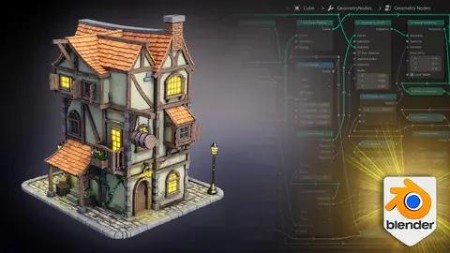
Blender 4 Creator Course Stylized 3D Models
Published 11/2023
MP4 | Video: h264, 1920×1080 | Audio: AAC, 44.1 KHz
Blender 4 Beginner to Pro Learn it all in a few hours
What you’ll learn
• Using Blender 4 and understanding its new interface and shortcuts
• Finding out about the basics of Blender’s asset manager navigation to advanced asset management techniques
• Learning about and experiencing the differences between Cycles and Eevee rendering in Blender 4
• Staying ahead in the 3D realm by learning to harness the capabilities of Eevee Next, Blender 4’s revolutionary real-time renderer
• Accelerating your design process with our custom Geometry node setups
• Understanding the application of Geometry Nodes within procedural modeling for creating customizable structures
• Bringing your scenes to life with our innovative ivy and foliage creator
• Diving into the world of professional 3D modeling with our course on creating a uniquely stylized 3D tavern, teaching you industry-standard practices
• Discovering the secret to creating immersive environments with our custom stylized textures, complete with a shader setup for ultimate control and enhancement
• Advancing your texturing skills with our vertex painting techniques, adding personalized details like dirt to improve your designs with intricate realism
• Learning how to use Blender 4 lighting and compositing features to create next-level stylized assets
Requirements
• To own a computer (Microsoft, Linux or Mac)
• To have downloaded Blender
• To download all course resources including 15 x types of foliage (grass and weeds), 1 x human reference, 8 x types of flowers, 1 x flower bunch geometry node, 1 x chain geometry node, 1 x roof geometry node, 1 x planks geometry node, and 17 x unique shaders.
Description
Overview
Section 1: Introduction
Lecture 1 Introduction
Section 2: Blender Basics for Tavern Modeling + [Resource Pack]
Lecture 2 Lesson 1 – [Resource Pack] and Blender Fundamentals for Tavern Modeling
Lecture 3 Lesson 2 – 3D Modeling Strategy and Preparation for Stylized Taverns
Lecture 4 Lesson 3 – Exploring Resource Packs for Blender Tavern Design
Lecture 5 Lesson 4 – Geometry Node Setup with Resource Packs in Blender
Lecture 6 Lesson 5 – Greyboxing Techniques for Effective Groundwork Planning
Section 3: Advanced Modeling Techniques in Blender
Lecture 7 Lesson 6 – Building the Second Floor with Greyboxing in Blender
Lecture 8 Lesson 7 – Strategic Roof Positioning and Angle Design in Blender
Lecture 9 Lesson 8 – Essential Lighting Setup Techniques for Stylized Taverns
Lecture 10 Lesson 9 – Crafting a Stylized Timber Base in Blender
Lecture 11 Lesson 10 – Understanding Seams and Sharps in Blender Modeling
Section 4: Texturing and Detailing in Blender
Lecture 12 Lesson 11 – Creating Wood Texture Shaders in Blender
Lecture 13 Lesson 12 – Basics of Texture Import and Setup in Blender
Lecture 14 Lesson 13 – Techniques for Texturing Wood Beams in Blender
Lecture 15 Lesson 14 – Reinforcing Wood with Stone Supports in Blender Modeling
Section 5: Structural Elements and Framework
Lecture 17 Lesson 16 – Constructing Your First Wooden Framework in Blender
Lecture 18 Lesson 17 – Creating Walls and Cracks for Realistic Tavern Textures
Lecture 20 Lesson 19 – 3D Modeling Windows for Stylized Taverns
Lecture 21 Lesson 20 – Designing Window Frame Decorations in Blender
Section 6: Windows and Lighting in Blender
Lecture 22 Lesson 21 – Advanced Detailing of Stylized Windows in Blender
Lecture 23 Lesson 22 – Texturing Techniques for Window Frames in Blender
Lecture 24 Lesson 23 – Setting Up Window Emission in Blender Models
Lecture 25 Lesson 24 – Framing a Stylized Mansion in Blender
Lecture 26 Lesson 25 – 3D Wall Building Techniques for Taverns in Blender
Section 7: Complex Architectural Modeling
Lecture 27 Lesson 26 – Angling Framework for Stylized Tavern Structures
Lecture 28 Lesson 27 – Using Geometry Node Wood Plank Generators in Blender
Lecture 29 Lesson 28 – Stylizing Roofs with Geometry Bend Nodes in Blender
Lecture 30 Lesson 29 – Texturing Techniques for Tavern Tiles in Blender
Lecture 31 Lesson 30 – Integrating Stylized Roofing into Tavern Designs
Section 8: Detailing and Extensions
Lecture 32 Lesson 31 – Creating Stylized Brick Protrusions in Blender Models
Lecture 33 Lesson 32 – 3D Pillar Creation with Asset Manager in Blender
Lecture 34 Lesson 33 – Building a Tavern Extension in Blender
Lecture 35 Lesson 34 – Resolving Mesh Problems with Geometry Nodes in Blender
Lecture 36 Lesson 35 – Developing Smaller Extensions for Taverns in Blender
Section 9: Enhancing Details and Realism
Lecture 37 Lesson 36 – Manually Bending Wood Textures in Blender
Lecture 38 Lesson 37 – Crafting Windows with Shutters in Blender
Lecture 39 Lesson 38 – Detailing Window Shutters for Stylized Taverns
Lecture 40 Lesson 39 – Attaching Windows to a Stylized Blender House
Lecture 41 Lesson 40 – Modeling 3D Lanterns for Taverns in Blender
Section 10: Roof and Upper Structure Techniques
Lecture 42 Lesson 41 – Attaching Lanterns Using Geometry Chain Nodes in Blender
Lecture 44 Lesson 43 – Window Frame Construction Techniques in Blender
Lecture 45 Lesson 44 – Texturing Stylized Windows for Enhanced Realism
Lecture 46 Lesson 45 – Constructing Wood Structural Supports in Blender
Section 11: Advanced Modeling and Texturing
Lecture 47 Lesson 46 – Upper Roof Creation for Stylized Blender Taverns
Lecture 48 Lesson 47 – Adjusting and Texturing Tiles in Blender Models
Lecture 49 Lesson 48 – Chimney Modeling for Stylized Taverns in Blender
Lecture 50 Lesson 49 – Creating Curved Symmetry Wood Frameworks in Blender
Lecture 51 Lesson 50 – Detailing Roof Sides with Lattice Deform in Blender
Section 12: Exterior Details and Final Touches
Lecture 53 Lesson 52 – Setting Up Back Staircase Entrances in Blender
Lecture 54 Lesson 53 – Door Framework Modeling Techniques in Blender
Lecture 55 Lesson 54 – Crafting Metal Door Handles in Blender
Lecture 56 Lesson 55 – Final Touches to Wooden Doors in Blender Taverns
Section 13: Advanced Structural and Roof Modeling
Lecture 57 Lesson 56 – Adding Detailed Orientations to Staircases in Blender
Lecture 58 Lesson 57 – Wall Building Strategies for Blender Taverns
Lecture 59 Lesson 58 – Modeling Balconies for Stylized Taverns in Blender
Lecture 60 Lesson 59 – Small Wall Attachments in Blender Tavern Design
Section 14: Detailed Texturing and Asset Creation
Lecture 61 Lesson 60 – Modeling Small Roof Attachments in Blender
Lecture 62 Lesson 61 – Setting Up Wood Framework for Roof Attachments
Lecture 63 Lesson 62 – Creating Wood Textures Using Curves in Blender
Lecture 64 Lesson 63 – Texturing Wood Frames for Roofs in Blender
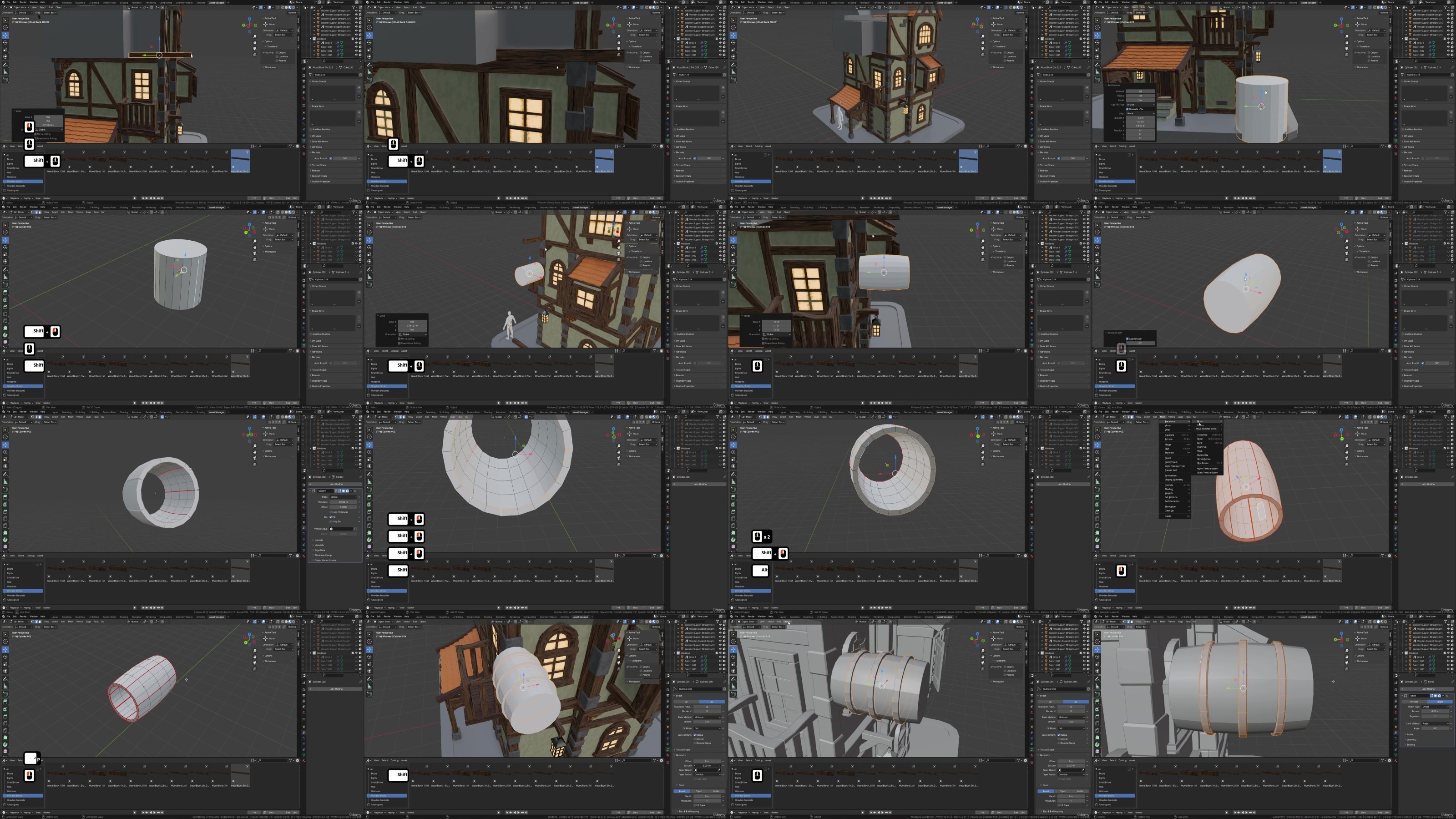
Lecture 65 Lesson 64 – Barrel Attachment Modeling for Blender Taverns
Lecture 66 Lesson 65 – Attaching Barrels to Tavern Entrances in Blender
Section 15: Enhancing Roof and External Structures
Lecture 67 Lesson 66 – Crafting Curved Stylized Roofs in Blender
Lecture 68 Lesson 67 – Detailing Curved Roof Tiles and Wood Frames in Blender
Lecture 69 Lesson 68 – Modeling Stylized Wood Supports for Roofs
Lecture 70 Lesson 69 – Fixing UV Issues for Wood Frames in Blender
Lecture 71 Lesson 70 – Utilizing Array Modifiers for Upper Tile Patterns
Section 16: Additional Structural Supports and Details
Lecture 72 Lesson 71 – Conceptualizing Structural Supports in Blender
Lecture 73 Lesson 72 – Modeling Smaller Roofs for Stylized Taverns
Lecture 74 Lesson 73 – Creating Wooden Beams for Smaller Roofs in Blender Tavern Design
Lecture 75 Lesson 74 – Crafting Flower Pot Meshes in Blender for Taverns
Lecture 76 Lesson 75 – 3D Asset Creation Techniques in Blender
Section 17: Advanced Modeling for Tavern Exteriors
Lecture 77 Lesson 76 – Adding 3D Attachments to Blender Tavern Models
Lecture 78 Lesson 77 – Advanced Wall and Attachment Work in Blender
Lecture 79 Lesson 78 – Modeling Frameworks for Stylized Taverns in Blender
Lecture 80 Lesson 79 – Creating Additional Beam Details in Blender Taverns
Lecture 81 Lesson 80 – Attaching Flower Pots to Tavern Models in Blender
Section 18: Entrance Modeling and Texturing
Lecture 82 Lesson 81 – Modeling Basement Entrances for Blender Taverns
Lecture 83 Lesson 82 – Stylizing and Texturing Basement Entrances in Blender
Lecture 84 Lesson 83 – Modeling the Front Entrance of a Tavern in Blender
Lecture 85 Lesson 84 – Adding Details and UV Unwrapping Front Entrances in Blender
Lecture 86 Lesson 85 – Creating Stone Tiles for Tavern Entrances in Blender
Section 19: Windows and Decorative Elements
Lecture 88 Lesson 87 – Adding Floral Details to Stylized Tavern Scenes in Blender
Lecture 89 Lesson 88 – 3D Modeling Lamp Posts for Blender Taverns
Lecture 90 Lesson 89 – Applying Stylized Textures to Lamp Posts in Blender
Lecture 91 Lesson 90 – Modeling Stylized Platforms for Blender Taverns
Section 20: Finalizing the Tavern Scene
Lecture 92 Lesson 91 – Vertex Painting Dirt Details for Stone Pavements in Blender
Lecture 93 Lesson 92 – Fixing Mesh Geometry and Face Orientations in Blender
Lecture 94 Lesson 93 – Adding Smaller Foliage Details in Blender Tavern Scenes
Lecture 95 Lesson 94 – Animating Turntable Cameras in Blender for Dynamic Views
Lecture 96 Lesson 95 – Integrating Light Sources into Blender Tavern Scenes
Section 21: Mastering Rendering and Lighting in Blender
Lecture 97 Lesson 96 – Mastering Render and Lighting Techniques in Blender
Lecture 98 Lesson 97 – Comparing Rendering Techniques: Eevee Next vs Cycles in Blender
Lecture 99 Lesson 98 – Enhancing Renders with Blender’s Compositor
Lecture 100 Lesson 99 – Tweak Color Tones for Enhanced Realism in Blender Renders
Lecture 101 Lesson 100 – Techniques for Sharpening Image Renders in Blender
Section 22: Advanced Lighting and Final Overview
Lecture 102 Lesson 101 – Enhancing Lighting Sources for Lanterns in Blender Scenes
Lecture 103 Lesson 102 – Professional Lighting in Cycles Render for Blender Projects
Lecture 104 Lesson 103 – Final Thoughts and Overview of Blender Tavern Project
DDownload
https://www.keeplinks.org/p27/6874ba5231ab8
RapidGator
https://www.keeplinks.org/p27/6874bd0917943
NitroFlare
https://www.keeplinks.org/p27/6874bebca92ff