

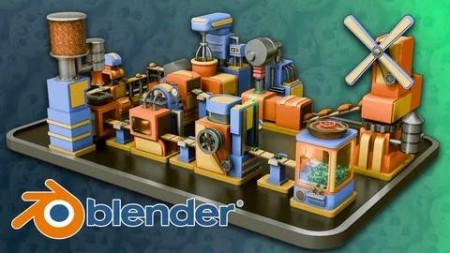
Blender Beginners Masterclass: The Cookie Factory
Published 11/2024
MP4 | Video: h264, 1920×1080 | Audio: AAC, 44.1 KHz
Master Blender with the Ultimate Beginner’s Guide Create, Animate, and Render a Fully Functioning Cookie Factory Course
What you’ll learn
• Blender Basics for 3D Modeling: Learn essential navigation, viewport setup, and project organization in Blender.
• Modeling and Animation Techniques: Build and animate 10 unique factory machines, including a Flour Mill, Water Adder, Mixer, Stamper, and more.
• Introduction to Procedural Design: Explore the basics of Geometry Nodes to create dynamic conveyor belts and other factory elements.
• UV Mapping and Texturing: Master UV unwrapping techniques and apply materials for realistic and stylized textures.
• Lighting Fundamentals: Use emission shaders, Sky Texture nodes, and advanced lighting techniques.
• Keyframe Animation and Timing: Animate complex machinery with keyframes, timing adjustments, and animation cycles.
• Rendering and Compositing: Finalize your project with professional rendering settings using 3D Tudor’s Blend Craft plugin addon for professional tools that wi
• Portfolio-Ready Project Creation: Combine all learned skills into a polished, fully animated cookie factory.
Requirements
• Access to a computer (Windows, Linux, or Mac).
• Blender (latest version) installed on your computer.
• This class is beginner-friendly and requires no previous experience with Blender or 3D modeling.
• A creative interest in animation, procedural design, or crafting unique 3D projects
Description
Overview
Section 1: Introduction
Lecture 1 Introduction
Section 2: Working on smaller detail of a windmill machine in Blender
Lecture 2 Lesson 1 – Blender Introduction and Resource Pack Overview
Lecture 3 Lesson 2 – Blender basics navigation for Blender Beginners Masterclass
Lecture 4 Lesson 3 – Blender referencing guide for Blender Beginners Masterclass
Lecture 5 Lesson 4 – Bringing our first reference and talking about the creative process
Lecture 6 Lesson 5 – Blender basics modeling for Blender Beginners Masterclass
Lecture 8 Lesson 7 – Attaching gear to the windmill of our machine
Lecture 9 Lesson 8 – Adding a cylindrical tank to the side of a windmill
Lecture 10 Lesson 9 – Creating windmill machine vertical extention
Lecture 11 Lesson 10 – Adding detail to windmill blades
Section 4: Working on batter maker materials and shaders, adding color to machinery
Lecture 12 Lesson 11 – Creating gears and belts to attach the windmill
Lecture 13 Lesson 12 – Adding smaller decorative detail to the stylized windmill machinery
Lecture 14 Lesson 13 – Working on windmill attachments for Blender Beginners Masterclass
Lecture 15 Lesson 14 – Blender collections and layers basics
Lecture 16 Lesson 15 – Creating exit box for flour to come out for Beginners Masterclass
Section 5: Creating upper tank and Continuing with upper tank modeling in Blender
Lecture 17 Lesson 16 – Blender rendering cycles and eevee basics for Blender Beginners Mast
Lecture 18 Lesson 17 – Setting up lighting and first material for windmill
Lecture 20 Lesson 19 – Tweaking shader coloring to add decorative touch to the design
Lecture 21 Lesson 20 – Creating another device for factory
Section 6: Working and customising conveyor track geometry node in Blender
Lecture 22 Lesson 21 – Creating conveyor locations for batter maker
Lecture 23 Lesson 22 – Creating upper tank for batter maker for Blender Beginners Mastercla
Lecture 24 Lesson 23 – Continuing with upper tank modeling for Blender Beginners Masterclas
Lecture 25 Lesson 24 – Creating extention for batter maker tank, modeling, modeling liquid
Lecture 26 Lesson 25 – Creating pipes using curvature techniques as well as pipe joint mesh
Section 7: Modeling a mixer machine in Blender and Continuing modeling
Lecture 27 Lesson 26 – Enhancing 3d detail of batter maker, adding ridges onto pipes, addin
Lecture 28 Lesson 27 – Working on batter maker materials and shaders, adding color to machi
Lecture 29 Lesson 28 – Adding a texture map to our shader for batter for Blender Beginners
Lecture 30 Lesson 29 – Blender basics uv seams and sharps for Blender Beginners Masterclass
Lecture 31 Lesson 30 – Animating batter texture to create flow motion for Blender Beginners
Section 8: Adding material and shader to mixer machinery in Blender and Animating mixer
Lecture 32 Lesson 31 – Blender basics asset manager guide
Lecture 33 Lesson 32 – Working and customising conveyor track geometry node
Lecture 34 Lesson 33 – Creating conveyor track using provided geometry node, adding custom
Lecture 35 Lesson 34 – Animating windmill and its gear rotation
Lecture 36 Lesson 35 – Continuing with animation for windmill
Section 9: Modeling dough mix and Animating dough to be stomped on by stomping machine
Lecture 37 Lesson 36 – Adding stylized animation using shape key for nozzle of batter maker
Lecture 38 Lesson 37 – Modeling a mixer machine for Blender Beginners Masterclass
Lecture 39 Lesson 38 – Continuing modeling for a mixer machine for Blender Beginners Master
Lecture 40 Lesson 39 – Creating a mixer hand using radial symmetry
Lecture 41 Lesson 40 – Working on modeling mixer gadget panel
Section 10: Adding additional decorative detail to stomper
Lecture 42 Lesson 41 – Refining detail of a mixer, making sure meshes fit nicely together
Lecture 43 Lesson 42 – Adding material and shader to mixer machinery for Blender Beginners
Lecture 44 Lesson 43 – Animating mixer, making the mixer lower down, sping
Lecture 45 Lesson 44 – Creating custom conveyor belt with gears and supports using geometry
Lecture 46 Lesson 45 – Working with mixer exit, adjusting position of conveyor and modeling
Section 11: Creating additional decorative detail on chocolate chip machine
Lecture 47 Lesson 46 – Adding detail to exit conveyor for Blender Beginners Masterclass
Lecture 48 Lesson 47 – Modeling dough mix for conveyor detail
Lecture 49 Lesson 48 – Animating dough to be stomped on by stomping machine
Lecture 50 Lesson 49 – Creating support for the stomper machine, to hold the stomper
Lecture 51 Lesson 50 – Adding additional decorative detail to stomper for Blender Beginners
Lecture 52 Lesson 51 – Working on timing to switch dough when it gets stomped
Lecture 53 Lesson 52 – Creating stomped dought for machine conveyor, and using shape keys
Lecture 54 Lesson 53 -Modelign chocolate chip machine, creating the base, for conveyor belt
Lecture 55 Lesson 54 – Focusing on chocolote chip tank located at the top of the machine, a
Lecture 56 Lesson 55 – Creating additional decorative detail on chocolate chip machine
Section 13: Modeling heat measurement arrow on our baker, continuing shading our bakery
Lecture 57 Lesson 56 – Manually addign detail to conveyor belt, creating supports
Lecture 58 Lesson 57 – Adding shader material to the chocolate chip machine
Lecture 59 Lesson 58 – Creating chocolate chip detail for cookies using rock generator in
Section 14: Continuing modeling process and Adding smaller detail to box maker
Lecture 62 Lesson 61 – Adding additional decorative detail to baker, creating a side machin
Lecture 63 Lesson 62 – Using curve to create cable attachments to bakery system
Lecture 64 Lesson 63 – Creating gastanks for the backside of a bakery
Lecture 65 Lesson 64 – Creating gas shader for the oven, creating glass bulb shader
Lecture 66 Lesson 65 – Modeling heat measurement arrow on our baker
Section 15: Modeling cookie packing machine and Adding packining stomper, more in Blender.
Lecture 67 Lesson 66 – Animating heat gouge monitor arrows to give us motion randomly fluct
Lecture 69 Lesson 68 – Blender basics, performance and optimisation for Blender Beginners
Lecture 71 Lesson 70 – Continuing modeling process for box maker
Section 16: Working on applying shaders, creating shader and Creating animation motion
Lecture 72 Lesson 71 – Adding smaller detail to box maker, such as hinges
Lecture 73 Lesson 72 – Creating leavers and continuing details onto box maker modeling
Lecture 76 Lesson 75 – Modeling cookie packing machine for Blender Beginners Masterclass
Lecture 77 Lesson 76 – Adding packining stomper for the top of the machine, thinking of the
Lecture 78 Lesson 77 – Working on attaching stomper with extra detail for Blender Beginners
Lecture 79 Lesson 78 – Modeling gears and additional systems for pulley system
Lecture 80 Lesson 79 – Modeling gear belts and bulbs and additional support for our machine
Lecture 81 Lesson 80 – Working on applying shaders, creating shader for our light bulb
Section 18: Making the boxes and its placement seem more believable and Adding shaders
Lecture 82 Lesson 81 – Creating animation motion for boxing machine, adding rotation motion
Lecture 83 Lesson 82 – Creating animation for green to red changes for light bulb
Lecture 85 Lesson 84 – Creating frame for claw machine
Section 19: Working on glass and Final placements of our cookie factory
Lecture 87 Lesson 86 – Working on the entrance for the claw machine and thinking how boxes
Lecture 88 Lesson 87 – Modeling claw controls for the front, using crate stacker geometry n
Lecture 89 Lesson 88 – Modeling claw hand with all the little gears
Lecture 90 Lesson 89 – Modeling shape to better fit the claw to pick up present boxes for B
Lecture 91 Lesson 90 – Making the boxes and its placement seem more believable for Blender
Section 20: Working with lighting sources, Working on animating claw machine
Lecture 92 Lesson 91 – Adding shaders to the claw for Blender Beginners Masterclass
Lecture 93 Lesson 92 – Working with lighting sources for claw machine
Lecture 94 Lesson 93 – Working on animating claw machine for Blender Beginners Masterclass
Lecture 95 Lesson 94 – Continuing with the animation motion of a claw, making it move back
Section 21: Camera turntable basics, Working with compositor addor to adjust our render
Lecture 96 Lesson 95 – Working on glass for claw machine and its window frame for Blender
Lecture 97 Lesson 96 – Final placements of our cookie factory, making sure everything
Lecture 98 Lesson 97 – Camera turntable basics for Blender Beginners Masterclass
Lecture 99 Lesson 98 – Working with compositor addor to adjust our render
Lecture 100 Lesson 99 – Color correction in blender compositor, setting up denoiser and shar
DDownload
https://www.keeplinks.org/p27/687cd208d5db1
RapidGator
https://www.keeplinks.org/p27/687cd626cf117
NitroFlare