

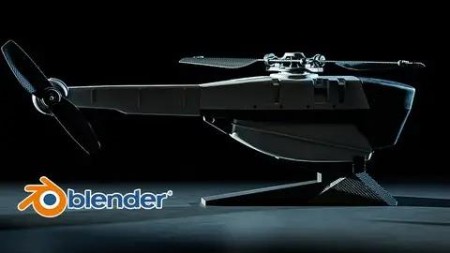
Blender: Learn How To Create The Military Black Hornet Drone
Published 12/2022
MP4 | Video: h264, 1280×720 | Audio: AAC, 44.1 KHz
What you’ll learn
Learn how to create complex shapes using simple geometries like a box and cylinders
Learn how to create hard surface geometries using default modeling tools
Learn how to illuminate the scene with HDRI images
Learn how to make nice realistic render using cycles
Learn how to control the depth of field effect using nice easy tricks
Learn how to create motion blur and how to control the shutter speed
Learn how to get rid of the bad shading when you model your geometry
Learn how to use the compositor to make post-processing
Requirements
You need to know how to use Blender with some fundamental knowledge
Description
Overview
Section 1: Introduction
Lecture 1 Introduction
Lecture 4 004_Modeling the head- we will use subdivision surface
Lecture 5 005_Adding more edges and make the mesh sharper
Lecture 6 006_Using mirror mod and creating the side holes by using the loop tool
Lecture 7 007_Finalizing the head modeling
Lecture 9 009_Using the bool tool to create the side body holes
Lecture 10 010_Modeling the body, adding edges to make the shape sharper.
Lecture 11 011_Finalizing the body and adding mirror modifier
Lecture 12 012_Extruding some faces on the side of the mesh
Lecture 13 013_Adding holes to the side of the mesh
Lecture 14 014_Finalizing the body mesh and make some tweaking
Lecture 18 018_Working on the back rotor
Lecture 19 019_Making some adjustments to the tail
Lecture 20 020_Finishing the back rotor
Lecture 21 021_Creating the battery holder
Lecture 23 023_Creating the Battery lock
Lecture 25 025_Creating the rotor joint
Lecture 27 027_Creating the big rotor feather
Lecture 28 028_Adding screws and creating the barcode base with some editing
Lecture 29 029_Illuminating the scene with an HDRI image
Lecture 30 030_Creating the first material
Lecture 31 031_Creating material to the body and the rotor
Lecture 32 032_Creating carbon fiber material for the rotor feathers
Lecture 33 033_Creating a chroom material to the back rotor
Lecture 34 034_Creating the camera lenses material and the glass shield
Lecture 35 035_Creating a stand to the Black Hornet
Lecture 36 036_Unwrapping and adding carbon fiber material to the stand
Lecture 37 037_Adding the Barcode
Lecture 38 038_Link objects to the Empties
Lecture 39 039_Creating simple rig to the black hornet
Lecture 40 040_Adding constraint to small rotor
Lecture 41 041_Setting up the environment and make a quick render with Cycles
Lecture 42 042_Fixing the ground Roughness and make another render
Lecture 43 043_Adding a Gradient node to make the background darker
Lecture 44 044_Adding motion blur and making the final shot
Section 2: The project folder
Lecture 45 Resource
The beginners will struggle a bit following this course, but I can say that this course is fit for the intermediate and advanced.

RapidGator
https://www.keeplinks.org/p27/6924be785e472
NitroFlare
https://www.keeplinks.org/p27/6924c0bc3ee3e
DDownload
https://www.keeplinks.org/p27/6924c26e66673