

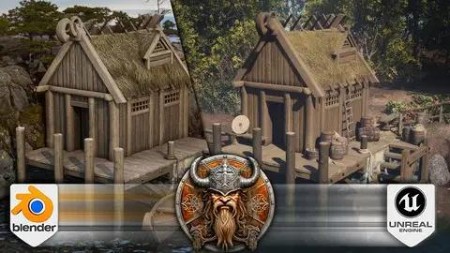
Blender To Unreal Engine 5 The Complete Beginners Guide
Published 10/2023
MP4 | Video: h264, 1920×1080 | Audio: AAC, 44.1 KHz
3D Game Development Journey: From Blender Basics to Unreal Engine 5 Excellence
What you’ll learn
• Using Blender 3 and understanding its new interface and shortcuts
• A course within a course introduction into (a) Blender basics, (b) materials and textures, © seams, sharps, and UVs
• Speeding up your 3D modelling workflow with a comprehensive overview and demonstration of using Blender’s asset manager
• Creating Viking curves using cool tools like Boolean operations and the grease pencil
• Learning how to create realistic roof thatching and layering your roof to make it voluptuous
• Crafting different shaders from the same texture maps to see how you can tweak not only colours but the overall vibe
• Experimenting with varying levels of transparency and exploring different water types using Blender’s node system
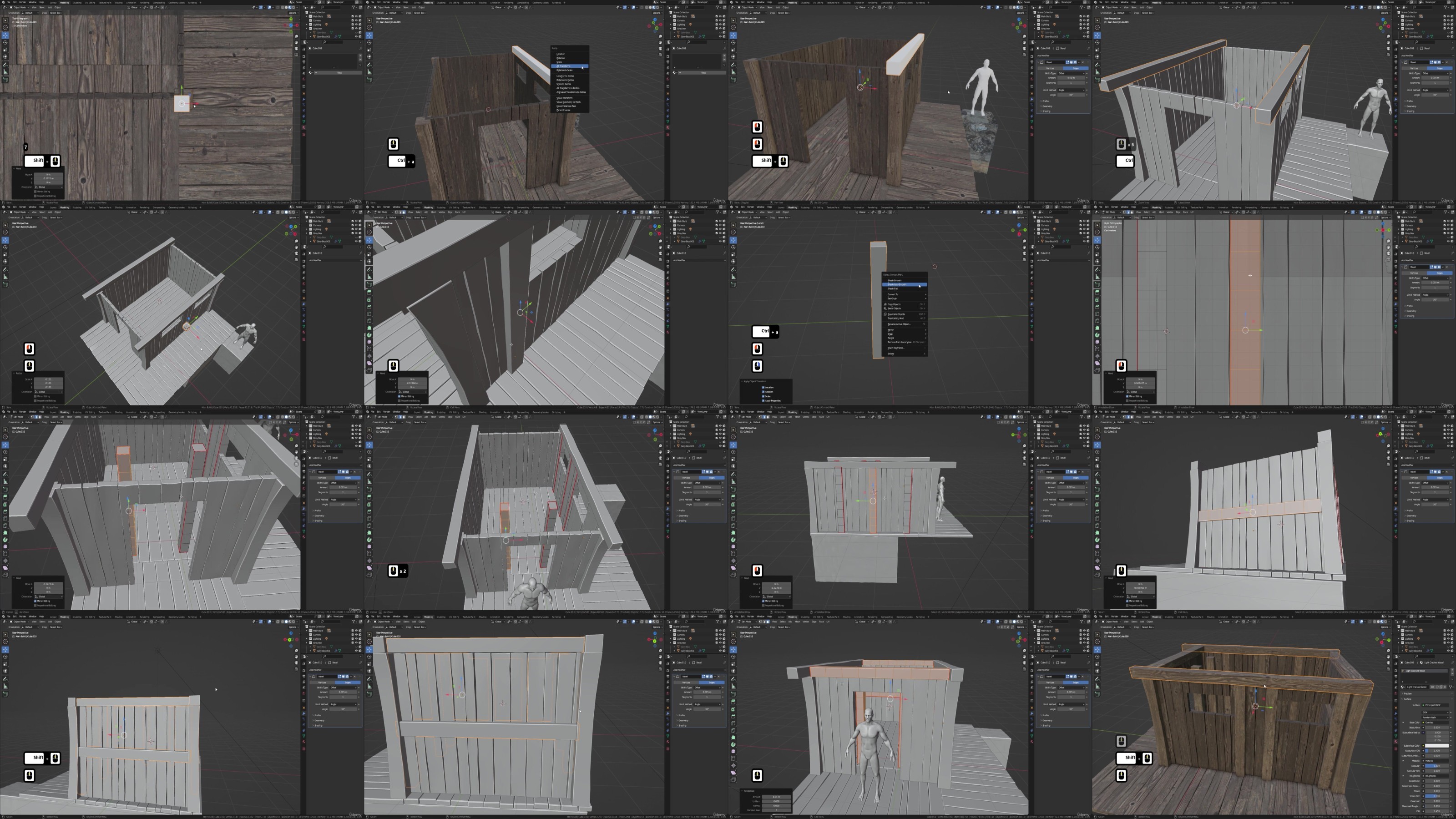
• Mastering the power of compositing and layers in Blender with a complete 3D modelling pipeline from greybox to high poly render
• Exploring practical approaches that elevate the realism and visual appeal of your renders
• Embarking on a smooth transition from Blender to Unreal Engine 5 (UE5), as we unveil the ease of importing glTF files
• Creating a volumetric fog that interacts with lighting, followed by a complete guide and introduction to the UE5 Lumen lighting system
• Unlock the ability to craft realistic water bodies, be it a peaceful lake or a flowing river using UE5’s water plugin
• Elevating your landscapes further with terrain displacement, and blending water bodies with Nanite-enabled terrain
• Uncovering the transformative power of colour calibration, tweaking colour settings to achieve a harmonious palette
• Enriching your scenes through the use of Quixel assets and create rich environments and open worlds with or without foliage
• Engaging in hands-on colour grading exercises, and witnessing your scene’s transformation towards a professional, realistic finish
Requirements
• To own a computer (Microsoft, Linux or Mac)
Description
Overview
Section 1: Introduction
Lecture 1 Introduction
Lecture 2 Lesson 1 – The Basics of Blender & [DOWNLOAD PACK]
Section 3: Section 3: Grey Boxes and Collections
Lecture 4 Lesson 3 – Creating Grey Boxes
Lecture 5 Lesson 4 – Working with Collections
Section 4: Section 4: Seams, Sharps, and UV Mapping
Lecture 6 Lesson 5 – Seams & Sharps
Lecture 7 Lesson 6 – An Introduction to UV Mapping
Section 5: Section 5: Optimization and Asset Management
Lecture 8 Lesson 7 – Scene Optimization
Lecture 9 Lesson 8 – The Blender Asset Manager
Section 6: Section 6: Materials and Shaders
Lecture 10 Lesson 9 – Materials & Texture Map Introduction
Lecture 11 Lesson 10 – Applying Our First Materials
Lecture 12 Lesson 11 – Creating Unique Shaders
Section 7: Section 7: Mesh Editing Techniques
Lecture 13 Lesson 12 – Working with Proportional Editing
Lecture 14 Lesson 13 – Working with Mirrors
Lecture 15 Lesson 14 – The Power of Booleans
Lecture 16 Lesson 15 – Creating the Base
Lecture 17 Lesson 16 – Linking Object Data
Section 8: Section 8: Advanced Mesh Techniques
Lecture 18 Lesson 17 – Working with Subdivision
Lecture 19 Lesson 18 – Creating Realism Within Our Model
Lecture 20 Lesson 19 – Optimizing Meshes
Lecture 21 Lesson 20 – What Are Normals
Lecture 22 Lesson 21 – Fine-Tuning Our Shader
Section 9: Section 9: Refining and Texturing
Lecture 23 Lesson 22 – Cleaning Up Meshes
Lecture 24 Lesson 23 – Creating Metallic Shaders
Lecture 25 Lesson 24 – Working with Pipe Joints
Lecture 26 Lesson 25 – Finishing the Door Handle
Section 10: Section 10: Structural Elements
Lecture 27 Lesson 26 – Creating Realistic Supports
Lecture 28 Lesson 27 – Speeding Up Our Workflow
Lecture 29 Lesson 28 – Adding Bolts to Our Structure
Lecture 30 Lesson 29 – Creating the Roof Supports
Section 11: Section 11: Curves and Viking Details
Lecture 31 Lesson 30 – Introduction to Curves
Lecture 32 Lesson 31 – Adding a Touch of Viking
Lecture 33 Lesson 32 – Creating the Thatching Supports
Lecture 34 Lesson 33 – Refining Meshes for Realism
Section 12: Section 12: Sculpting and Finalization
Lecture 35 Lesson 34 – Sculpting Basics
Lecture 36 Lesson 35 – Turning Sculpting into Mesh
Lecture 37 Lesson 36 – Finalizing the Main House
Section 13: Section 13: Additional Elements
Lecture 38 Lesson 37 – Creating a Viking Shield
Lecture 39 Lesson 38 – Creating the Chimney
Lecture 40 Lesson 39 – An Easy Way to Create Stairs
Lecture 41 Lesson 40 – Creating the Stair Supports
Lecture 42 Lesson 41 – Creating the Posts
Section 14: Section 14: Advanced Shader Techniques
Lecture 43 Lesson 42 – Creating More Complex Shaders
Lecture 45 Lesson 44 – Adding Realism to the Main Window
Lecture 46 Lesson 45 – Adding Materials to the Main Window
Lecture 47 Lesson 46 – Finishing the Main Window
Section 15: Section 15: Modeling Boats and Lattices
Lecture 48 Lesson 47 – How to Model Boats
Lecture 49 Lesson 48 – Adding Realism to Our Viking Boat
Lecture 50 Lesson 49 – Creating the Keel
Lecture 51 Lesson 50 – Working with Lattices
Section 16: Section 16: Rope, Remesh, and Water
Lecture 52 Lesson 51 – Creating Rope
Lecture 53 Lesson 52 – Adding Textures to the Rope
Lecture 54 Lesson 53 – Blender Remesh Modifier
Lecture 55 Lesson 54 – Creating a Water Shader
Lecture 56 Lesson 55 – Basic Camera Setup
Lecture 58 Lesson 57 – Rendering Out Our Wheat
Section 18: Section 18: Texture Mapping in Blender
Lecture 59 Lesson 58 – Creating Texture Maps in Blender
Lecture 60 Lesson 59 – Creating the Thatching
Lecture 61 Lesson 60 – Adding Depth to the Thatching
Lecture 62 Lesson 61 – Creating the Viking Roof
Section 19: Section 19: Workflow Enhancement
Lecture 63 Lesson 62 – Blender Turbo Tools Addon
Lecture 64 Lesson 63 – Finishing the Scene
Lecture 65 Lesson 64 – The Blender Compositor
Lecture 66 Lesson 65 – Final Render
Section 20: Section 20: Exporting to Unreal Engine 5
Lecture 67 Lesson 66 – GLTF Blender 3D Scene Export
Lecture 68 Lesson 67 – Introduction to Unreal Engine 5 and UI
Lecture 69 Lesson 68 – Introduction to UE5 Viewport Controls
Section 21: Section 21: UE5 Scene Setup
Lecture 70 Lesson 69 – Basics of Unreal Engine 5 Scene Lighting
Lecture 71 Lesson 70 – Terrain and Water Base Setup
Lecture 72 Lesson 71 – Fixing Water Color for Realism
Section 22: Section 22: Asset Integration and Materials in UE5
Lecture 73 Lesson 72 – Importing an Asset Collection to Unreal Engine 5
Lecture 74 Lesson 73 – Fixing 3D Asset and Reimporting Scene to UE5
Lecture 75 Lesson 74 – Material Basics
Lecture 76 Lesson 75 – Material Instances
Lecture 77 Lesson 76 – Fixing Roof Thatching
Section 23: Section 23: Environment and Landscape
Lecture 78 Lesson 77 – Environment Planning and Landscape Tool Overview
Lecture 79 Lesson 78 – Landscape Adjustments in UE5
Lecture 80 Lesson 79 – Landscape Displacement in Unreal Engine 5
Section 24: Section 24: Advanced Landscape Materials
Lecture 81 Lesson 80 – Creating Landscape Material
Lecture 82 Lesson 81 – Fixing Material Scale and Color
Lecture 83 Lesson 82 – Distance-Based Blending for Nanite Tesselated Material
Lecture 84 Lesson 83 – Setting up Nanite Landscape Material Blend
Section 25: Section 25: Finishing Touches and Lighting
Lecture 85 Lesson 84 – Painting in Stone Material and Creating a Puddle
Lecture 86 Lesson 85 – Tweaking Lighting Parameters
Section 26: Section 26: Quixel Assets and Foliage
Lecture 87 Lesson 86 – Selecting Quixel Assets for the Scene
Lecture 88 Lesson 87 – Unreal Engine 5 Quixel Props for 3D Scene
Lecture 89 Lesson 88 – Planning Prop Placement for UE5 Environment
Lecture 90 Lesson 89 – Fences and Rope Color in UE5 Scene
Section 27: Section 27: Foliage and Asset Tweaking
Lecture 91 Lesson 90 – UE5 Foliage Mode for Asset Placement
Lecture 92 Lesson 91 – UE5 Foliage and Tree Placement
Lecture 93 Lesson 92 – Tweaking Foliage Values
Section 28: Section 28: Post Processing and Final Render
Lecture 94 Lesson 93 – Material Parameters for 3D Assets
Lecture 95 Lesson 94 – UE5 Post Processing and Color Grading
RapidGator
https://www.keeplinks.org/p27/68b88a4fd8ded
NitroFlare
https://www.keeplinks.org/p27/68b8929e3135c
DDownload
https://www.keeplinks.org/p27/68b898814636a