

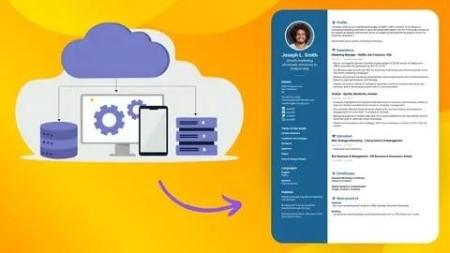
Build Your Own Saas: Complete Resume Builder Web App | 2025
Published 2/2025
MP4 | Video: h264, 1920×1080 | Audio: AAC, 44.1 KHz
Design, Develop and Deploy a Fully Functional Resume Builder with Real-World Applications
What you’ll learn
Understand SaaS and web development, exploring its significance, key features, and required technologies for project development.
Learn frontend development using HTML, CSS, JavaScript, and Tailwind CSS, covering basic to advanced techniques for a solid understanding.
Explore backend development, including sessions, virtual environments, and libraries, to write and understand server-side code.
Integrate frontend with backend, revisiting HTML, CSS, JavaScript, and Tailwind CSS to align with backend functionality and test locally.
Develop a fully functional SaaS application, focusing on user experience and designing a custom SaaS product homepage.
Implement a user registration and authentication system, enabling secure sign-up and login for accessing the resume builder dashboard.
Secure user passwords with encryption and apply access control measures to safeguard sensitive information and prevent unauthorized access.
Learn how to deploy your project live on a server, configuring an online Python server, uploading files, and executing the project in real-time.
Gain a holistic view of the entire project and reflect on all the steps to ensure a fully functional and secure web application.
Requirements
Familiarity with web browsing and internet concepts.
Some experience with basic HTML and CSS is helpful.
A willingness to learn and explore new technologies.
Access to a computer with internet connection for hands-on practice.
Description
Overview
Section 1: Introduction
Lecture 1 Introduction to SaaS
Lecture 2 Introduction to Web Development
Lecture 3 Components Required for the Project Development
Lecture 4 Installation of VS Code and Live Server
Lecture 5 Understanding the Project Workflow
Lecture 17 CODE – Frontend
Lecture 18 Frontend Code Execution
Section 3: Hands-on Backend Development
Lecture 19 Understanding Sessions and How Browsers Use Them
Lecture 20 Python Installation and Virtual Environment Setup
Section 4: Frontend Integration with Backend
Lecture 38 CODE – Backend with Frontend
Lecture 39 Testing Application on Local Server
Section 5: Adding Homepage & Authentication
Lecture 40 Adding the SaaS Homepage
Lecture 41 Understanding the Frontend Code of Registration and Login
Lecture 42 Understanding the Database Code
Lecture 43 Implementing JWT Authentication and Middleware in Flask
Lecture 44 User Authentication and Session Management in Flask
Lecture 45 Understanding Sign-Up Flow in Flask
Lecture 46 Saving the Contact Form Data
Lecture 47 Implementing a Sign-Out Option on the Dashboard
Lecture 48 Additional Library Installation
Lecture 50 CODE – Resume Builder with Authentication
Lecture 51 Demo of Authentication-Enabled Resume Builder on Local Server
Section 6: Making the Project Live on the Server
Lecture 52 Introduction to Python Based Hosting Server
Lecture 53 Creating Account and Uploading Files
Lecture 54 Project Execution on Server
Lecture 55 CODE – Server Uploaded
Lecture 56 Summary

DDownload
https://www.keeplinks.org/p27/683f7a31b95a7
RapidGator
https://www.keeplinks.org/p27/683f7ae30b47d
NitroFlare