


Complete Ai Guide For Architecture & Design
Published 3/2025
MP4 | Video: h264, 1920×1080 | Audio: AAC, 44.1 KHz
AI for Architects & Designers | Master Midjourney, ChatGPT, Stable Diffusion & Beyond
What you’ll learn
ChatGPT: Master prompt engineering to generate content, automate tasks, and enhance communication in your architectural workflow.
Midjourney: Create stunning AI-generated architectural concepts and visualizations by mastering prompts, aspect ratios, and advanced settings.
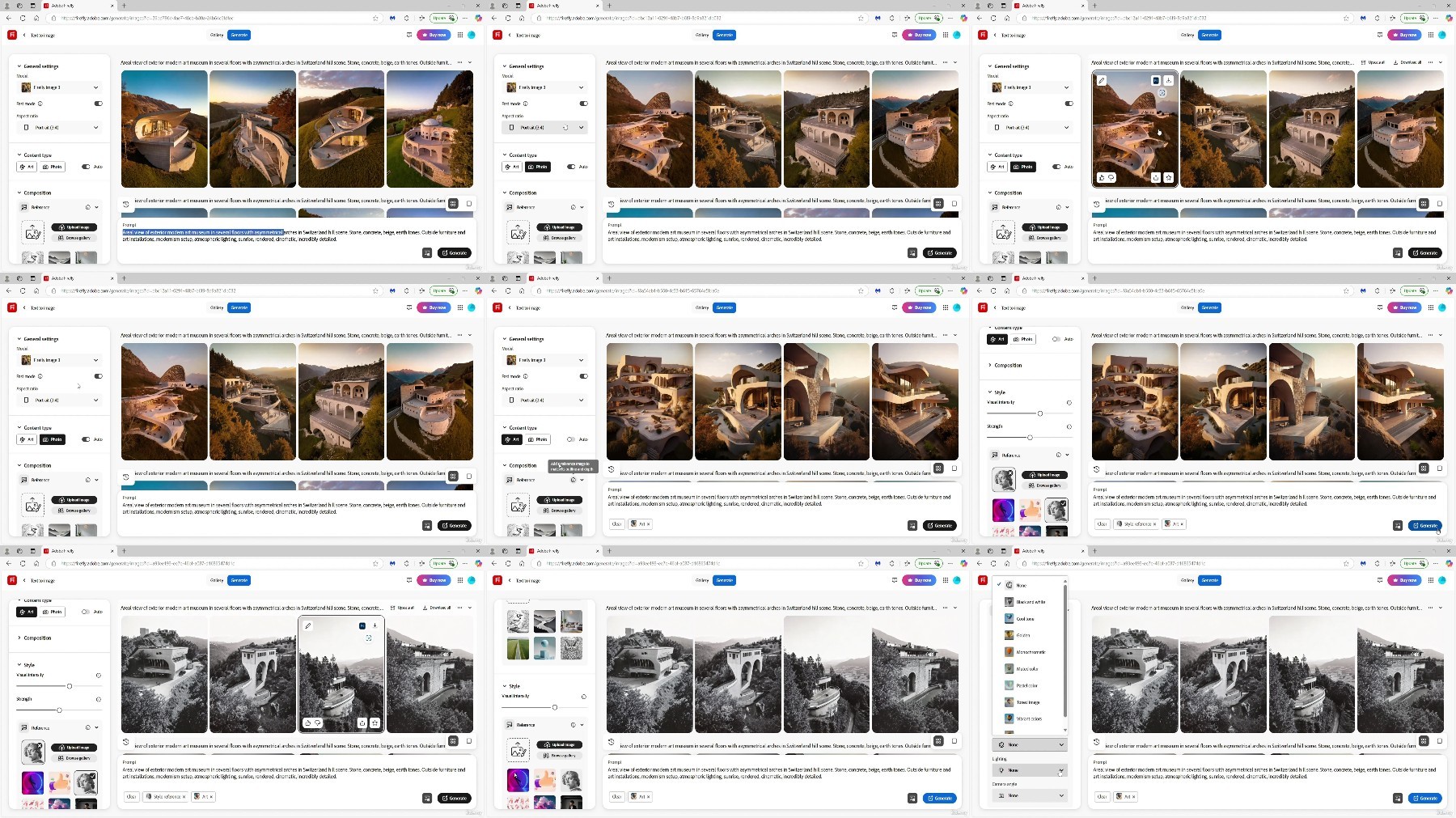
Adobe Firefly: Leverage AI-powered tools to design text effects, generative fill, and generate unique visuals for architectural presentations.
DALL·E 3: Generate high-quality, detailed architectural images from text prompts and refine them with upscaling techniques for professional use.
Stable Diffusion + ControlNet: Gain full control over AI-generated imagery by using advanced settings, ControlNet guidance, and upscaling techniques for precisi
Runway: Transform static images into dynamic AI-generated videos, creating engaging architectural walkthroughs and concept animations.
Photoshop AI: Use AI-driven tools like Generative Fill and image expansion to refine, modify, and enhance your architectural visualizations.
Krea AI: Enhance and upscale architectural renders with AI-powered adjustments for sharper, more detailed, and visually compelling presentations.
Instagram: Learn strategies to grow your audience, optimize content, and monetize your architectural and design expertise.
Requirements
No prior experience with AI is needed, but an eagerness to learn and explore new technologies within the field of architecture and design is a plus!
Description
Overview
Section 1: Introduction
Lecture 1 Introduction
Lecture 2 About Your Instructor
Lecture 3 Resources
Section 2: ChatGPT
Lecture 4 ChatGPT Key Links
Lecture 5 What is ChatGPT
Lecture 6 ChatGPT Layout and Interface
Lecture 7 ChatGPT Plus Features and Functions
Lecture 8 Prompt Creation
Lecture 9 Modifiers
Lecture 10 ChatGPT Tokens
Lecture 11 Copyright Shield
Lecture 12 Prompt Engineering
Lecture 13 Prompt Priming
Lecture 15 Fresh Ideas and Copy Generation
Lecture 16 Client Emails, Analogies and Bulk Writing
Lecture 17 Effective Prompt Revisions
Lecture 18 Chain of Thought Prompting
Lecture 19 Tabular Format Prompting
Lecture 20 Zero, One and a Few Shot Prompting
Lecture 21 Ask Before Answering a Prompt
Lecture 22 Fill-in-the-blank Prompting
Lecture 23 Perspective Prompting
Lecture 24 Constructive Critic Prompting
Lecture 25 Comparative Prompting
Lecture 26 Reverse Prompting
Lecture 27 RGC Prompting
Lecture 28 I Want You to Act as Prompting
Section 3: Midjourney
Lecture 29 Midjourney Key Links
Lecture 30 Midjourney Page and Discord Download
Lecture 31 Discord Layout and Showcase
Lecture 32 Creating Discord Server
Lecture 33 Midjourney Fundamentals
Lecture 34 Midjourney Settings: Remix Mode and Vary by Region
Lecture 35 Midjourney Settings: Raw Mode and Stylization Mode
Lecture 36 Aspect Ratios in Midjourney
Lecture 37 Demonstrating Prompting in Midjourney
Lecture 38 Command List and Prompts Overview
Lecture 39 Basics for Creating Effective Prompts
Lecture 40 Community Showcase
Lecture 42 Choose Your Aspect Ratio
Lecture 43 Model Version Parameters
Lecture 44 Blend Together Two Different Photos
Lecture 45 Upload and Edit Your Photos in Midjourney
Lecture 46 Describe and Imagine
Lecture 47 Advanced Prompt Parameters
Lecture 48 Creative Task
Lecture 49 Assignment Link
Section 4: Adobe Firefly
Lecture 50 Adobe Firefly Key Links
Lecture 51 Adobe Firefly Overview, Sign Up and Interface
Lecture 52 Text Effects
Lecture 53 Generative Fill
Lecture 54 Text to Image with Adobe Firefly
Section 5: DALL·E 3
Lecture 55 DALL·E 3 Key Links
Lecture 56 Access DALL·E 3
Lecture 57 Prompt Book
Lecture 58 Creating Images
Lecture 59 Enhance and Upscale Photos
Section 6: Stable Diffusion + ControlNet
Lecture 60 Stable Diffusion and ControlNet Installation Guide
Lecture 61 Make Your First SD Render
Lecture 62 Overview
Lecture 63 Stable Diffusion Checkpoint
Lecture 64 Stable Diffusion Options
Lecture 65 Prompt & Negative Prompt
Lecture 66 Generation
Lecture 67 Script
Lecture 68 Additional Tabs
Lecture 69 ControlNet Settings
Lecture 70 ControlNet Control Types
Lecture 71 ControlNet Advanced Settings
Lecture 72 X/Y/Z Plot
Lecture 73 Scribble
Lecture 74 Drawing to Render
Lecture 75 Upscaling
Lecture 76 Checkpoint Merger
Lecture 77 Tips for working with SD + ControlNet
Section 7: Runway
Lecture 78 Runway Key Links
Lecture 79 Image to Video
Section 8: Photoshop AI
Lecture 80 Layout Interface
Lecture 81 Generative Fill
Lecture 82 Image Extraction
Lecture 83 Expanding Image
Section 9: Krea AI
Lecture 84 Krea AI Key Links
Lecture 85 Enhance with Krea AI
Section 10: Instagram
Lecture 86 Types of Content
Lecture 87 Recommendations for Impact
Lecture 88 8 Essential Strategies
Lecture 89 Sources of Income
Section 11: Overview
Lecture 90 Congratulations on Finishing this Course!
Lecture 91 Stay in touch!
This course is for anyone who wants to use AI tools like ChatGPT to create incredible content, no matter their background or experience level.,The course is explicitly beneficial for architects, architecture students, interior designers, designers, urban planners.
TurboBit
https://www.keeplinks.org/p27/67e058ab7b165
RapidGator
https://www.keeplinks.org/p27/67e05bb250d67
FileFactory