

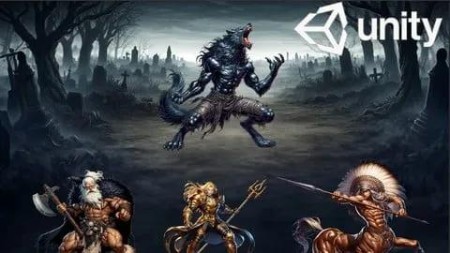
Create A 2D Rpg Battle Game From Scratch In Unity
Published 8/2025
MP4 | Video: h264, 1920×1080 | Audio: AAC, 44.1 KHz
"Learn Unity 2D step by step by building a complete RPG battle game with waves, bosses, damage popups, saving & UI menus
What you’ll learn
Build a 2D RPG battle game in Unity from scratch.
Create enemy waves & boss fights with turn-based combat.
Add a shop system with recruitable heroes.
Implement UI menus (health bars, wave counter, damage popups).
Add a save & load system using PlayerPrefs.
Level up system with XP & stats progression.
Add sound effects and visual feedback (damage popups, dissolve effect).
Requirements
A computer with Unity installed.
Basic computer skills (no prior coding required, beginners welcome!)
Description
Overview
Section 1: Introduction
Lecture 1 Introduction
Lecture 2 New Project
Section 2: Player Setup
Lecture 4 Player take Damage
Lecture 5 Player Dissolve effect
Section 3: Enemy
Lecture 7 Enemy initializing data
Lecture 8 Enemy dissolve effect
Lecture 9 Enemy Attack
Lecture 10 Player Attack
Section 4: Battle System
Section 5: Reward System
Lecture 13 Giving reward to the player
Lecture 14 Level up System
Section 6: Shop System
Lecture 15 Hero data and shop button
Lecture 16 Hero manager script
Lecture 17 Shop manager script
Lecture 18 Owned heros
Lecture 19 shop UI design
Section 7: saving and loading Game Process
Lecture 20 saving heroes that we recruit
Lecture 21 Saving and loading player stats
Section 8: Enemy wave
Lecture 22 Add more wave
Lecture 23 Enemy Wave UI
Lecture 24 Saving Enemy wave
Lecture 25 Damage pop up
Section 9: Main menu
Lecture 26 Menu UI
Lecture 27 Main Menu Script
Lecture 28 Polishing Game and full project
Beginners who want to learn Unity 2D game development.,Hobbyists who want to make their first RPG battle game.,Indie developers who want to expand their Unity skills.

RapidGator
https://www.keeplinks.org/p27/68d44087bb6b4
NitroFlare
https://www.keeplinks.org/p27/68d4419795a0d
DDownload
https://www.keeplinks.org/p27/68d4425a44b1e