

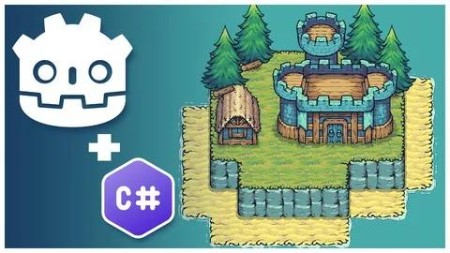
Create A Complete Grid-Based Puzzle Game In Godot 4 With C#
Published 9/2024
MP4 | Video: h264, 1920×1080 | Audio: AAC, 44.1 KHz
What you’ll learn
Grid-based puzzle mechanics – placing buildings on a grid, updating grid state, and querying the grid
Godot 4.3+ TileSet and new TileMapLayer – y-sorting multiple stacked layers, tile animations, custom user-defined tile data, and auto tiling
C# scripting – using C# effectively in Godot 4, C# data structures, using LINQ for filtering and querying data, using Nuget packages, and extension methods
Saving and loading – using JSON to store and load game save data to a custom user directory
Audio – implementing sound effects and music
Requirements
Some programming experience with statically-typed languages is strongly recommended
Description
Overview
Section 1: Introduction and Setup
Lecture 1 Godot and C# Installation and Setup
Lecture 2 C# and VSCode Configuration
Lecture 3 Godot Editor Orientation
Lecture 4 The First C# Script
Lecture 5 Instantiating New Scenes
Lecture 6 Introduction to Signals
Lecture 7 Modifying Window Settings
Section 2: Foundational Mechanics
Lecture 8 Basic Grid Operations and TileMapLayer Introduction
Lecture 9 Using a HashSet to Mark Occupied Tiles
Lecture 10 Minor Code Cleanup
Lecture 12 Introduction to Autotiling
Lecture 13 Refactoring Code Into a GridManager
Lecture 14 Defining and Using TileSet Custom Data
Lecture 15 Adding a Base Building
Lecture 16 Using Autoloads and Custom Signals for Grid State Updating
Lecture 17 Using Grid State for More Sophisticated Building Rules
Lecture 18 Highlighting Expandable Building Area
Lecture 19 Adding Animated Tree Tiles
Lecture 20 Accounting for Trees in GridManager
Lecture 21 Applying Y-Sorting for Proper Draw Order
Lecture 22 Adding Village Buildings
Lecture 23 Introduction to Custom Resources
Lecture 24 Highlighting Resource Tiles
Lecture 25 Tracking Collected Resource Tiles
Section 3: Refining Gameplay Mechanics
Lecture 26 Introduction to Control Nodes
Lecture 27 Streamlining Building Placement
Lecture 28 Creating a Building Manager
Lecture 29 Creating a Building Placement Ghost
Lecture 30 Indicating Whether Building Ghost is Valid
Lecture 31 Cancelling Building Placement
Lecture 32 Refactoring Building Manager to Support States
Lecture 33 Refunding Resources and Updating Grid on Building Destruction
Lecture 34 Adding a Win Condition
Lecture 35 Transforming the Main Scene Into a Base Level Scene
Lecture 36 Adding Terrains to the Tileset
Lecture 37 Adding Water to the Tileset
Lecture 38 Adding Shadows to the Tileset
Lecture 39 Designing Your First Level
Lecture 40 Adding Camera Panning
Lecture 42 Fixing Shadow Tiles Invalidating Buildable Tiles
Lecture 43 Making UI Buttons Follow Camera
Section 4: Expanding the Game Mechanics, UI, and Levels
Lecture 44 Making Buildings Occupy Multiple Tiles
Lecture 46 Allowing Building Deletion by Clicking Into Occupied Area
Lecture 47 Preventing Building Placement on Differing Elevation Layers
Lecture 48 Introduction to Extension Methods
Lecture 49 Making Building Radius Circular
Lecture 50 Introduction to UI Theming
Lecture 52 Styling Building Selection UI
Lecture 53 Fonts and Button Styling
Lecture 54 Improving the Design of Building Sections
Lecture 55 Displaying Resource Count in Game UI
Lecture 56 Building a Main Menu Skeleton UI
Lecture 57 Building a Framework for Changing Levels
Lecture 58 Creating a Level Complete Screen
Lecture 59 Moving to the Next Level from the Level Complete Screen
Lecture 60 Designing More Levels
Lecture 61 Addressing Some Errors and Issues
Lecture 62 Creating a Level Select Screen
Lecture 63 Moving Level Definitions to Custom Resources
Lecture 64 Showing Levels on the Level Select Screen
Lecture 65 Integrating the Level Select Screen With the Main Menu
Section 5: Adding Animations, Goblin Camps, and Other Polish Elements
Lecture 66 Improving the Look of Building Placement
Lecture 67 Introduction to Animation Player
Lecture 68 Using Tweens to Animate Building Position
Lecture 69 Centering Building Placement on Mouse Position
Lecture 70 Animating Building Placement
Lecture 71 Call Building Placement Animation on Demand
Lecture 72 Building Destruction Animation
Lecture 73 Adding a Mask to Building Destruction
Lecture 74 Fixing Destruction-Related Bugs
Lecture 77 Creating a Goblin Camp
Lecture 78 Making the Goblin Camp Functional
Lecture 79 Creating a Barracks Building
Lecture 80 Allowing Barracks to Be Placed in Goblin Camps
Lecture 81 Showing Barracks Attack Area
Lecture 82 Making the Barracks Destroy Goblin Camps
Lecture 83 Handling Goblin Camp Restoration on Barracks Destroy
Section 6: Finalizing the Game
Lecture 84 Preventing Invalid Building Destruction
Lecture 85 Fixing Bugs in Building Destruction
Lecture 86 Preventing Invalid Barracks Destruction
Lecture 87 Cleaning Up Code and Tile Improvements
Lecture 88 Adding Pagination to Level Select Screen
Lecture 89 Introducing Nuget Packages
Lecture 90 Saving and Loading Lesson Data to Disk
Lecture 91 Showing Saved Level Completion State
Lecture 92 Window Scaling Configuration
Lecture 93 Adding Camera Shake
Lecture 95 Adding Resource Indicators
Lecture 96 Adding Error Messaging
Lecture 97 Adding a Custom Cursor
Lecture 98 Animating Goblin Camp Destruction
Lecture 99 Adding Sound Effects
Lecture 100 Adding Final Sound Effects and Music
Lecture 101 Fixing Gold Mine Indicator
Lecture 102 Creating an Options Menu
Lecture 103 Integrating the Options Menu Into the Game
Lecture 104 Creating an Escape Menu
Lecture 105 Handling the Last Level in the Level Complete Screen
Lecture 106 Exporting Your Game
Lecture 107 Congratulations, Your Game is Complete!
Beginner game developers with programming experience,Individuals looking for a complete 2D development guide for Godot 4 with C#,Intermediate programmers,Intermediate game developers

RapidGator
https://www.keeplinks.org/p27/694f22a83bd2f
NitroFlare
https://www.keeplinks.org/p27/694f277963979
DDownload
https://www.keeplinks.org/p27/694f2adb35e1f