

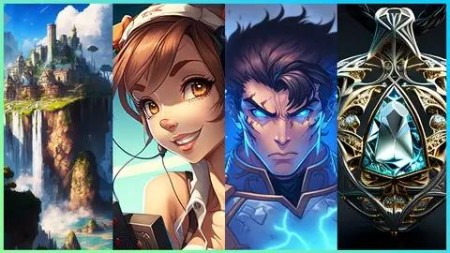
Create Beautiful Imagery With Midjourney A.I.
Last updated 1/2023
MP4 | Video: h264, 1280×720 | Audio: AAC, 44.1 KHz
What you’ll learn
Learn the ins and outs of Midjourney, a text-to-image AI program
Master Midjourney’s prompt system, controlling it to fine tune your images
How to engage with the Midjourney community to push your creations even further
Elevate your creations by taking them beyond Midjourney
Requirements
Internet connection
Email account
Description
Overview
Section 1: Setting up
Lecture 1 Welcome to the course! Here is what we cover!
Lecture 3 Setting up Discord and Midjourney V4
Lecture 4 Navigating around Discord and Midjourney V4’s Discord Server
Section 2: Beginner Prompts
Lecture 5 Writing our first prompt in Midjourney V4
Lecture 6 Upscaling images in Midjourney V4
Lecture 8 The upscaling UI panel in Midjourney V4
Lecture 9 Using the Light and Beta upscalers in Midjourney V4
Lecture 10 Rerolling images in Midjourney V4
Lecture 11 Setting aspect ratios in Midjourney V4
Lecture 12 Adding more information to our prompts in Midjourney V4
Section 3: Settings
Lecture 13 Configuring settings in Midjourney V4
Lecture 14 Using the remix setting in Midjourney V4
Lecture 15 The end of the trial version of Midjourney V4
Section 4: Advanced Prompts
Lecture 17 The "No" option in Midjourney
Lecture 18 Working with Lighting in Midjourney
Lecture 19 Working with Camera Angles in Midjourney
Lecture 20 Working with Color in Midjourney
Section 5: Communities and Resources
Lecture 22 Midjourney Web Application
Lecture 23 Using the Midjourney Web Application to enhance your workflow
Lecture 24 Great Online Resource for Midjourney Prompt Crafting
Lecture 25 More on the Midjourney Discord
Section 6: Other Ideas
Lecture 26 Midjourney on your Phone
Lecture 27 Introduction to Dall E 2
Lecture 28 Using Generation Frames in Dall E 2
Lecture 29 Upscaling Midjourney Images with Topaz Giga Pixel and Making Prints
Lecture 31 Using the Tile Feature in Midjourney to create more products in Redbubble
Section 7: Working Examples
Lecture 32 Futuristic Cyberpunk Soldier with Midjourney
Section 8: Wrapping Up
Lecture 34 Thank you!
Section 9: Questions Answered!
Lecture 35 What are some options to save my images?
Section 10: Version 3 content (soon to be retired)
Lecture 36 Using Discord with Midjourney (V3 – Older Version)
Lecture 37 Navigating around Discord and Midjourney (V3 – Older Version)
Lecture 41 Max Upscale in Midjourney (V3 – Older Version)
Lecture 42 Light and Beta Upscaling in Midjourney (V3 – Older Version)
Lecture 43 Remastering in Midjourney (V3 – Older Version)
Lecture 45 Adding additional prompt details and Rerolling in Midjourney (V3 – Older Version
Lecture 46 Configuring Midjourney Settings (V3 – Older Version)
Lecture 47 The end of your Midjourney Trial (V3 – Older Version)
Lecture 48 The Remix Setting (V3 – Older Version)
Lecture 49 A quick note on Midjourney Version 4

DDownload
AusFile
https://www.keeplinks.org/p27/6814c7151b165
RapidGator
https://www.keeplinks.org/p27/6814c7d83144c