

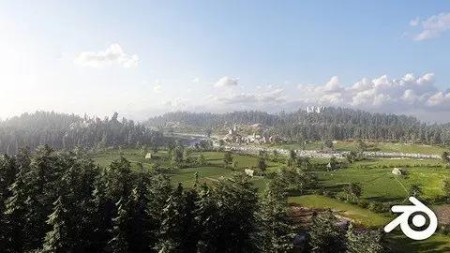
Creating modular environments
Genre: eLearning | MP4 | Video: h264, 1280×720 | Audio: AAC, 44.1 KHz
This course teaches you to build modularly and apply it in a large landscape
What you’ll learn
Making modular buildings with modular objects
Creating a large environment Terrain
Working with light and atmosphere
Make game ready modular assets
Description
Creating modular environments is our brand-new course, focusing on large scale environments. For a long time, we had this dream of building a scene that had multiple areas to highlight. The classic approach was building a scene from one or two perspectives and make renders out of it. This new course lets you build villages, cities, and castles in a very efficient way. We achieve this by modular building design, already quite common in the gaming industry.
This course includes a massive amount of high quality content
· large library of high quality 8K texture Photo-scans (Texturehaven)
· 26 hours of video content ( Udemy uses 1080p)
· Photo scanned wooden beams and rocks
· Animated medieval characters, sheep’s and cows
· 4k aerial video reference content
· Nature pack with grass, plants and trees
I know how to make a scene, but the next step scares me.
If you reached the point of making a small environment scene with some buildings and vegetation, you know how much time this involves. Thinking about creating a small village or city can scare you because of the large number of buildings and terrain objects.
Course overview:
Chapter 1: Introduction
Chapter 2: Basics of Modular Building
Chapter 3: Making a Modular Building Set
We will work on the master material shader and work with vertex paint to blend materials on the landscape. After this chapter, you can easily construct medieval modular constructions and outline and shape a landscape in Blender.
Chapter 4: Making A More Advanced Modular Set
At the end of this chapter, we will continue shaping the landscape and add some low poly trees and bushes. We use the EEVEE rendering engine to preview the scene. After completing this chapter, you will have a wide range of modular objects to design all types of medieval buildings.
Chapter 5: Building A Church And Making Trees
We will continue with making some new modular walls, this time focusing on ornamental walls with a large window frame. With these new modular walls, you can construct a church that will be the hotspot of your village.
After completing the church, we will design some pine and fir trees. There is no need for a plugin, we will create the trees from scratch in Blender
Chapter 6: Making A Ruin & Castle Complex
In Chapter 6, we will design a new set of modular walls to construct a castle and a ruin complex. By making battlements and crenellations, you will have the freedom to build any type of castle you prefer.
We offer a blueprint that helps you design the complex but feel free to make your own structure in this chapter. We will also work on two new tree types, the birch and maple tree. For this, we work with the free add-on M tree.
Chapter 7: Finishing The Main Scene
For this purpose, we will import all the buildings and work out the main scene. We will add displacement maps on the terrain and add more details to enrich the scene. We end up making a final scene render in cycles.
Chapter 8: Making Scene Renders
We will also import the animals and characters to fill up the scene and add multiple cameras to easily switch the camera position.
DDownload
https://www.keeplinks.org/p27/686b98f801f5d
RapidGator
https://www.keeplinks.org/p27/686ba0d219bad
NitroFlare
https://www.keeplinks.org/p27/686baa490d528