

CSS in Action: 30 Engaging Mini Projects to Boost Your Skill
Published 5/2025
Duration: 6h 48m | .MP4 1280×720, 30 fps(r) | AAC, 44100 Hz, 2ch | 2.53 GB
Master CSS with 30 creative mini projects-animations, transitions, effects, and layouts made easy!
What you’ll learn
– How to build 30 real-world CSS mini projects from scratch
– Master the use of CSS transitions, transforms, and keyframe animations
– Create visually engaging UI components like buttons, loaders, cards, and modals
– Design advanced effects including glassmorphism, neon glow, and pulse animations
– Apply 3D transformations and perspective to build interactive elements like sliders
– Use pure CSS to create effects often done with JavaScript
– Understand how to organize and reuse CSS code for efficient styling
– Build a portfolio-ready collection of components for personal or professional use
– Gain hands-on experience with modern, creative CSS design patterns
– Learn to think like a UI/UX designer while coding in CSS
Requirements
– A basic understanding of HTML and CSS
– Access to a code editor (such as VS Code, Sublime Text, or any editor of your choice)
– A modern web browser (like Chrome or Firefox) for testing and previewing projects
– A passion for creative design and hands-on learning
– A willingness to experiment and practice through projects
Description
CSS in Action: 30 Engaging Mini Projects to Boost Your Skills
Are you ready to take your CSS skills to the next level? Do you want to create stunning, interactive, and professional-looking web designs? If yes, thenthis course is exactly what you need!
"CSS in Action: 30 Engaging Mini Projects to Boost Your Skills"is a hands-on, project-based course designed to transform you from a CSS beginner to a confident front-end developer. Whether you’re a student, an aspiring web designer, or a developer looking to refine your CSS skills, this course is packed with30 exciting, real-world mini projectsthat will keep you engaged while mastering key CSS concepts.
Why This Course?
Practical Learning- No boring theory! You’ll be working on30 awesome CSS projectsthat reinforce concepts like animations, effects, layouts, hover interactions, transitions, and more.
Step-by-Step Guidance- Every project is explained in detail, ensuring that you understand not just how to build it but alsowhy it works.
Hands-On Experience- Get your hands dirty withreal-world,Awesome designsand level up your CSS proficiency.
Portfolio-Worthy Projects- By the end of the course, you’ll have30 stunning CSS projectsto showcase in your portfolio, helping you stand out in the job market.
Super Fun & Engaging- Every project is uniquely designed tospark creativity, ensuring you never get bored while learning CSS.
What You’ll Learn:
Throughout this course, you will dive deep into the world of CSS and build a solid understanding of:
CSS Animations & Transitions- Learn how to make elements come to life with engaging effects.
Hover Effects & Interactions- Create stunning UI interactions that enhance user experience.
Advanced Selectors & Positioning- Master different CSS techniques for precise styling.
Flexbox Layouts- Buildresponsiveandmodernlayouts effortlessly.
Background & Gradient Effects- Design eye-catching backgrounds with pure CSS.
Creative Buttons & Loaders- Make buttons and loaders more appealing with animations.
Card UI & Modals- Design professional-looking card components and pop-ups.
Text Effects & Styling- Add unique typography styles to improve readability and aesthetics.
Practical Debugging Tips- Learn how to troubleshoot common CSS issues like a pro.
Projects You’ll Build:
This course is all aboutlearning by doing! You’ll create 30 exciting projects, including:
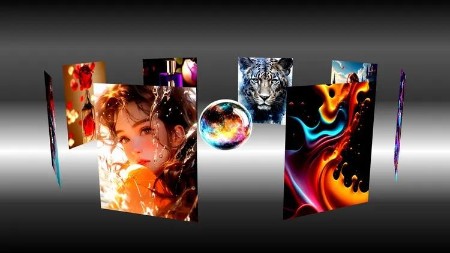
3D Image Slider Animation- Discover how to build a mesmerizing 3D image slide animation that brings your gallery to life with stunning depth and motion!
GlassMorphism Effect- Learn how to craft a sleek Glassmorphism effect using CSS to add a frosted, modern aesthetic to your web designs!
CSS Only Photo Stand- Create a stylish CSS-only photo stand effect that showcases your images with a realistic, modern display!
Typing Text Animation- Learn how to create a realistic typing text animation using CSS to bring your Portfolio / Job Title and messages to life!
Border Animations -Explore how to create eye-catching border animations using CSS to enhance your elements with stylish, interactive effects!
Neon Text Glow effect- Create stunning Neon Text Glow effect using HTML and CSS for eye-catching web designs
Animated Glowing Progress Bar- Create an animated glowing progress bar using CSS to visually enhance loading indicators with vibrant, futuristic effects!
Wavy Text Animation- A cool effect for making text dance with CSS.
Expanding Search Bar- A stylish search bar that expands when clicked.
Flip Card Effect- A 3D card flip animation using only CSS.
Pulse Effect on Elements- A subtle pulsing animation for UI components.
Skeleton Loading Effect- A smooth transition effect when images load.
.and many more creative projects that will push your CSS skills to the next level!
Who This Course is For:
Beginnerswho want to learn CSS by building real-world projects.
Web Developerslooking to refine their CSS skills with practical examples.
Designerswho want to add interactive elements to their web pages.
Studentspreparing for job interviews and needing portfolio-worthy projects.
Anyone passionate about modern web designand eager to level up their CSS expertise!
What You Need:
Basic understanding of HTML & CSS(No advanced knowledge required!)A computer with a text editor(VS Code recommended)A curious and creative mindset!
What You’ll Get:
30 hands-on mini projectsto boost your CSS knowledge.Downloadable project filesfor every lesson.Lifetime access- Learn at your own pace, anytime!Certificate of completionto showcase your new skills.Access to a community of learnersfor support and motivation.
Why Learn CSS?
CSS isthe backbone of web design. If you want to create modern, engaging, and visually appealing websites, mastering CSS isnon-negotiable. This course will give you the confidence to style any webpage, create animations, and build professional-looking UI componentswithout relying on frameworks.
Enroll Now!
Who this course is for:
– Beginners – who want to learn CSS by building practical, real-world projects
– Web developers – looking to strengthen their CSS skills through hands-on experience
– Designers – who want to bring their UI ideas to life with clean CSS code
– Frontend developers – seeking to add interactive components to their portfolio
– Freelancers and job seekers – who want to showcase modern CSS work to clients or employers
– Anyone who prefers a project-based approach over theory-heavy tutorials
– Self-taught learners aiming to take their HTML/CSS knowledge to the next level
More Info
Please check out others courses in your favourite language and bookmark them
– – – –

DDownload
https://www.keeplinks.org/p27/68459c5156de4
RapidGator
https://www.keeplinks.org/p27/68459e9e40661
NitroFlare