

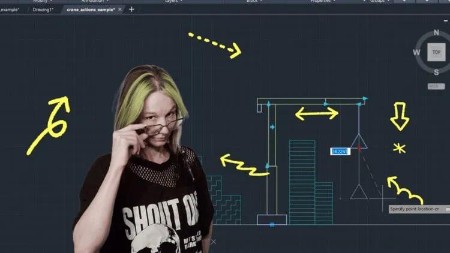
Dynamic Blocks – Actions & Parameters Complete Course
Last updated 12/2025
Duration: 45m | .MP4 1920×1080 30fps(r) | AAC, 44100Hz, 2ch | 1.91 GB
What you’ll learn
– How to create Dynamic Blocks
– How to use Parameters and Actions in a Dynamic Block
– How to work with Visibility States in Dynamic Blocks
– How to work with Chained and Unchained Actions
– How to resolve common issues
Requirements
– A working copy of AutoCAD
– Good understanding of AutoCAD 2D
– Understand basic commands like Mirror, Isolate Objects, Dimmension.
– Understand how to work with Arrays
– Know how to create and edit AutoCAD Blocks
Description
Dynamic Blocks are one of the most under-used but most powerful features in AutoCAD and after this course, you’ll be able to build them with confidence.
What You Will Learn
By the end of this course, you will be able to create fully functional Dynamic Blocks using a wide range of Actions, Parameters, and Constraints, including:
Stretch
Move
Rotate
Scale
Flip
Array
Chained/Unchained Actions
You will also learn best practices, and how to troubleshoot common dynamic block problems.
Who This Course Is For
Complete beginners who want to understand Dynamic Blocks from the ground up
AutoCAD users who want to speed up their drafting workflow
Designers, engineers, architects, and drafters who regularly reuse drawing elements
No previous experience with Dynamic Blocks is required. If you know the basics of AutoCAD, you’re ready!
Course Structure & Method
This is a project-based course with clear, step-by-step demonstrations. You’ll learn by doing, not just watching.
Each lesson introduces a new tool or concept, followed by practical examples and guided exercises. You’ll learn how to use actions in a way you can apply to your own work without getting bogged down with theory.
Included in the Course
Written Instructions
Sample blocks to study and reverse-engineer
Why Dynamic Blocks?
Dynamic Blocks allow you to add intelligence and flexibility to your drawings.
With the skills in this course, you will be able to:
Reduce repetitive drafting
Standardise your drawings
Create adjustable components
Improve accuracy and consistency
Save hours on every project
Who this course is for:
– AutoCAD Users that want to get to grips with dynamic blocks for the first time, or expand their knowledge and understanding.
More Info

RapidGator
https://www.keeplinks.org/p27/69432a8042791
NitroFlare
https://www.keeplinks.org/p27/69432afcda863
DDownload
https://www.keeplinks.org/p27/69432b67f2cb8