

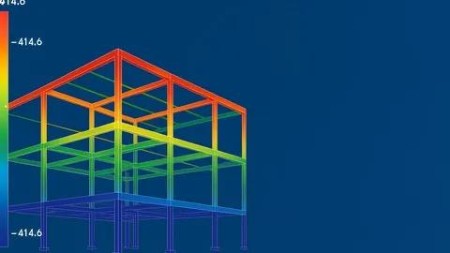
Exploring Bentley Staad Pro Connect Edition
Published 5/2025
MP4 | Video: h264, 1920×1080 | Audio: AAC, 44.1 KHz
A Comprehensive Guide to Structural Analysis and Design
What you’ll learn
Understand Interface of STAAD
Create and Analyze Structural Models
Assign Loads and Support Conditions
Interpret Analysis Results and Generate Reports
Requirements
Basic knowledge of structural or civil engineering concepts, such as loads, supports, and structural elements (beams, columns, slabs)
Description
Overview
Section 1: Introduction to STAAD.Pro CONNECT Edition
Lecture 1 Introduction
Lecture 2 Introduction to STAAD.Pro CONNECT Edition (Reading Material)
Section 2: Structural Modeling in STAAD.Pro
Lecture 3 Structural Modeling in STAAD.Pro(Reading Material)
Lecture 4 Creating Nodes
Lecture 5 Creating Nodes using REPEAT command
Lecture 6 Creating Members
Lecture 7 Creating Members using REPEAT command
Lecture 8 Creating PLATE Elements using REPEAT command
Lecture 9 Creating SOLID Block Element
Lecture 10 Creating a Structure using SNAP NODE/BEAM Method
Lecture 11 Creating PLATE Elements using SNAP NODE /BEAM Method
Lecture 12 Creating SOLID Block Elements using SNAP NODE/SOLID Method
Lecture 13 Creating HOWE Bridge in Structural Wizard
Section 3: Structural Modeling Using Tools
Lecture 14 Structural Modeling Using Tools (Reading Material)
Lecture 15 Creating a Portal frame using Add Beam Tool
Lecture 16 Creating a Curved Beam
Lecture 17 Creating Collinear Beams
Lecture 18 Generating Finite Element Mesh
Lecture 19 Creating a structure using Circular Repeat and Tranlational Repeat Tools
Lecture 20 Creating a structure using Rotate Tool
Lecture 21 Creating a structure using Mirror Tool
Lecture 22 Renumbering the Nodes and Members
Section 4: Defining Material Constants and Section Properties
Lecture 23 Defining Material Constants and Section Properties (Reading Material)
Lecture 24 Creating a Material and Assigning it
Lecture 25 Defining a PRISMATIC Section
Lecture 26 Assigning Steel Sections
Section 5: Specifications and Supports
Lecture 27 Specifications and Supports (Reading Material)
Lecture 28 Defining the Master- Slave Specification
Lecture 29 Assigning Offsets
Lecture 30 Defining Inclined Supports
Section 6: Loads
Lecture 31 Loads (Reading Material)
Lecture 32 Defining Member Load
Lecture 33 Defining Floor Load
Lecture 34 Defining Plate Load
Lecture 35 Defining Seismic Load
Lecture 36 Defining Wind Load
Lecture 37 Defining Response Spectrum Load
Section 7: Performing Analysis, Viewing Results, and Preparing Report
Lecture 38 Performing Analysis, Viewing Results, and Preparing Report (Reading Material)
Lecture 39 Performing Analysis, Viewing Results, and Preparing Report
Section 8: Physical Modeling
Lecture 40 Physical Modeling (Reading Material)
Lecture 41 Creating a 2D Portal frame
Lecture 42 Assigning Member Properties to the Portal Member
Lecture 43 Assigning Supports and Loads on the Steel Frame
Beginners with no experience of STAAD,Civil and structural engineering students looking to enhance their academic knowledge with practical software skills,Site engineers, CAD technicians, and draftsmen aiming to transition into structural design roles,Architecture or construction professionals who wish to gain basic structural analysis skills to better collaborate with structural engineer

DDownload
https://www.keeplinks.org/p27/68371c02a2595
RapidGator
https://www.keeplinks.org/p27/68371c3ad3c00
NitroFlare