

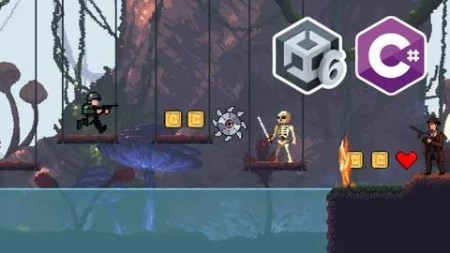
Full Course Unity 6 & C# – Complete Beginner To Intermediate
Published 5/2025
MP4 | Video: h264, 1920×1080 | Audio: AAC, 44.1 KHz
How to make a game with Unity 6 & C# Coding, Unity 6 full course, Full Course on Unity 6 & C# Programming for Beginners
What you’ll learn
Master Unity 6 & C# Basics
Super Understanding on Character basics physics & controls
You will able to make 2d games with Unity 6 & C# Programming
Able to make High Quality 2D Endless Runner game
You will learn Animation, UI, Game Objects & So much more other things in Unity
Requirements
Nothing is required at all but have a basics knowledge of Physics & Mathematics
Description
Overview
Section 1: Introduction
Lecture 1 Introduction
Lecture 2 Creating Our Project & Unity 6 Basics Overview (UI)
Section 2: Player
Lecture 3 Player Setup
Lecture 4 Animation In Unity, Player Animation
Lecture 5 Animation Transition, Player Animation Transition
Lecture 6 C# Script in Unity, Player C# Script for Movement, Classes & Functions
Lecture 7 Player Acceleration & Player Jump with C#
Lecture 8 Collision in Unity, Player one time JUMP
Lecture 9 Animation Transition Player with C#
Section 3: Camera Follow, Parallax & Environment
Lecture 10 Camera Follow Player C# Script
Lecture 11 Introduction to Tile Map & Basics Overview
Lecture 12 Tiles Setup with Tile Map Collider
Lecture 13 Tile Ground Spawn Logic
Lecture 14 Making Multiple Tile Grounds: Process
Lecture 15 Tile Ground Spawner C# Script & Ground Spawn
Lecture 16 Random Tile Ground Spawn with C#
Lecture 17 Next Ground Tile Spawn C# Scripting
Lecture 18 For Loop in C# to Spawn Initial Ground Tiles
Lecture 19 Background Setup
Lecture 20 Parallax Effect & Endless Background
Section 4: Player Shooting
Lecture 21 Player Shooting C# Scripting
Lecture 22 Line Renderer Setup for Shooting Player
Section 5: Enemy: 1
Lecture 23 Enemy Setup with Animation, Enemy 1
Lecture 24 Enemy C# Script & Enemy Attack Scripting
Lecture 25 Enemy Animation Transition via C#, Enemy Shooting
Lecture 26 Enemy Shooting Raycast with C#
Lecture 27 Line Renderer Setup in Enemy for Shooting (Raycast)
Lecture 28 Enemy Health & Damage C# Scripting
Section 6: Floating Text & Player(Health & Damage)
Lecture 29 Floating Text & Floating C# Script
Lecture 30 Player Health & Damage C# Scripting, Player Script
Section 7: Enemy: 2
Lecture 31 Enemy 2 Setup & Enemy 2 Script
Lecture 32 Enemy 2 Animation & Transition via C# Script
Lecture 33 Enemy Attack C# Scripting
Lecture 34 Enemy Health & Damage C# Scripting
Lecture 35 Fixing Line Renderer Bug, Player Shooting
Section 8: UI in Unity
Lecture 36 UI in Unity, Player Health UI
Lecture 37 Player Health UI C# Scripting
Section 9: Clean Code
Lecture 38 Singleton Pattern, Making Clean Code
Lecture 39 Serialize Field, Hide in Inspector & Header to Code
Section 10: Camera Shake & Game Manager
Lecture 40 Game Manager C# Script & Player Die Explosion
Lecture 41 Camera Shake
Lecture 42 C# Scripting for Camera Shake
Section 11: Collectable Items
Lecture 45 Coin Setup & Collecting C# Script, Collectable Items!
Lecture 46 UI Coin & Scripting
Section 12: Score, High Score & Game Over UI
Lecture 47 Current Score, Score UI & Score Manager C# Script
Lecture 48 Game Over UI Setup & Buttons in UNITY
Lecture 49 Scene Management C# Script to Load Scenes (Game Over UI)
Lecture 50 High Score Set C# Class
Section 13: Menu Scene & About
Lecture 51 Menu & About Scenes
Lecture 52 Menu & About Scene C# Script to Load different Scenes
Section 14: Traps
Lecture 53 Traps & Player die Logic & Scripting (Fall Down)
Section 15: Level Making
Lecture 54 Making The LEVEL, Placing Everything!
Section 16: Audio & Build
Lecture 55 Audio in Unity & Sound Manager C# Script
Lecture 56 Building The GAME!
From Complete Beginner to Intermediate peoples

RapidGator
https://www.keeplinks.org/p27/68fe0a5dca637
NitroFlare
https://www.keeplinks.org/p27/68fe0c89e0a00
DDownload
https://www.keeplinks.org/p27/68fe0fb1ec66c