

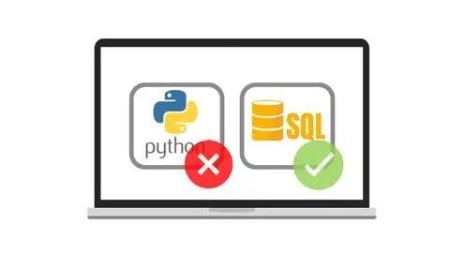
Google Bigquery Ml Machine Learning In Sql (Without Python)
Published 8/2022
MP4 | Video: h264, 1280×720 | Audio: AAC, 44.1 KHz
On Linear Regression example
What you’ll learn
Create Machine Learning model and make prediction using only SQL code
Evaluate and interpret model prediction quality
Do Feature Engineering on different data types
Clean up and limit data source with understanding of consequence of it
Requirements
Basic knowledge of SQL
Description
Overview
Lecture 1 Lesson 0.1 Course Introduction
Lecture 2 Lesson 0.2 First Thing To Do
Lecture 3 Lesson 0.3 Setting up BigQuery Sandbox
Section 2: Introduction – basic concepts and theory
Lecture 4 Lesson 1.1 What is Machine Learning?
Lecture 5 Lesson 1.2 What is Linear Regression?
Lecture 6 Lesson 1.3 What is Google Cloud Platform and BigQuery?
Lecture 7 Lesson 1.4 What is BigQuery ML?
Lecture 8 Lesson 1.5 BigQuery Data types
Lecture 9 Lesson 1.6 BigQuery SQL Fundamentals
Section 3: Creating first model and prediction
Lecture 10 Lesson 2.0 Section introduction
Lecture 11 Lesson 2.1 Business goal and model limitation
Lecture 12 Lesson 2.2 Data source description
Lecture 13 Lesson 2.3 BigQuery User Interface
Lecture 14 Lesson 2.4 Import data to BigQuery
Lecture 15 Lesson 2.5 Create model
Lecture 16 Lesson 2.6 Predict data
Lecture 17 Lesson 2.7 Model evaluation
Section 4: Data cleaning
Lecture 18 Lesson 3.0 Section Introduction
Lecture 19 Lesson 3.1 Removing useless columns
Lecture 20 Lesson 3.2 Data visualization with Google Data Studio
Lecture 21 Lesson 3.3 Histogram
Lecture 22 Lesson 3.4 Checking duplicates
Lecture 23 Lesson 3.5 Removing null values
Section 5: Feature engineering
Lecture 24 Lesson 4.0 Section introduction
Lecture 25 Lesson 4.1 Create new feature – car age
Lecture 26 Lesson 4.2 Create new feature – VIN number
Lecture 27 Lesson 4.3 Create new feature – Condition field
Lecture 28 Lesson 4.4 Create new feature – Model field
Lecture 29 Lesson 4.5 Create new feature – Geography
Section 6: Feature engineering – built-in function
Lecture 30 Lesson 5.0 Section introduction
Lecture 31 Lesson 5.1 ML.MIN_MAX_SCALER function
Lecture 32 Lesson 5.2 ML.FEATURE_CROSS function
Lecture 33 Lesson 5.3 ML.POLYNOMIAL_EXPAND function
Lecture 34 Lesson 5.4 ML.QUANTILE_BUCKETIZE function
Lecture 35 Lesson 5.5 ML.BUCKETIZE function
Lecture 36 Lesson 5.6 ML.NGRAMS function
Lecture 37 Lesson 5.7 Removing unimportant columns
Section 7: Hyperparameters tuning
Lecture 38 Lesson 6.0 Section introduction
Lecture 39 Lesson 6.1 L1 & L2 regularization
Lecture 40 Lesson 6.2 Automatic vs manual tuning
Section 8: Final prediction and model testing
Lecture 41 Lesson 7.0 Section introduction
Lecture 42 Lesson 7.1 Negative price
Lecture 43 Lesson 7.2 Using logarithm function
Lecture 44 Lesson 7.3 Test model quality
Lecture 45 Lesson 7.4 Final lesson
Section 9: Extra Section: Boosted Tree Algorithm
Lecture 46 Extra Lesson 0: Introduction
Lecture 47 Extra Lesson 1: Boosted Tree short theory
Lecture 48 Extra Lesson 2: Model train and predict
