

Iot Full Project Course
Published 12/2024
MP4 | Video: h264, 1920×1080 | Audio: AAC, 44.1 KHz
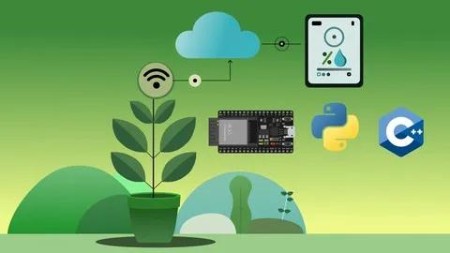
Create a full IoT system, from the device (ESP32, ESP-IDF, C++), to the backend, and the client interface (Python).
What you’ll learn
Develop a full IoT project: Embedded device + Backend + Client interface
Solidify their C++ knowledge by applying it with FreeRTOS & ESP-IDF
Understand many core concepts of a Real Time Operating System
Understand how to handle network connectivity from a ESP32
Develop a simple backend with Python & Flask for storing / receiving data
Develop a simple client interface with Python & Kivy for displaying the data
Requirements
Basic programming experience with C / C++
Basic programming experience with Python
Description
Overview
Section 1: Introduction
Lecture 1 Course Objectives & Acquired Technical Skills
Lecture 2 Required materials for completing the course
Section 2: Introduction to IoT & ESP32
Lecture 3 Overview of the IoT project that we are going to create
Lecture 4 How to assemble the electronic components
Section 3: Development environment setup
Lecture 5 Installation of VS Code on Ubuntu & Setup of the extension for ESP32
Lecture 6 Installation of VS Code on Windows & Setup of the extension for ESP32
Lecture 7 How to follow this course along with GitHub
Lecture 8 Overview of a generic project in ESP-IDF
Section 4: The main script
Lecture 9 Introduction to freeRTOS
Lecture 10 Overview of the new libraries for the main script [step 1]
Lecture 11 Customizing app_main to log more info [step 2]
Lecture 12 Adding a setup function [step 3]
Lecture 13 About tasks in freeRTOS
Section 5: The IoT device ("Leaf") code architecture
Lecture 14 Leaf project components overview
Lecture 15 The leaf main task (named moisture tracker task) overview
Section 6: The moisture tracker task
Lecture 16 Creating a new task script [step 4]
Lecture 17 Adding a moisture tracker task header [step 5]
Lecture 18 Using the moisture tracker task from the main script [step 6]
Section 7: The configuration ("leaf_config") component
Lecture 19 The need for a configuration component & Adding the header files [step 7]
Lecture 20 Creating the leaf configuration function
Lecture 21 Using the leaf_config component in the main.cpp [step 8 & step 9]
Section 8: The wifi handler component
Lecture 22 Introduction to events in freeRTOS & handling WAN events [step 10]
Lecture 23 Adding a function to handle WIFI events [step 11]
Lecture 24 Adding a function to handle IP events [step 12]
Lecture 25 Adding a function to handle HTTP events [step 13]
Lecture 27 Adding a function to stop WIFI [step 15]
Lecture 28 Adding a function to POST moisture readings [step 16]
Lecture 29 Using the wifi handler component from the moisture_tracker task [step 17]
Lecture 30 Testing the WIFI connection from the ESP32 [step 18]
Section 9: The moisture sensor component
Lecture 31 Analog vs. Digital sensor signals
Lecture 32 Add the moisture sensor component header file [step 19]
Lecture 33 Adding a function to initialize the moisture sensor [step 20]
Lecture 34 Handle the ADC calibration with the function _calibrate_adc [step 21]
Lecture 35 Creating the _populate_readings_buffer function [step 22]
Lecture 36 About the algorithm to get a filtered moisture reading [step 23]
Lecture 37 Wrap the read and filtering in the get_moisture_reading function [step 24]
Lecture 38 Using the moisture sensor in the moisture tracker task [step 25]
Lecture 39 Testing the sensor readings [step 26]
Section 10: The IoT Backend Server
Lecture 40 Initial setup with venv
Lecture 42 Adding the database tools [step 31]
Lecture 43 Adding the say hello route [step 32]
Lecture 44 Adding a script for running in debug mode [step 33]
Lecture 45 Adding the submit reading_route [step 34]
Lecture 46 Adding the get readings by plant name route [step 35]
Lecture 47 Testing the ESP32 & Backend [step 36]
Section 11: The client interface
Lecture 48 Creating the virtual environment
Lecture 50 Adding a title widget [step 38]
Lecture 51 Adding a readings store [step 39]
Lecture 52 Adding a readings list widget [step 40]
Lecture 53 Adding a reading list item widget [step 41]
Lecture 54 Final test [step 42]
This course is intended for individuals with at least a basic understanding of C, C++, and Python.,If you’re looking to advance your technical skills to an intermediate level in these languages while learning key concepts of the Internet of Things, this course is for you.

DDownload
https://www.keeplinks.org/p27/699c5d8aba528
RapidGator
https://www.keeplinks.org/p27/699c5f7eadc1d
NitroFlare
https://www.keeplinks.org/p27/699c6212d63b9
TakeFile