

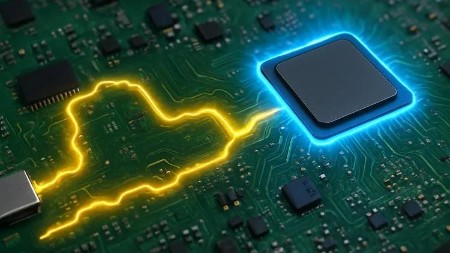
Laptop Motherboard Voltages: From Input to CPU Final Stage
Published 9/2025
Duration: 45m | .MP4 1280×720 30 fps(r) | AAC, 44100 Hz, 2ch | 980.47 MB
Master laptop repair by learning every voltage rail step by step: charging, B+, 3V/5V, BIOS, RAM, PCH, CPU, and more.
What you’ll learn
– Identify and understand the essential voltages required for laptop motherboards to function.
– Use a digital multimeter to measure and diagnose power rails effectively.
– Analyze the laptop power-on sequence and detect where failures occur.
– Troubleshoot and repair common problems such as “no power,” “no display,” and charging issues.
– Gain confidence in repairing laptops at the motherboard level using professional diagnostic techniques.
Requirements
– No prior electronics repair experience is required. Everything will be explained step by step.
– A basic digital multimeter is recommended to follow along with practical demonstrations.
– Interest in laptop repair, electronics, or troubleshooting is helpful but not mandatory.
Description
Do you want tofully understand how laptop motherboards workand master the voltages that power every circuit, from the DC jack to the CPU?This course will give you acomplete step-by-step guideto all motherboard voltage rails, helping you analyze, troubleshoot, and repair laptops like a professional.
What You’ll Learn
Understandall motherboard voltagesfrom the input to the CPU.
Learn19V main power railanalysis and flow.
Study3V/5V system voltagesand their role in powering devices.
AnalyzeRAM, CPU, VCCP, VCC_Core, VTT, and GPU voltages.
Discover how to usetest pointsto measure and verify signals.
Mastervoltage protection circuits and common failures.
Learn how totrace signals step by stepthrough schematics.
Troubleshootvoltage drops, shorts, and missing rails.
Why Choose This Course?
Covers every laptop voltage rail in detail, no missing pieces.
Designed by acomputer engineerwith repair experience.
One-on-one support,your questions get answered quickly.
Clear explanations withreal examples and diagrams.
Short andeasy-to-follow lessons.
Constant updates with new repair tips.
Certificate of completion included.
Transforms you frombeginner to confident repair technician.
Who Is This Course For?
Beginners who want to learnhow voltages power a motherboard.
Laptop technicians who want toupgrade their troubleshooting skills.
Electronics students who need aclear and practical guide to voltage rails.
Anyone curious abouthow CPU, PCH, RAM, BIOS, 3V/5V, and system power circuits work.
Who this course is for:
– Engineers, technicians, and students curious about laptop motherboard repair.
– Beginners who want to build a solid foundation in laptop repair and diagnostics.
– Repair professionals who want to strengthen their knowledge of laptop voltages and troubleshooting.
– Anyone who wants to learn how to fix laptops with “no power,” “no display,” or charging failures.
More Info

RapidGator
https://www.keeplinks.org/p27/68c47b0999d6a
https://rapidgator.net/file/d39b1bd549a795eef330124c3e2af117/yxusj.Udemy.-.Laptop.Motherboard.Voltages.From.Input.to.CPU.Final.Stage.rar
NitroFlare
https://www.keeplinks.org/p27/68c47b4e62f6b
https://nitroflare.com/view/17F4726DA441206/yxusj.Udemy.-.Laptop.Motherboard.Voltages.From.Input.to.CPU.Final.Stage.rar
DDownload
https://www.keeplinks.org/p27/68c47bac90ad0
https://ddownload.com/k9armzrgjssu/yxusj.Udemy.-.Laptop.Motherboard.Voltages.From.Input.to.CPU.Final.Stage.rar