

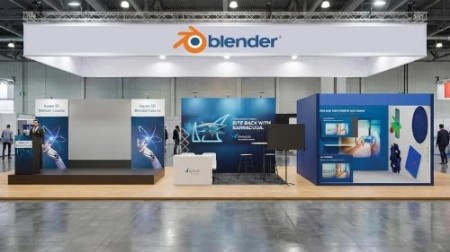
Learn 3D Stall Design: Model 5 Exhibition Booths in Blender
Published 1/2026
Duration: 1h 39m | .MP4 1920×1080 30fps(r) | AAC, 44100Hz, 2ch | 2.21 GB
Learn to Model, Texture, and Render 5 Real-World Exhibition Projects using Blender 3D
What you’ll learn
– Master Exhibition Design from Scratch
– Visualize 4 Distinct Booth Types and 1 Stage Design
– Translate Floor Plans into 3D Models
– Create Realistic Branding & Materials
– Achieve Photorealistic Lighting
– Optimize for Fast Rendering
Requirements
– Blender Installed
– Basic Interface Knowledg
– No Prior Design Experience Needed
Description
These are the exhibitions that I have already create,d and I will share the exact steps I have created these stalls and event already happen that You will learn so this is real waorld project that you can add in your portfolio.
Turn Your Blender Skills into a Profitable Career in Event Design
Welcome to the ultimate project-based guide to creating professionalExhibition Booths and Event Stages in Blender.
In this course, we move beyond basic tutorials and dive into real-world scenarios. You will learn how to take a simple client brief or floor plan and turn it into a stunning, photorealistic 3D visualization that helps sell ideas.
Create Event Stage
Create a Backwall Exhibition booth
Create 3 Wall Booth
Create 2 Wall Booth
Create Led Stage
Who this course is for:
– Freelancers & Graphic Designers
– Event Planners & Managers
– Architecture & Interior Design Students
– Blender Users
More Info

DDownload
https://www.keeplinks.org/p27/698e000509a64
RapidGator
https://www.keeplinks.org/p27/698e008a3776e
NitroFlare
https://www.keeplinks.org/p27/698e0164f25ce