

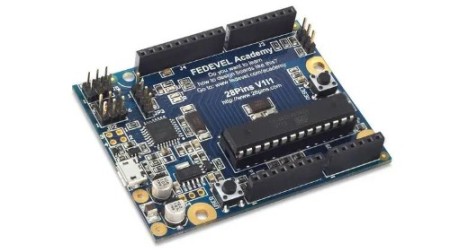
Learn to Design Your Own Boards
Last updated 4/2020
Duration: 14h36m | .MP4 1280×720, 30 fps(r) | AAC, 44100 Hz, 2ch | 4.79 GB
Design a board in 15 hours. Step-by-Step tutorial based on Arduino project (Altium)
What you’ll learn
After this course, you will design your own Arduino like board.
Requirements
You will need Altium Designer software. If you are a college / university student, ask Altium for a student license. In many countries the student license is free.
Description
Learning a basic board design is essential for everyone who would like to work in electronics or who would like to design electronic boards or products. Learning board design in the right software can open you door into many companies, help you to get a well paid job and can be used to design very complex and advanced boards.
Design a Real Board and Learn Essentials of Using Altium Designer
– Draw your own schematic
– Route your PCB and do layout
– Generate documentation needed to manufacture your PCB
Altium Designer is a Powerful Software
During this course you will learn how to use Altium Designer software. Altium Designer is a professional software used to design all kind of boards, from very simple ones to motherboards or servers. It is one of the most used software for electronic design. Learning Altium is useful for everyone planning or already working in electronics.
Contents and Overview
Within 15 hours you will learn how to:
– Draw schematic, including tips for component selection and important circuits
– Create components, draw schematic symbols and footprints
– Place components into your PCB
– Route PCB and useful tips about layout
– Create 3D model of your board
– Create Bill of Material (BOM)
– Create assembly drawings showing position of components on the board
– Generate Gerbers, Pick and Place, Drill file and other files needed for manufacturing
– Prepare professional documents needed to manufacture your PCB and assemble your board
– Bring your board to life, flash firmware and run a simple LED Blinky example
For everyone interested, the manufacturing documents created during this course can be used to build your board. Simply use PCB manufacturing data to get your PCB, buy components from Digikey and solder them by yourself.
Enjoy this course 🙂
Who this course is for:
College / University students: During this course you will learn how to work in Altium Designer. Altium is one of the most used software in companies which are designing electronic boards or products. Knowing how to work in Altium can give you an advantage when applying for a job. As a college / university student, you may be able to get a free license of Altium Designer.
Beginners, Hobbyists: If you build your own electronic circuits using wires or breadboards and you have ever wanted to transfer your circuits into a real board or real product, this course can help you. During this course you will learn how you can design your own boards.

RapidGator
https://www.keeplinks.org/p27/695d04edb4065
NitroFlare
https://www.keeplinks.org/p27/695d062b223c2