Master Graphic Design & Software With Practical Projects
Last updated 11/2020
MP4 | Video: h264, 1280×720 | Audio: AAC, 44.1 KHz
Conquer Popular Graphic Design Projects: Logo, Package, Magazine, Book Cover Design, Branding, Digital Graphics & More!
What you’ll learn
Become more confident using Adobe Illustrator, Photoshop and InDesign
You will be able to follow the entire branding process including logo design and client presentation
You will know how to work with and export large format banners and posters
You will know how to create a postcard (both front and back)
You will understand basic design theory including working with color, layout, typography photos and more
Learn new tools that speed up your workflow
You will be able to create a 3d mockup in Adobe dimensions to create stunning package design presentations
Work with large client projects juggling both print and digital projects
Learn layering masks, non-destructive editing and photo editing in Adobe Photoshop as well as how to cut and isolate objects using the pen tool, lasso tools and more
Learn about how to prepare files for print including, bleed, crop marks, exporting options
Master book cover design including knowing what makes a strong book cover.
Know how to work with supplied templates to create a lanyard and more
Understand how to use grids to create compelling layouts
Know how to work with typography of all types, shapes and sizes
Requirements
I will be using the Adobe Creative cloud 2019 software throughout this class, but you can use older versions of the software if needed (although some tools may not be available to you) most projects can still be accomplished
Very Basic working knowledge of Adobe Photoshop and Illustrator
Description
Overview
Section 1: IMPORTANT! Course Guide and File Download
Lecture 1 Course Intro
Lecture 2 Course Guide Facebook Group and Downloads!
Section 2: OPTIONAL: Adobe Illustrator Basic Setup and Tools – Beginner Level
Lecture 3 Your Basic Dashboard and Setup
Lecture 4 The Shapes Tool
Lecture 5 Quick Intro to the Pen Tool
Section 3: Creating Badges and Our Logo for Our Package Design Project
Lecture 9 Logo Design for Our Package Design Project
Section 4: Package Design
Lecture 11 Photoshop Photo Editing
Lecture 12 Photoshop Photo Editing Final
Lecture 13 Setup in Adobe Illustrator
Lecture 14 Layout and Design
Lecture 15 Finishing Up Our Design
Lecture 16 Using Adobe Dimensions to create a 3D Mockup
Lecture 17 The Backside Design
Lecture 18 Exporting and Preparing Our Files
Lecture 19 Creating Our Concept – Studying Strong Examples
Lecture 20 Cover Idea
Lecture 21 Photo Editing
Lecture 22 Learning Non-destructive Editing
Lecture 23 Spine, Bleed and Exporting
Lecture 24 Exporting Final
Lecture 26 Creating Our Pill Graphic
Lecture 27 Typography Work
Lecture 28 Creating Our Background
Lecture 29 The Spine and Back
Lecture 30 Exporting our Files
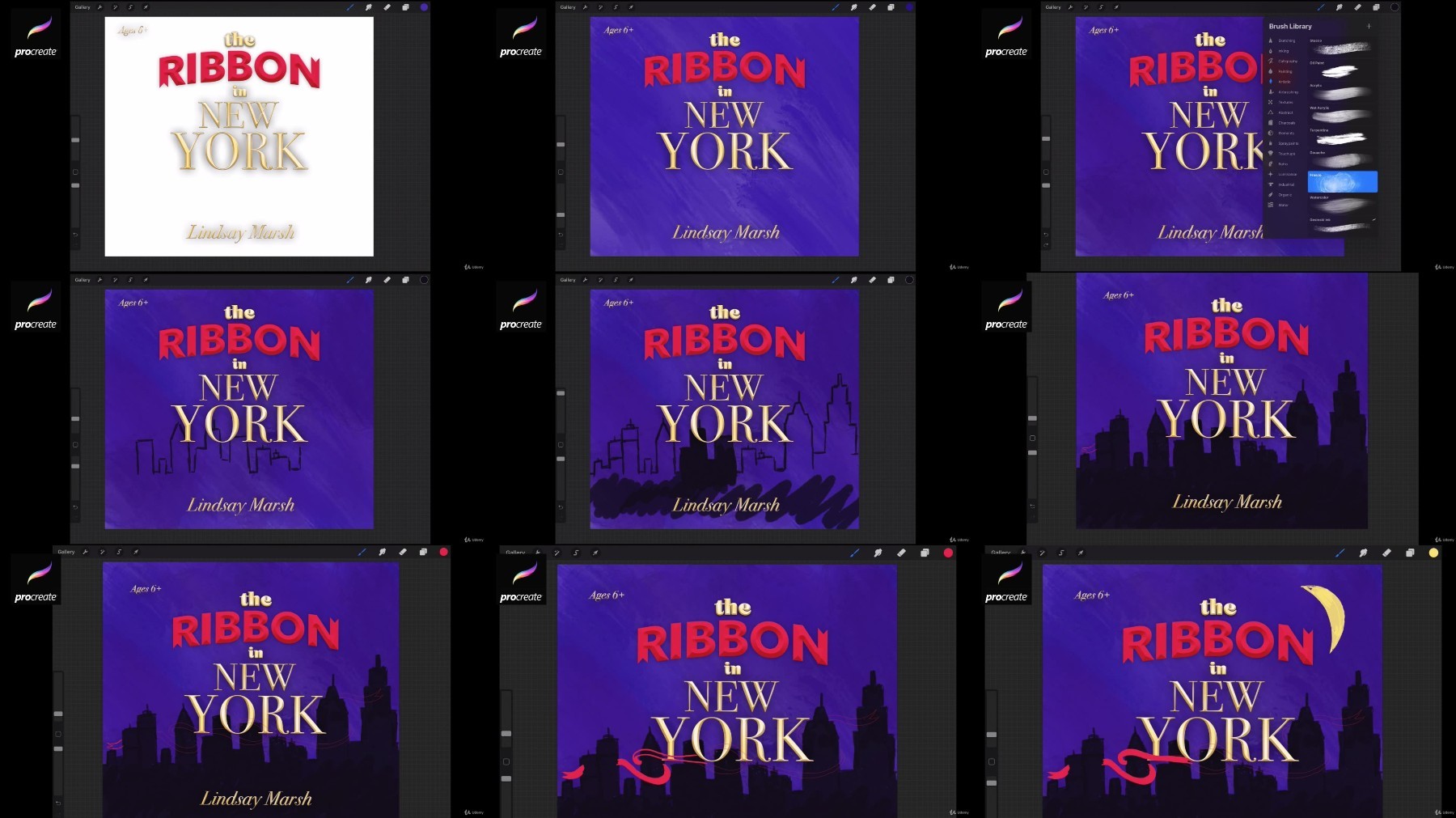
Section 7: Book Cover Mastery – An Illustrative Children’s Book Cover
Lecture 31 Creating our Title
Lecture 32 Using Procreate to sketch our illustration
Lecture 33 Putting Illustrations and Type together
Section 8: Youtube Thumbnail
Lecture 34 What makes a good YouTube Thumbnail?
Lecture 35 Finishing Up Our Graphic – Layering masks and more
Lecture 37 Creating Highlights and Shadows
Lecture 38 Exporting
Section 10: Editorial Design – Creating A Magazine Cover and Spread
Lecture 39 Editorial Spread Setup
Lecture 40 Working with Photos
Lecture 41 Inside Spread Final
Lecture 42 Magazine Front Cover
Lecture 44 Exporting and Print Prep
Section 11: ADVANCED SECTION: Conference Branding Project
Lecture 46 Working with Type
Lecture 47 Logo Design – Colors
Lecture 48 Logo Design Final
Lecture 49 Color Matching – CMYK and RGB
Lecture 50 The Poster Concept
Lecture 51 Editing Images
Lecture 52 The Lanyards
Lecture 53 Creating a Theme and Design System
Lecture 54 Client Presentation
Lecture 55 File Prep
Lecture 56 The Postcard
Lecture 57 The Postcard Cont.
Lecture 58 Large Welcome Banner
Lecture 59 Large Welcome Banner cont.
Lecture 60 Facebook Graphics and Ads
Lecture 61 Facebook Graphics and Ads cont.
Lecture 62 Powerpoint Slides
Lecture 63 Display Ads
Lecture 64 Display Ads cont.
Section 12: Bonus Lesson
Lecture 65 Bonus Lesson