

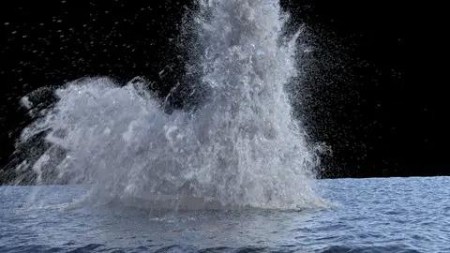
Mastering Waterfx In Houdini: Plane Crash Effect
Published 4/2024
MP4 | Video: h264, 1920×1080 | Audio: AAC, 44.1 KHz
Learn how to create complex water simulations from scratch till final render. You can use Houdini 20.
What you’ll learn
Learn how to create a complex FLIP fluid water simulation from scratch
Create the secondary elements like whitewater and mist
Learn how to integrate Houdini ocean tools and FLIP fluids
Learn how to mesh the simulation
Rendering the simulation efficiently
Requirements
Beginners who are only comfortable to the basics of Houdini
Description
Overview
Section 1: Introduction
Lecture 1 Introduction to FLIP Fluids 1
Lecture 2 Introduction to FLIP Fluids 2
Lecture 3 Introduction to FLIP Fluids 3
Lecture 4 Introduction to FLIP Fluids 4
Lecture 5 Introduction to FLIP Fluids 5
Section 2: Creating the water crash simulation
Lecture 6 Initializing our simulation
Lecture 7 Adding our plane animation as a collision object 1
Lecture 8 Adding our plane animation as a collision object 2
Lecture 9 Preparing the details for simulation tests and comparisons
Lecture 11 Testing different velocity smoothing values
Lecture 14 Adding POP speed limit
Lecture 15 Testing different water levels
Lecture 17 FLIP solver parameters 1
Lecture 18 FLIP solver parameters 2
Lecture 19 Adding the explosion effect
Lecture 20 Final touches to the simulation
Lecture 21 Caching and exporting the simulation
Section 3: Whitewater Simulation
Lecture 22 Whitewater sourcing 1
Lecture 23 Whitewater sourcing 2
Lecture 24 Whitewater Solver 1
Lecture 25 Whitewater Solver 2
Lecture 26 Whitewater Solver 3
Lecture 27 Whitewater Solver 4
Lecture 28 Applying on our simulation
Lecture 29 Refining our whitewater sim
Lecture 30 Exporting the whitewater simulation
Section 4: Meshing the simulation
Lecture 31 Meshing the simulation 1
Lecture 32 Meshing the simulation 2
Lecture 33 Meshing the simulation 3
Lecture 34 Meshing the simulation 4
Lecture 35 Meshing the simulation 5
Lecture 36 Meshing the simulation 6
Section 5: Houdini ocean tools
Lecture 37 Introduction to Houdini Ocean tools
Lecture 38 Intro to ocean shader
Lecture 39 Creating ocean shader for our simulation
Lecture 40 Creating ocean interior shader
Lecture 41 Refining our ocean shader
Section 6: Rendering whitewater
Lecture 42 Rendering whitewater 1
Lecture 43 Rendering whitewater 2
Lecture 44 Rendering whitewater 3
Lecture 45 Refining our render scene
Lecture 46 Finalizing our render
Lecture 47 Compositing in Nuke
Beginners who want to explore the world of Houdini FLIP fluids and ocean tools

AusFile
https://www.keeplinks.org/p27/67f3f8ca1091c
https://ausfile.com/c30fow1e7160/yxusj.Udemy.-.Mastering.WaterFX.in.Houdini.Plane.Crash.Effect.rar
RapidGator
https://www.keeplinks.org/p27/67f3fb1bc55f5
https://rapidgator.net/file/66369d886ec853625490d763f092f3ce/yxusj.Udemy.-.Mastering.WaterFX.in.Houdini.Plane.Crash.Effect.rar
TurboBit
https://www.keeplinks.org/p27/67f3fb423cb60
https://turbobit.net/0ujeckgf6b7n/yxusj.Udemy.-.Mastering.WaterFX.in.Houdini.Plane.Crash.Effect.rar.html