


Md-102: Microsoft 365 Endpoint Admin Associate Full Course
Last updated 8/2025
MP4 | Video: h264, 1920×1080 | Audio: AAC, 44.1 KHz
What you’ll learn
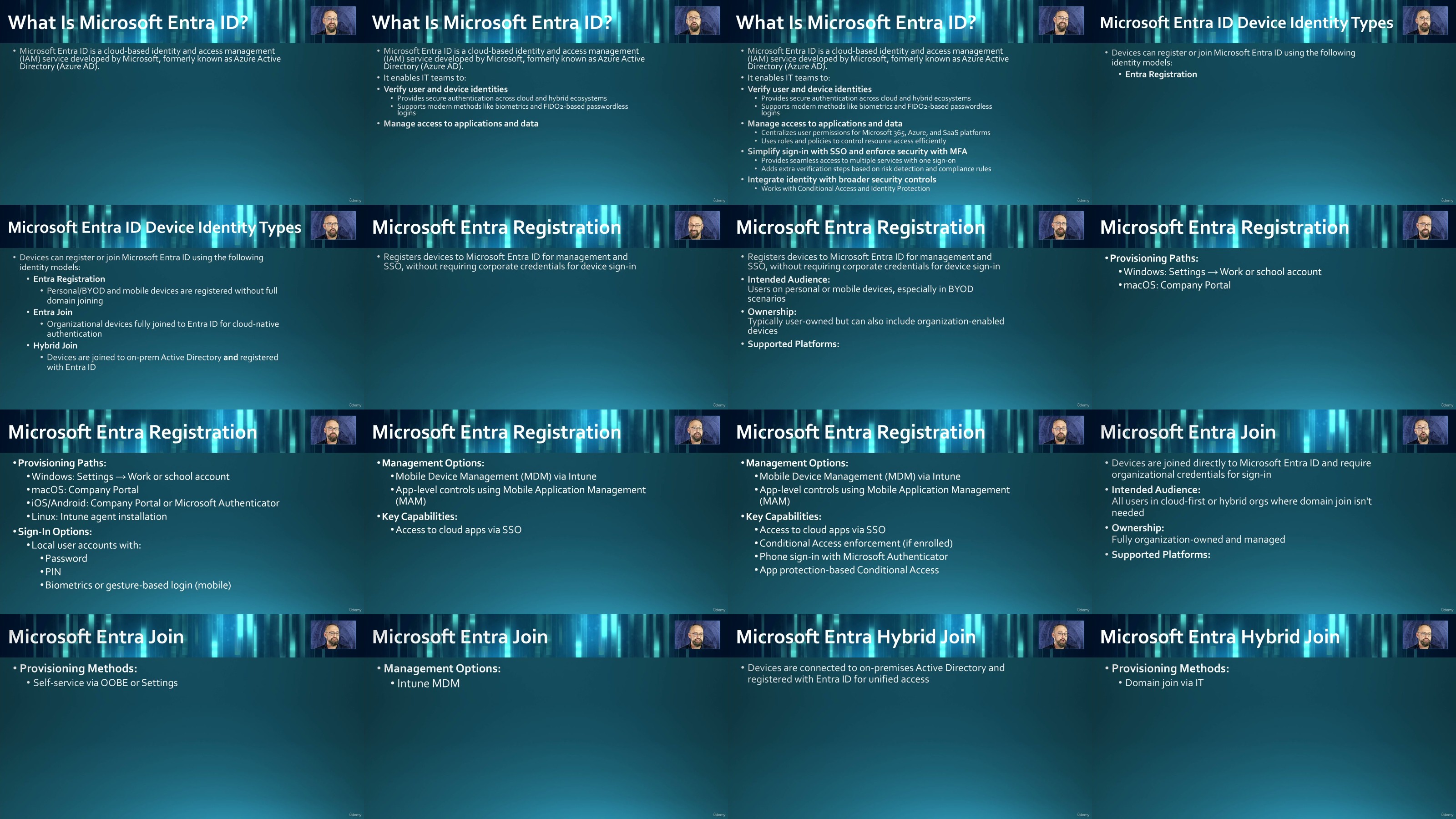
Prepare and configure Microsoft Entra ID (formerly Azure AD) for device registration, hybrid joins, and seamless integration with Microsoft 365 environments.
Set up and manage automatic enrollment for Windows, iOS, Android, and macOS devices using Intune for centralized endpoint management.
Deploy and configure Windows Autopilot to streamline device provisioning, enrollment, and lifecycle management across enterprise environments.
Create and apply device configuration profiles to enforce policies and settings for Windows, iOS, Android, macOS, and multi-session devices.
Implement compliance policies and conditional access to enforce security standards and ensure only trusted, compliant devices gain access to corporate resources
Strengthen endpoint security by configuring antivirus, disk encryption, firewalls, attack surface reduction rules, and Microsoft-recommended security baselines.
Plan and manage OS and application updates using Windows Update for Business, Intune update rings, and delivery optimization strategies.
Leverage role-based access control (RBAC) and dynamic device groups in Intune to organize, delegate, and streamline administration.
Prepare with demos and exam-focused guidance to confidently pass the Microsoft MD-102: Microsoft 365 Endpoint Administrator Associate exam
Requirements
No prior exprience required
Description
Overview
Section 1: Module 1 : Preparing Infrastructure for Devices
Lecture 1 Course Introduction
Lecture 2 Module Overview
Lecture 3 Choosing a Device Join Type
Lecture 4 Joining Devices to Microsoft Entra ID
Lecture 5 Registering Devices to Microsoft Entra ID
Lecture 6 Groups for Devices in Microsoft Entra ID
Lecture 7 Configuring Enrollment Settings
Lecture 8 Configuring Automatic Enrollment for Windows
Lecture 9 Configuring Bulk Enrollment for iOS and Android
Lecture 10 Configuring Enrollment Profiles for Android Devices
Lecture 11 Managing Roles in Intune
Lecture 12 Implementing Compliance Policies using Intune
Lecture 13 Implementing Conditional Access Policies
Lecture 14 Configuring Windows Hello for Business
Lecture 15 Implementing and Managing LAPS for Microsoft Entra ID
Lecture 16 Managing Windows Local Groups using Intune
Section 2: Managing and Maintaining Devices
Lecture 17 Module Overview
Lecture 18 Choosing Between Windows Autopilot and Provisioning Packages
Lecture 19 Choosing a Windows Autopilot Deployment Mode
Lecture 20 Applying a Device Name Templates
Lecture 21 Demo – Device Name Templates
Lecture 22 Implementing Deployments by using Windows Autopilot
Lecture 23 Creating an Enrollment Status Page (ESP)
Lecture 24 Demo – Enrollment Status Page
Lecture 25 Planning and Implementing Provisioning Packages
Lecture 26 Planning and Implementing Device Upgrades for Windows 11
Lecture 27 Implementing a Windows 365 Cloud PC Deployment
Lecture 28 Creating Device Configuration Profiles for Windows Devices
Lecture 29 Demo – Device Configuration Profile for Windows
Lecture 30 Creating Device Configuration Profiles for Android Devices
Lecture 31 Demo – Device Configuration Profile for Android
Lecture 32 Creating Device Configuration Profiles for iOS devices
Lecture 33 Demo – Device Configuration Profile for iOS and iPadOS
Lecture 34 Creating Device Configuration Profiles for Mac OS devices
Lecture 35 Demo – Device Configuration Profiles for macOS
Lecture 36 Creating Device Configuration Profiles for Enterprise Multi-session Devices
Lecture 37 Demo – Device Configuration for Multisesson Devices
Lecture 38 Targeting a Profile using Filters
Lecture 39 Demo – Targeting Profiles using Filters
Lecture 40 Configuring Endpoint Privilege Management
Lecture 41 Demo – Endpoint Privilege Management
Lecture 42 Managing Applications by using the Enterprise App Catalog
Lecture 43 Demo – Enterprise App Catalog
Lecture 44 Implementing Microsoft Intune Advanced Analytics
Lecture 45 Configuring Microsoft Intune Remote Help
Lecture 46 Identifying Use Cases for Cloud PKI
Lecture 47 Examining Microsoft Tunnel for MAM
Lecture 48 Performing Remote Actions in Microsoft Intune
Lecture 49 Updating Windows Defender Security Intelligence
Lecture 50 Rotating BitLocker Recovery Keys
Lecture 51 Running a Device Query by Using KQL
Section 3: Managing applications
Lecture 52 Module Overview
Lecture 53 Preparing Applications for Deployment by using Intune
Lecture 54 Deploying Apps by using Intune
Lecture 55 Demo – Deploying Apps in Intune
Lecture 56 Deploying Microsoft 365 Apps by using Intune
Lecture 57 Demo – Deploying Microsoft 365 Apps with Intune
Lecture 58 Configuring Policies for Office Apps
Lecture 59 Demo – Configuring Policies for Microsoft 365 Apps
Lecture 60 Deploying MS365 Apps using ODT and OCT
Lecture 61 Demo – Using the ODT and OCT
Lecture 62 Managing MS365 Apps using the Microsoft 365 Apps Admin Center
Lecture 63 Demo – Examining the Microsoft 365 Apps Admin Center
Lecture 64 Deploying Apps from Platform-specific App Stores using Intune
Lecture 65 Demo – Deploying to Platform-specific App Stores
Lecture 66 Planning and Implementing App Protection Policies
Lecture 67 Demo – Implementing App Protection Policies
Lecture 68 Implementing Conditional Access Policies for App Protection Policies
Lecture 69 Demo – Conditional Access Policies for App Protection Policies
Lecture 70 Planning and Implementing App Configuration Policies
Lecture 71 Demo – Deploying App Configuration Policies
Section 4: Protecting Devices
Lecture 72 Module Overview
Lecture 73 Creating Antivirus Policies
Lecture 74 Demo – Creating Endpoint AV Policies
Lecture 75 Creating Disk Encryption Policies
Lecture 76 Demo – Creating Disk Encryption Policies
Lecture 77 Creating Firewall Policies
Lecture 78 Demo – Creating Endpoint Firewall Policies
Lecture 79 Configuring Attack Surface Reduction Policies
Lecture 80 Demo – Creating Attack Surface Reduction Policies
Lecture 81 Planning and Implementing Security Baselines
Lecture 82 Demo – Creating Security Baselines
Lecture 83 Integrating Intune with Microsoft Defender for Endpoint
Lecture 84 Demo – Integrating Intune with MDE
Lecture 85 Onboarding Devices into Microsoft Defender for Endpoint
Lecture 86 Demo – Onboarding Devices into MDE
Lecture 87 Planning for Device Updates
Lecture 88 Creating and Manage Update Rings Using Intune
Lecture 89 Demo – Creating Update Ring Policies
Lecture 90 Creating and Manage Update Policies by using Intune
Lecture 91 Demo – Creating Update Policies in Intune
Lecture 92 Managing Android Updates using Configuration Profiles
Lecture 93 Configuring Windows Client Delivery Optimization using Intune
Lecture 94 Course Outro
IT professionals preparing for the Microsoft MD-102 exam,Endpoint administrators and desktop support engineers transitioning to cloud-based management with Intune,System administrators looking to deepen their Microsoft 365 expertise,Beginners seeking a structured path to becoming a Microsoft Certified Endpoint Administrator Associate

RapidGator
https://www.keeplinks.org/p27/6a7990c16b0c8
DDownload
https://www.keeplinks.org/p27/6a79925173289
NitroFlare
https://www.keeplinks.org/p27/6a7995b3eb07e
UsersDrive