


Microsoft Power Bi Data Analyst: Pl-300 Certification Prep
Published 12/2024
MP4 | Video: h264, 1920×1080 | Audio: AAC, 44.1 KHz
Build Power BI expertise. Learn Data Preparation, Modeling, Visualization, Deployment to ace the Microsoft PL-300 Exam.
What you’ll learn
Prepare for the PL-300 Exam: Practice with mock exams and case studies tailored for the Microsoft Power BI Data Analyst certification.
Understand Data Analytics Foundations: Gain a comprehensive understanding of data analytics concepts, roles, and latest trends in the field.
Explore Types of Data Analysis: Learn the differences between descriptive, diagnostic, predictive, and prescriptive analytics and their practical applications.
Understand Power BI Architecture: Familiarize yourself with the components of Power BI, including Desktop, Service, Mobile, and Premium, and their integration.
Master Data Preparation Techniques: Connect to and transform raw data, handle missing values, and manage multiple data sources using Power Query.
Build Robust Data Models: Develop data models with star schemas, create relationships, and apply advanced DAX calculations for effective data analysis.
Enhance Data Security: Implement Row-Level Security (RLS) to manage and restrict data access.
Create Interactive Visualizations: Design engaging and interactive reports, dashboards, and KPIs that facilitate better decision-making.
Optimize Reporting Performance: Learn techniques to optimize Power BI reports for faster performance and scalability.
Explore Deployment and Maintenance: Deploy Power BI reports, manage governance and security, and leverage Power BI Premium and API integrations for enterprises.
Leverage the Power Platform Ecosystem: Understand the functionalities of Power Automate, Power Apps, Power Pages, and their integration with Power BI.
Understand Microsoft Fabric: Explore Microsoft Fabric’s capabilities in data governance, pipelines, and integration with Power BI and the Power Platform.
Implement Advanced Power Platform Use Cases: Develop AI-enhanced workflows, multi-stage processes, and custom connectors for extended functionality.
Solve Real-World Case Studies: Apply acquired skills to real-world business scenarios, tackling complex data analytics problems.
Explore Career Opportunities: Discover data analytics career paths and prepare for roles like Data Analyst and Business Intelligence Developer.
Requirements
Enthusiasm and determination to make your mark on the world!
Description
Overview
Section 1: Microsoft Power BI – Introduction to Data Analytics
Lecture 1 Microsoft Power BI – Introduction to Data Analytics
Section 2: Types of Data Analysis (PL-300 Focused)
Lecture 2 Types of Data Analysis (PL-300 Focused)
Section 3: Microsoft Power BI – Detailed Documentation
Lecture 3 Microsoft Power BI – Detailed Documentation
Section 4: Microsoft Power Automate
Lecture 4 Microsoft Power Automate
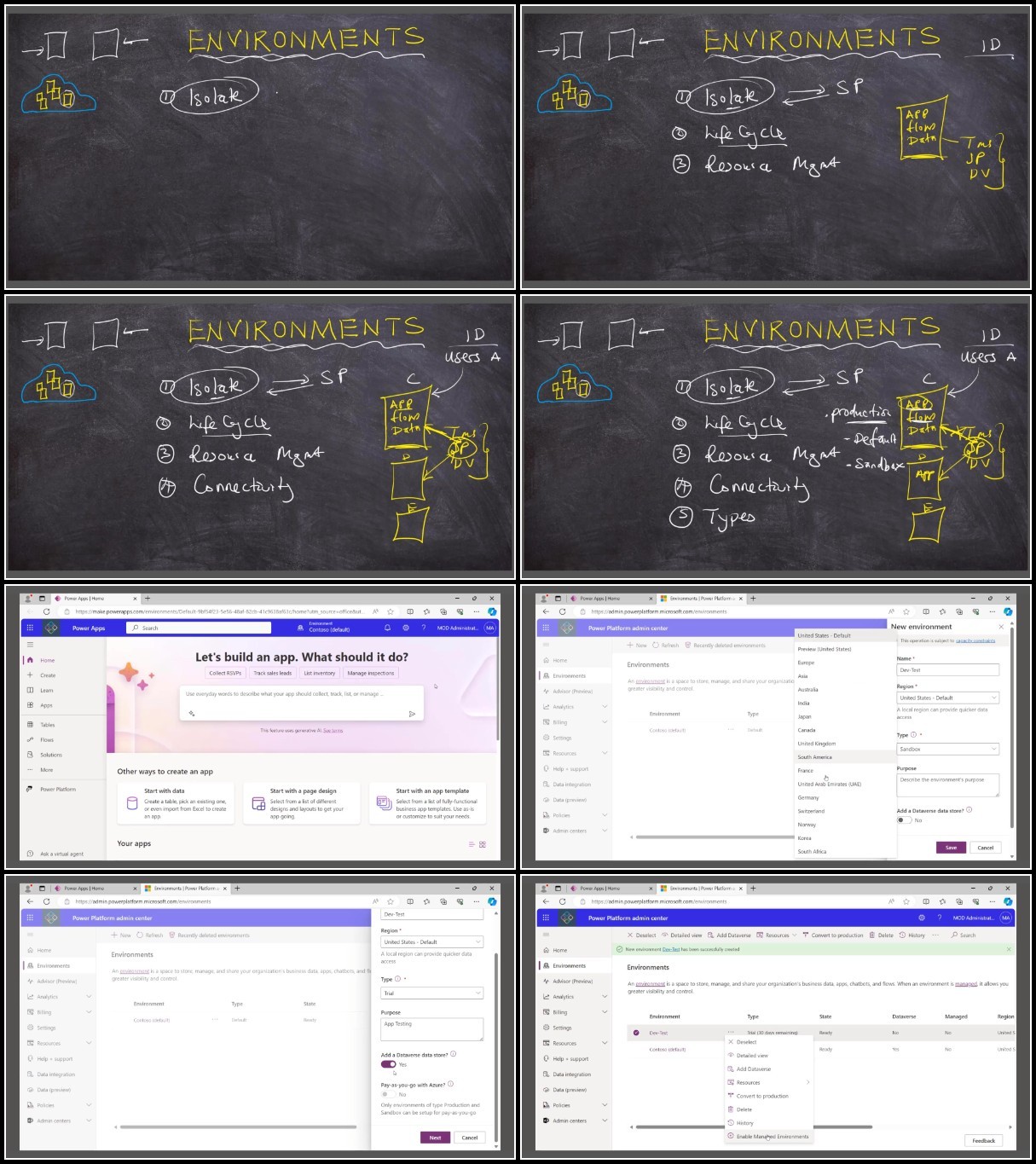
Section 5: Microsoft Power Apps and Microsoft Dataverse
Lecture 5 Microsoft Power Apps and Microsoft Dataverse
Section 6: Microsoft Fabric
Lecture 6 Microsoft Fabric
Section 8: Prepare the Data – Data Transformation
Lecture 8 Prepare the Data – Data Transformation
Section 9: Prepare the Data – Advanced Data Transformation
Lecture 9 Prepare the Data – Advanced Data Transformation
Section 10: Prepare the Data – Data Quality and Profiling (PL-300 Expert Guide)
Lecture 10 Prepare the Data – Data Quality and Profiling (PL-300 Expert Guide)
Section 11: Prepare the Data – Combining Data from Multiple Sources (PL-300 Expert Guide)
Lecture 11 Prepare the Data – Combining Data from Multiple Sources (PL-300 Expert Guide)
Section 12: Model the Data – Introduction to Data Modeling (PL-300 Expert Guide)
Lecture 12 Model the Data – Introduction to Data Modeling (PL-300 Expert Guide)
Section 13: Model the Data – Data Modeling Best Practices (PL-300 Expert Guide)
Lecture 13 Model the Data – Data Modeling Best Practices (PL-300 Expert Guide)
Section 14: Model the Data – Calculated Columns and Measures (PL-300 Expert Guide)
Lecture 14 Model the Data – Calculated Columns and Measures (PL-300 Expert Guide)
Section 15: Model the Data – Advanced DAX Calculations (PL-300 Expert Guide)
Lecture 15 Model the Data – Advanced DAX Calculations (PL-300 Expert Guide)
Section 16: Model the Data – Managing Data Security (PL-300 Expert Guide)
Lecture 16 Model the Data – Managing Data Security (PL-300 Expert Guide)
Section 17: Visualize and Analyze the Data – Introduction to Visuals (PL-300 Expert Guide)
Lecture 17 Visualize and Analyze the Data – Introduction to Visuals (PL-300 Expert Guide)
Section 18: Visualize and Analyze the Data – Advanced Visualizations (PL-300 Expert Guide)
Lecture 18 Visualize and Analyze the Data – Advanced Visualizations (PL-300 Expert Guide)
Section 19: Visualize and Analyze the Data – Visual Design Best Practices
Lecture 19 Visualize and Analyze the Data – Visual Design Best Practices
Section 21: Advanced DAX – Text Operators
Lecture 21 Advanced DAX – Text Operators
Section 22: Advanced DAX – Calculate, Filter, and All Functions
Lecture 22 Advanced DAX – Calculate, Filter, and All Functions
Section 24: Advanced DAX – Ranking, Cumulative Totals, Aggregations
Lecture 24 Advanced DAX – Ranking, Cumulative Totals, Aggregations
Section 25: Advanced DAX – Calculated Tables, Model Optimization, and Security
Lecture 25 Advanced DAX – Calculated Tables, Model Optimization, and Security
Section 29: AI Visuals and AI Insights in Power BI
Lecture 30 AI Visuals and AI Insights in Power BI
Section 30: Latest Power BI Updates and New Visuals
Lecture 31 Latest Power BI Updates and New Visuals
Section 31: Performance Tuning for Visuals in Power BI
Lecture 32 Performance Tuning for Visuals in Power BI
Section 32: Tooltips, Bookmarks, and Drill Through
Lecture 33 Tooltips, Bookmarks, and Drill Through
Section 33: Power BI Themes and Layout Design
Lecture 34 Power BI Themes and Layout Design
Section 34: Real World Case Studies
Lecture 35 Real World Case Studies
Section 35: Power BI Interview Questions and Tips
Lecture 36 Power BI Interview Questions and Tips
Section 36: Introduction to Power BI Service
Lecture 37 Introduction to Power BI Service
Section 37: Managing Power BI Workspaces
Lecture 38 Managing Power BI Workspaces
Section 38: Power BI App Creation
Lecture 39 Power BI App Creation
Section 39: Power BI Premium Features
Lecture 40 Power BI Premium Features
Section 40: Case Studies in Power BI Service
Lecture 41 Case Studies in Power BI Service
Section 41: Power BI Security Essentials
Lecture 42 Power BI Security Essentials
Section 42: Rare Power BI Premium Features
Lecture 43 Rare Power BI Premium Features
Section 43: Power BI Gateways – Introduction and Setup
Lecture 44 Power BI Gateways – Introduction and Setup
Section 44: Advanced Power BI Premium and Data Automation
Lecture 45 Advanced Power BI Premium and Data Automation
Section 45: Advanced Embedding and Custom Integrations
Lecture 46 Advanced Embedding and Custom Integrations
Section 46: SQL Skills for Power BI Developers
Lecture 47 SQL Skills for Power BI Developers
Section 47: Advanced SQL and Databricks Integration
Lecture 48 Advanced SQL and Databricks Integration
Section 48: Data Transformation in Azure Databricks
Lecture 49 Data Transformation in Azure Databricks
Section 49: Data Analysis and Presentation using Excel
Lecture 50 Data Analysis and Presentation using Excel
Section 50: Cross-Functional Collaboration and Data Presentation
Lecture 51 Cross-Functional Collaboration and Data Presentation
Section 51: Stakeholder and Client Management
Section 52: Requirements Gathering and Analysis
Lecture 54 Requirements Gathering and Analysis
Section 53: Networking on LinkedIn and Personal Branding
Lecture 55 Networking on LinkedIn and Personal Branding
Section 54: Freelancing and Remote Job Opportunities
Lecture 56 Freelancing and Remote Job Opportunities
Section 55: Teaching Power BI and Building an Online Presence
Lecture 57 Teaching Power BI and Building an Online Presence
Section 56: Job Search Strategies and Interview Preparation
Lecture 58 Job Search Strategies and Interview Preparation
Section 57: Microsoft Fabric for Data Integration
Lecture 59 Microsoft Fabric for Data Integration
Section 58: Advanced Features in Microsoft Fabric
Lecture 60 Advanced Features in Microsoft Fabric
Section 59: Power Platform Essentials
Lecture 61 Power Platform Essentials
Section 60: Advanced Power Platform and Career Growth
Lecture 62 Advanced Power Platform and Career Growth
Aspiring Data Analysts preparing for the Microsoft PL-300 certification.,Professionals transitioning to data analytics or business intelligence roles.,Existing Power BI users seeking advanced skills in data modeling, visualization, and deployment.,IT and business professionals interested in leveraging the Power Platform ecosystem.,Data Scientists aiming to enhance their visualization and reporting skills.,Marketing Analysts seeking to derive insights and create impactful dashboards.,Data Consultants providing analytics and visualization solutions for clients.,Product Owners/Managers integrating data-driven insights into product strategies.,Team leaders or managers responsible for data-driven decision-making.,Students and graduates exploring a career in data analytics.,Developers and IT administrators integrating Power BI with enterprise systems.
TurboBit
https://filecrypt.cc/Container/E2D3C56086.html
https://www.keeplinks.org/p27/679e712c73858
RapidGator
https://filecrypt.cc/Container/524DD426EF.html
https://www.keeplinks.org/p27/679e749a9d69b
AlfaFile
https://filecrypt.cc/Container/ACB1FCAF1C.html
https://www.keeplinks.org/p27/679e74b5b87d2