

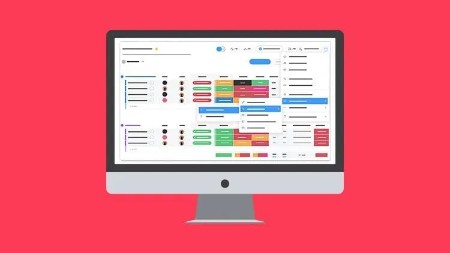
Monday for Beginners – An Introductory Course to Monday
Last updated 11/2025
Duration: 2h 50m | .MP4 1920×1080 30fps(r) | AAC, 44100Hz, 2ch | 817.94 MB
Learn how to build your own Work Management System in Monday with this beginner online course from Simon Sez IT!
What you’ll learn
– Setting up an Account in Monday and Logging in for the first time
– Learn Monday’s User Interface
– Learn how to Create and Delete Boards
– Learn Essential Columns and Board Templates
– Adding Data to Boards and Connecting Boards
– Learn about Searching, Sorting, and Filtering Board Data
– Learn how to add Additional Board Views
– Using Calendar, Workload, Form, Kanban, and Gantt Board Views
– Working with Notifications, Inbox, and My Work
– Learn how to Share a Full Board on a Public URL
– Creating Dashboards and Adding Basic Widgets
– Printing and Presenting Dashboards
– Learn how to add Automations and Integrations to a Board
Requirements
– No prior experience with Monday needed, the course is for complete beginners
– Access to Monday dot com is beneficial but not required
Description
In this comprehensive beginner-level course, you will learn most of the functionality that can be found on the Monday platform.
Monday is a simple but intuitive work operating system (work OS) that allows businesses to customize their own work management software. Teams can connect collaboratively as they run workflows and projects.
This course will teach you how to create boards, dashboards, and automation on Monday. You will also learn how these different components can work together to build an end-to-end work OS. We begin by giving you a broad overview of the platform’s features before diving into each element in greater depth. The course also includes exercises so you can immediately practice what you’ve learned.
This course covers:
Setting up an account and logging in for the first time
An overview of the Monday user interface
How to create and delete boards
Essential columns and board templates
Adding data to boards and connecting boards
Searching, sorting, and filtering board data
How to add additional board views
Using calendar, workload, form, Kanban, and Gantt board views
Working with notifications, inbox, and my work
How to share a full board on a public URL
Creating dashboards and adding basic widgets
Printing and presenting dashboards
How to add automation and integrations to a board
This course includes:
2+ hoursof video tutorials
36 individual videolectures
Certificate of completion
Course filesto help you follow along
Here’s what our students are saying.
Who this course is for:
– Beginner Monday users who want to explore the platform’s functionalities
More Info

RapidGator
https://www.keeplinks.org/p27/692473b09beb2
https://rapidgator.net/file/ef2b25ae4605f12954ec7944b8d8cffe/yxusj.Monday.for.Beginners.An.Introductory.Course.to.Monday.rar
NitroFlare
https://www.keeplinks.org/p27/6924743b385f6
https://nitroflare.com/view/9187A92823C71F7/yxusj.Monday.for.Beginners.An.Introductory.Course.to.Monday.rar
DDownload
https://www.keeplinks.org/p27/692474730f62d
https://ddownload.com/r5tb5qddw9um/yxusj.Monday.for.Beginners.An.Introductory.Course.to.Monday.rar