

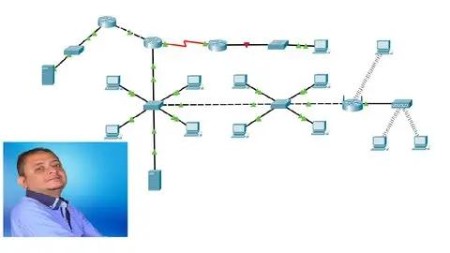
Mta – Networking Fundamentals (Teaching And Learning)
Last updated 10/2021
MP4 | Video: h264, 1280×720 | Audio: AAC, 44.1 KHz
Teach and learn Computer Networking the proper way using the Microsoft Networking Fundamentals (Exam 98-366) Curriculum
What you’ll learn
Very Similar to my INE Course
Learn how to teach Computer Networking using step-by step theory & project-based lectures (For Instructors)
Teach Computer Networking using logical and systematic methods (For Instructors)
Build and practice with your network as you learn (for students)
Prepare for the MTA – Networking Fundamentals: Exam 98-366 using step-by-step learning methods (for students)
Learn about LANs, Addressing, Media Types, Topologies, Switching & Networking Models
Learn about WANs, Routing, Remote Access, and Security
Learn about Networking Services: DNS and DHCP
Requirements
Basic Computer and IT Skills (For Students)
CompTIA Network+ or CCNA at least is recommended (For Instructors)
Experience in teaching Computer Networking or desire to teach this topic (For Instructors)
Description
Overview
Section 1: Intoduction
Lecture 1 Course Introduction & Overview
Lecture 2 Introduction to Networking
Section 2: LANs, Addressing, Media Types, Topologies, Switching & Networking Models
Lecture 3 Understanding Local Area Networks (LANs)
Lecture 4 Understanding Numbering Systems
Lecture 5 Understanding Network Addressing
Lecture 6 Introducing Packet Tracer & Working with Addressing
Lecture 7 Understanding ARP & ICMP
Lecture 8 Working with ARP & ICMP
Lecture 9 Wired Network Media
Lecture 10 Network Topologies
Lecture 11 Token Ring a& FDDI
Lecture 12 Understanding Ethernet
Lecture 13 Working with Hubs
Lecture 14 Working with Switches
Lecture 15 Understanding Subnetting & Default Gateways
Lecture 16 Working with Subnetting
Lecture 17 Invalid IP Addresses
Lecture 18 Configuring Default Gateways
Lecture 19 Understanding Proxy ARP
Lecture 20 Configuring Hosts with a Default Gateway
Lecture 21 Disabling Proxy ARP
Lecture 22 Understanding VLANs
Lecture 23 Working with VLANs
Lecture 24 Understanding OSI
Lecture 25 Understanding TCP/IP
Lecture 26 Working with FTP
Lecture 27 Working with TCP & HTTP
Lecture 28 Working with the NETSTAT Command
Lecture 29 Understanding IPv6
Lecture 30 Working with IPv6
Lecture 31 Understanding Wireless Media
Lecture 32 Configuring & Working with Wireless Devices
Section 3: WANs, Routing, Remote Access, and Security
Lecture 33 Understanding WANs
Lecture 34 Understanding Routing
Lecture 35 Configuring Static Routing
Lecture 36 Working with Dynamic Routing – RIP
Lecture 37 Working with Tracert & Pathping Commands
Lecture 38 Security & Remote Access
Lecture 39 Configuring Default Routes & Working with NAT
Section 4: Networking Services: DNS and DHCP
Lecture 40 Understanding DNS
Lecture 41 Configuring & Working with DNS & the NSLOOKUP Command
Lecture 42 Understanding DHCP
Lecture 43 Configuring & Working with DHCP
Lecture 44 Working with GNS3 & Wireshark
Lecture 45 Other TCP/IP Commands
Lecture 46 Networking Technology Advancements – SDN
Section 5: Bonus Lecture: More courses – Lowest Price
Lecture 47 Bonus Lecture: More courses – Lowest Price
IT Instructors who want to teach Computer Networking using step-by step theory & project-based logical and systematic methods,Students who want to learn Computer Networking from scratch the proper way using systematic methods with logical order,Students who want to study the MTA – Networking Fundamentals (Exam 98-366) Curriculum
DDownload
https://www.keeplinks.org/p27/689a26cb74fda
RapidGator
https://www.keeplinks.org/p27/689a27739e4b7
NitroFlare
https://www.keeplinks.org/p27/689a282301769