

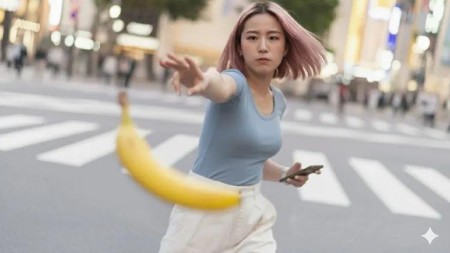
Nano Banana Master Class
Published 10/2025
Duration: 1h 17m | .MP4 1280×720 30 fps(r) | AAC, 44100 Hz, 2ch | 1.05 GB
Master AI-based image editing and image creation using Nano Banana.
What you’ll learn
– Master 10 practical image editing use cases, such as, changing colors, adding items, removing backgrounds, changing hairstyles, editing logos
– Fix bad results when Nano Banana acts like "a kid who doesn’t listen" using refinement prompts that put you back in control
– Master the 4-detail illustration formula (character, activity, environment, style) that guarantees usable results every time
– Create story-driven illustrations by building emotional arcs across multiple scenes while maintaining character consistency
– Use AI chat models to generate image prompts for you
– Create professional LinkedIn headshots using the 3-step reference image technique for results colleagues can’t tell are AI-generated
– Generate fashion models from scratch using the Question-Answer Prompt Method, building from basic foundation to editorial-ready imagery
– Give a fashion model a total makeover by mastering iterative prompting
– Master prompt engineering along the way
Requirements
– No image editing or image creation experience is needed. Nano Banana will be taught without assuming anything.
Description
Hi, Welcome to Nano Banana Master Class.
I am Naresh, and I will be your instructor for this course.
I have been creating and editing images using Photoshop for about 10 years now.
But when I first saw the capabilities of Nano Banana, I was completely stunned.
Depending on the use case, if something takes 5 minutes in Photoshop, Nano Banana can help us achieve it in less than a minute.
We will work on 10 highly practical use cases.
Next, we will put our new skill to the test by giving a fashion model a total makeover.
First, we will master how to create usable illustrations.
After that, we’ll create story-driven illustrations.
Once we are done with illustrations, we will create a fashion model from scratch, and we will use that fashion model for a few advertising scenarios.
Finally, we will wrap up the course by creating professional LinkedIn headshots from scratch. Having said that, I will keep updating this course with new tips and tricks related to Nano Banana.
The exercise files for this course also contain 15+ ready-to-use LinkedIn headshot prompts along with some hidden challenges.
How does it sound?
I have poured all my image editing and image creation experience into this course.
I hope you’ll get the most value out of it.
I will see you inside!
Who this course is for:
– Complete beginners who’ve never used AI image tools before but want to create professional images
– Freelancers and designers who need to generate client mockups, product visualizations, and brand concepts quickly on tight deadlines
– Content creators who want professional LinkedIn headshots, social media graphics, or marketing visuals
– Small business owners who can’t afford professional photographers but need quality product photos and branded merchandise mockups
– Children’s book authors and illustrators looking to create consistent character designs and story-driven illustrations faster
– Marketing professionals who need to prototype fashion photography, product concepts, or advertising campaigns before final production
– Anyone frustrated with AI image tools that produce generic results and wants a framework for creating actually usable images
More Info

RapidGator
https://www.keeplinks.org/p27/69392a3523d65
NitroFlare
https://www.keeplinks.org/p27/69392a8ba0c40
DDownload
https://www.keeplinks.org/p27/69392ad87cf37