

Node.Js, Express, Mongodb & More: The Complete Bootcamp 2023
Last updated 11/2022
MP4 | Video: h264, 1280×720 | Audio: AAC, 44.1 KHz
Master Node by building a real-world RESTful API and web app (with authentication, Node.js security, payments & more)
What you’ll learn
Master the entire modern back-end stack: Node, Express, MongoDB and Mongoose (MongoDB JS driver)
Build a fast, scalable, feature-rich RESTful API (includes filters, sorts, pagination, and much more)
Learn how Node really works behind the scenes: event loop, blocking vs non-blocking code, streams, modules, etc.
CRUD operations with MongoDB and Mongoose
Deep dive into mongoose (including all advanced features)
How to work with data in NoSQL databases (including geospatial data)
Advanced authentication and authorization (including password reset)
Security: encryption, sanitization, rate limiting, etc.
Server-side website rendering with Pug templates
Credit card payments with Stripe
Sending emails & uploading files
Deploy the final application to production (including a Git crash-course)
Downloadable videos, code and design assets for projects
Requirements
Absolutely NO understanding of Node or back-end development is required! I take you from beginner to advanced developer!
Basic understanding of JavaScript is required (the course contains a section about asynchronous JavaScript with promises and async/await in case you need to get up to speed)
Any computer and OS will work – Windows, macOS or Linux
Description
Overview
Section 1: Welcome, Welcome, Welcome!
Lecture 1 Course Structure and Projects
Lecture 3 Let’s Install Node.js
Section 2: Introduction to Node.js and NPM
Lecture 4 Section Intro
Lecture 5 What Is Node.js and Why Use It?
Lecture 6 Running Javascript Outside the Browser
Lecture 7 Using Modules 1: Core Modules
Lecture 8 Reading and Writing Files
Lecture 9 Blocking and Non-Blocking: Asynchronous Nature of Node.js
Lecture 10 Reading and Writing Files Asynchronously
Lecture 11 Creating a Simple Web Server
Lecture 12 Routing
Lecture 13 Building a (Very) Simple API
Lecture 14 HTML Templating: Building the Templates
Lecture 15 HTML Templating: Filling the Templates
Lecture 17 Using Modules 2: Our Own Modules
Lecture 18 Introduction to NPM and the package.json File
Lecture 19 Types of Packages and Installs
Lecture 21 Package Versioning and Updating
Lecture 22 Setting up Prettier in VS Code
Lecture 23 Recap and What’s Next
Section 3: Introduction to Back-End Web Development
Lecture 24 Section Intro
Lecture 25 An Overview of How the Web Works
Lecture 26 HTTP in Action
Lecture 27 Front-End vs. Back-End Web Development
Lecture 28 Static vs Dynamic vs API
Section 4: How Node.js Works: A Look Behind the Scenes
Lecture 29 Section Intro
Lecture 30 Node, V8, Libuv and C++
Lecture 31 Processes, Threads and the Thread Pool
Lecture 32 The Node.js Event Loop
Lecture 33 The Event Loop in Practice
Lecture 34 Events and Event-Driven Architecture
Lecture 35 Events in Practice
Lecture 36 Introduction to Streams
Lecture 37 Streams in Practice
Lecture 38 How Requiring Modules Really Works
Lecture 39 Requiring Modules in Practice
Section 5: [Optional] Asynchronous JavaScript: Promises and Async/Await
Lecture 40 Section Intro
Lecture 41 The Problem with Callbacks: Callback Hell
Lecture 42 From Callback Hell to Promises
Lecture 43 Building Promises
Lecture 44 Consuming Promises with Async/Await
Lecture 45 Returning Values from Async Functions
Lecture 46 Waiting for Multiple Promises Simultaneously
Lecture 47 Section Intro
Lecture 48 What is Express?
Lecture 49 Installing Postman
Lecture 50 Setting up Express and Basic Routing
Lecture 51 APIs and RESTful API Design
Lecture 53 Handling POST Requests
Lecture 54 Responding to URL Parameters
Lecture 55 Handling PATCH Requests
Lecture 56 Handling DELETE Requests
Lecture 57 Refactoring Our Routes
Lecture 58 Middleware and the Request-Response Cycle
Lecture 59 Creating Our Own Middleware
Lecture 61 Implementing the "Users" Routes
Lecture 62 Creating and Mounting Multiple Routers
Lecture 63 A Better File Structure
Lecture 64 Param Middleware
Lecture 65 Chaining Multiple Middleware Functions
Lecture 66 Serving Static Files
Lecture 68 Setting up ESLint + Prettier in VS Code
Section 7: Introduction to MongoDB
Lecture 69 Section Intro
Lecture 70 What is MongoDB?
Lecture 71 No Need to Install MongoDB Locally
Lecture 72 [OPTIONAL] Installing MongoDB on macOS
Lecture 73 [OPTIONAL] Installing MongoDB on Windows
Lecture 74 [OPTIONAL] Creating a Local Database
Lecture 75 [OPTIONAL] CRUD: Creating Documents
Lecture 76 [OPTIONAL] CRUD: Querying (Reading) Documents
Lecture 77 [OPTIONAL] CRUD: Updating Documents
Lecture 78 [OPTIONAL] CRUD: Deleting Documents
Lecture 79 Using Compass App for CRUD Operations
Lecture 80 Creating a Hosted Database with Atlas
Lecture 81 Connecting to Our Hosted Database
Section 8: Using MongoDB with Mongoose
Lecture 82 Section Intro
Lecture 83 Connecting Our Database with the Express App
Lecture 84 What Is Mongoose?
Lecture 85 Creating a Simple Tour Model
Lecture 86 Creating Documents and Testing the Model
Lecture 87 Intro to Back-End Architecture: MVC, Types of Logic, and More
Lecture 88 Refactoring for MVC
Lecture 89 Another Way of Creating Documents
Lecture 90 Reading Documents
Lecture 91 Updating Documents
Lecture 92 Deleting Documents
Lecture 93 Modelling the Tours
Lecture 94 Importing Development Data
Lecture 95 Making the API Better: Filtering
Lecture 96 Making the API Better: Advanced Filtering
Lecture 97 Making the API Better: Sorting
Lecture 98 Making the API Better: Limiting Fields
Lecture 99 Making the API Better: Pagination
Lecture 100 Making the API Better: Aliasing
Lecture 101 Refactoring API Features
Lecture 102 Aggregation Pipeline: Matching and Grouping
Lecture 103 Aggregation Pipeline: Unwinding and Projecting
Lecture 104 Virtual Properties
Lecture 105 Document Middleware
Lecture 106 Query Middleware
Lecture 107 Aggregation Middleware
Lecture 108 Data Validation: Built-In Validators
Lecture 109 Data Validation: Custom Validators
Section 9: Error Handling with Express
Lecture 110 Section Intro
Lecture 111 Debugging Node.js with ndb
Lecture 112 Handling Unhandled Routes
Lecture 113 An Overview of Error Handling
Lecture 114 Implementing a Global Error Handling Middleware
Lecture 115 Better Errors and Refactoring
Lecture 116 Catching Errors in Async Functions
Lecture 117 Adding 404 Not Found Errors
Lecture 118 Errors During Development vs Production
Lecture 119 Handling Invalid Database IDs
Lecture 120 Handling Duplicate Database Fields
Lecture 121 Handling Mongoose Validation Errors
Lecture 122 Errors Outside Express: Unhandled Rejections
Lecture 123 Catching Uncaught Exceptions
Section 10: Authentication, Authorization and Security
Lecture 124 Section Intro
Lecture 125 Modelling Users
Lecture 126 Creating New Users
Lecture 127 Managing Passwords
Lecture 128 How Authentication with JWT Works
Lecture 129 Signing up Users
Lecture 130 Logging in Users
Lecture 133 Advanced Postman Setup
Lecture 134 Authorization: User Roles and Permissions
Lecture 135 Password Reset Functionality: Reset Token
Lecture 136 Sending Emails with Nodemailer
Lecture 137 Password Reset Functionality: Setting New Password
Lecture 138 Updating the Current User: Password
Lecture 139 Updating the Current User: Data
Lecture 140 Deleting the Current User
Lecture 141 Security Best Practices
Lecture 142 Sending JWT via Cookie
Lecture 143 Implementing Rate Limiting
Lecture 144 Setting Security HTTP Headers
Lecture 145 Data Sanitization
Lecture 146 Preventing Parameter Pollution
Section 11: Modelling Data and Advanced Mongoose
Lecture 147 Section Intro
Lecture 148 MongoDB Data Modelling
Lecture 149 Designing Our Data Model
Lecture 150 Modelling Locations (Geospatial Data)
Lecture 151 Modelling Tour Guides: Embedding
Lecture 152 Modelling Tour Guides: Child Referencing
Lecture 153 Populating Tour Guides
Lecture 154 Modelling Reviews: Parent Referencing
Lecture 155 Creating and Getting Reviews
Lecture 156 Populating Reviews
Lecture 157 Virtual Populate: Tours and Reviews
Lecture 158 Implementing Simple Nested Routes
Lecture 159 Nested Routes with Express
Lecture 160 Adding a Nested GET Endpoint
Lecture 161 Building Handler Factory Functions: Delete
Lecture 162 Factory Functions: Update and Create
Lecture 163 Factory Functions: Reading
Lecture 164 Adding a /me Endpoint
Lecture 165 Adding Missing Authentication and Authorization
Lecture 166 Importing Review and User Data
Lecture 167 Improving Read Performance with Indexes
Lecture 170 Preventing Duplicate Reviews
Lecture 171 Geospatial Queries: Finding Tours Within Radius
Lecture 172 Geospatial Aggregation: Calculating Distances
Lecture 173 Creating API Documentation Using Postman
Section 12: Server-Side Rendering with Pug Templates
Lecture 174 Section Intro
Lecture 175 Recap: Server-Side vs Client-Side Rendering
Lecture 176 Setting up Pug in Express
Lecture 177 First Steps with Pug
Lecture 178 Creating Our Base Template
Lecture 179 Including Files into Pug Templates
Lecture 180 Extending Our Base Template with Blocks
Lecture 181 Setting up the Project Structure
Lecture 188 Building the Login Screen
Lecture 192 Logging out Users
Lecture 193 Rendering Error Pages
Lecture 194 Building the User Account Page
Lecture 195 Updating User Data
Lecture 196 Updating User Data with Our API
Lecture 197 Updating User Password with Our API
Section 13: Advanced Features: Payments, Email, File Uploads
Lecture 198 Section Intro
Lecture 199 Image Uploads Using Multer: Users
Lecture 200 Configuring Multer
Lecture 201 Saving Image Name to Database
Lecture 202 Resizing Images
Lecture 203 Adding Image Uploads to Form
Lecture 204 Uploading Multiple Images: Tours
Lecture 205 Processing Multiple Images
Lecture 206 Building a Complex Email Handler
Lecture 207 Email Templates with Pug: Welcome Emails
Lecture 208 Sending Password Reset Emails
Lecture 209 Using Sendgrid for "Real" Emails
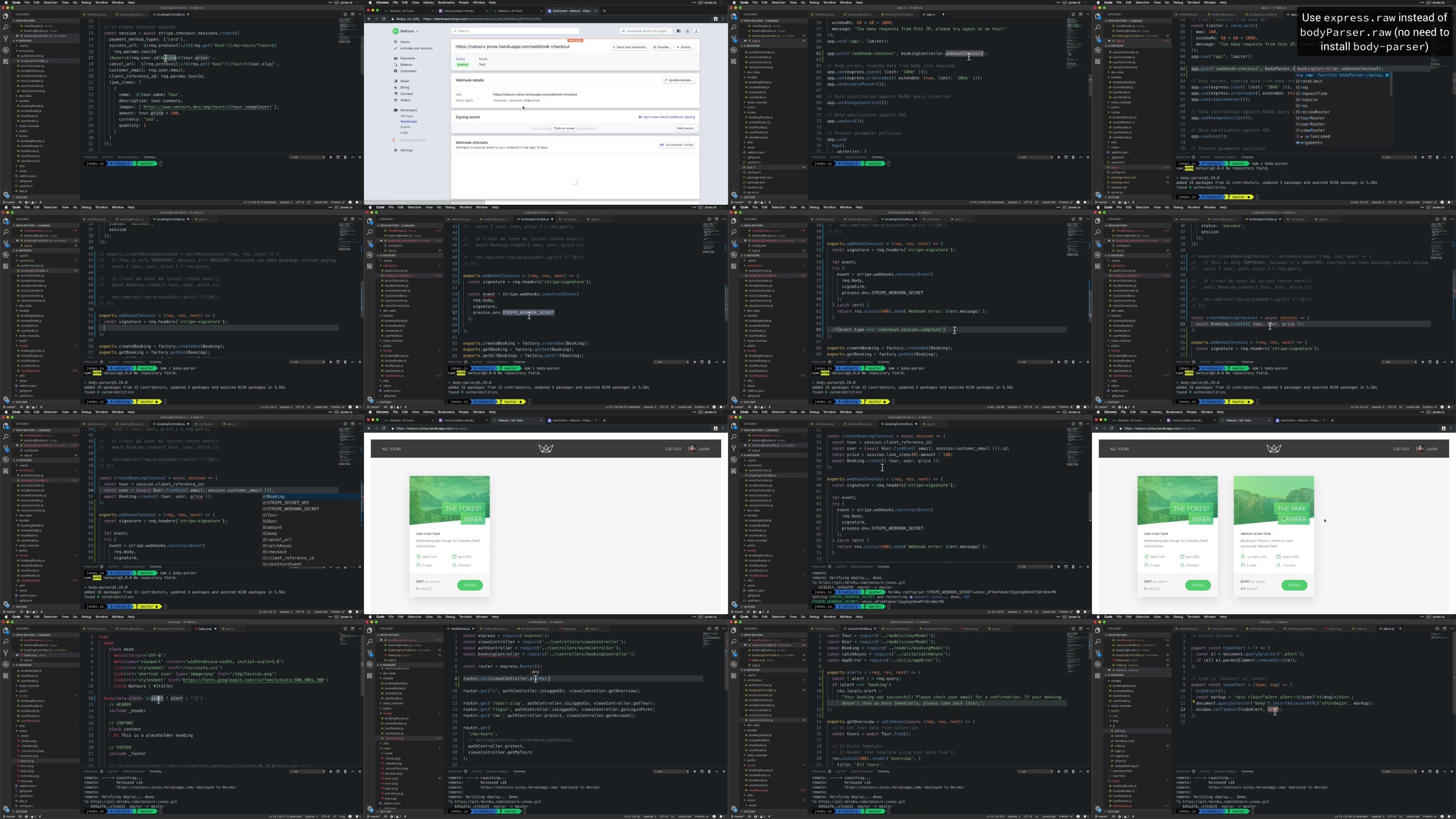
Lecture 210 Credit Card Payments with Stripe
Lecture 211 Integrating Stripe into the Back-End
Lecture 212 Processing Payments on the Front-End
Lecture 213 Modelling the Bookings
Lecture 214 Creating New Bookings on Checkout Success
Lecture 215 Rendering a User’s Booked Tours
Lecture 216 Finishing the Bookings API
Lecture 217 Final Considerations
Section 14: Setting Up Git and Deployment
Lecture 218 Section Intro
Lecture 219 Setting Up Git and GitHub
Lecture 220 Git Fundamentals
Lecture 221 Pushing to GitHub
Lecture 222 Preparing Our App for Deployment
Lecture 223 Deploying Our App to Heroku
Lecture 224 Testing for Secure HTTPS Connections
Lecture 225 Responding to a SIGTERM Signal
Lecture 226 Implementing CORS
Lecture 227 Finishing Payments with Stripe Webhooks
Section 15: That’s It, Everyone!
Lecture 228 Where to Go from Here
Lecture 229 My Other Courses + Updates
Take this course if you want to build amazingly fast and scalable back-end applications using the JavaScript skills you already have. Node is the perfect tool for you!,Take this course if you’re a front-end developer looking to go into back-end development using the most complete course on the market.,Take this course if you have taken other Node courses but: 1) still don’t feel confident to code real-world apps, or 2) still feel like you need more back-end skills. This course is perfect for you!,Take this course if you’re an experienced Node developer who wants to add new skills missing in other courses: How Node works behind the scenes, advanced data modelling, geospatial data, complete and secure authentication, stripe payments, and more.
DDownload
https://www.keeplinks.org/p27/6877f96e12274
RapidGator
https://www.keeplinks.org/p27/6877fc793dd92
NitroFlare
https://www.keeplinks.org/p27/6878015918bc0