

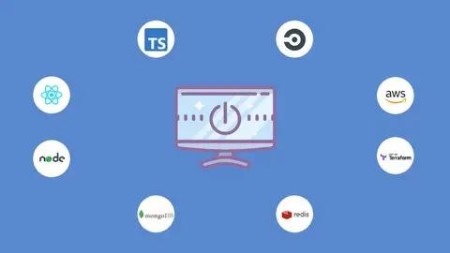
Node with React: Build & Deploy a Fullstack Web Application
Last updated 11/2022
MP4 | Video: h264, 1280×720 | Audio: AAC, 44.1 KHz, 2 Ch
Build & deploy a social network app using React, Typescript, MongoDB, Redis, Queues, AWS, Terraform, CircleCI & more
What you’ll learn
Build a MERN (MongoDb, Express, React, Node) fullstack app
Build an amazing social network application
Define Infrastructure as Code using Terraform to easily create and destroy environment
Setup Continuous Integration/Delivery Pipeline
Integrate Terraform into CI/CD Pipeline
Deploy full-scale application to AWS
Use Redis for caching
Setup Redis message queues and workers
Learn to write unit tests for Frontend and Backend apps
User AWS services like VPC, subnets, internet gateways, EC2, route53, elasticache, S3, cloudfront, load balancer, autoscaling group and much more.
Setup Online Dev, Staging and Production Environments
Integrate Slack in the CI/CD Pipeline
Build custom react hooks
Setup redux-toolkit
Requirements
Just basic JavaScript knowledge
No prior React knowledge is required
No prior Backend Development knowledge required
No prior DevOps knowledge required
Description
React is one of the most popular library’s for building client apps with HTML, CSS and JavaScript. If you want to establish yourself as a front-end or full-stack developer, you need to learn React.
This course follows a hands-on approach or ‘learn-by-doing, which means the whole course is structured around building a fullstack web application and the different concepts will be explained detailedly as they are introduced.
What’s this course about?
Development (Backend and Frontend)
Deployment (Infrastructure setup on AWS and CI/CD)
Each structure is broken down into its sections.
Backend development
Backend deployment
Frontend development
Frontend deployment
Students can go through all the sections or just the sections they are most interested in.
What Technology You’ll Use
Development
React
Redux-toolkit
NodeJS
Typescript and Javascript
Redis
MongoDB and Mongoose
Message queues
SocketIO
Jest for unit test
Cloudinary for image and video upload
Nodemailer and Sendgrid mail
and much more.
Infrastructure Setup and Deployment
Terraform
AWS
CircleCI
Numerous AWS resources will be used. Some of those resources are:
– VPC and subnets
– Internet gateways
– Route tables
– NAT gateways and elastic ips
– Security groups
– Load balancers
– Autoscaling groups
– EC2 instances
– Route53
– S3
– Code deploy
– Elasticache for redis clusters
– and much more
Not familiar with some of these? No problem! This course will guide you on how to setup and use these technologies in your apps.
What You’ll Be Able to Do
By the time you complete this course or one of the sections you are interested in, you’ll be able
Build a real-time fullstack application
Setup unit tests in both your React application and NodeJS backend application
Setup CI/CD Pipeline
Setup Automatic Deployment
Create AWS Resources using Terraform
Integrate Terraform into CircleCI Pipeline
Setup Multiple Online Environments (Dev, Staging and Production)
Use GitHub w/ CircleCI
Use Feature Branches on GitHub
Write unit tests
Create Custom React Components
Setup Redux-toolkit
Upload images and videos
And More.
Who this course is for:
Suitable for both beginners and intermediate React developers
Junior developers looking to enhance their skills
Web developers and Front End Developers who want to get into the backend development world or become Fullstack Developers
Frontend or Backend developers who wants to get into the world of cloud infrasttucture with AWS

DDownload
https://www.keeplinks.org/p27/6873e358db80e
RapidGator
https://www.keeplinks.org/p27/6873ec13a1324
NitroFlare
https://www.keeplinks.org/p27/6873f9a1d9563