

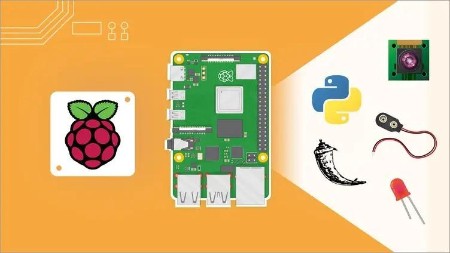
Raspberry Pi For Beginners – 2020 Complete Course
Instructor: Edouard Renard
Build Amazing Projects with Raspberry Pi 4, Step By Step, using Python3, GPIOs, Flask, the Raspberry Pi Camera, and More
What you’ll learn
Build a complete surveillance and alarm project with Raspberry Pi
Learn Python3 from zero, step by step
Install the latest version of Raspberry Pi OS on your Raspberry Pi 4 (also works on 2 and 3)
Use the Raspberry Pi’s GPIOs to control hardware components
Create a web server on your Raspberry Pi
Send emails from your Raspberry Pi
Learn how to use the terminal to get more control over your Pi
Take pictures and videos with the Raspberry Pi camera V2
Learn how to be more independent when working on your future projects
Get more practice with hands-on lessons, 11 activities and a final project
Requirements
A computer + a Raspberry Pi 4 (also works with Raspberry 2 and 3)
NO external monitor or keyboard required.
NO programming, Unix, or hardware experience required.
A will to learn and to progress with the Raspberry Pi
This complete hands-on, step by step course is targeting the latest version of Raspberry Pi, which is the Raspberry Pi 4. Note that everything also works perfectly for Raspberry Pi 2 and 3 versions.
→ Why this course?
The problem with most online resources for Raspberry Pi is that they focus on making you run existing programs to make you feel you’ve accomplished a lot, but in reality you’ve just copied/pasted some random code and didn’t even scratch the surface. The “why you should do that” is not involved. So, the next time you have to do something on your own, you feel stuck and too dependent on other people’s code.
→ And how will we do that you may ask?
Simple:
HANDS-ON.
STEP BY STEP.
NO COPY AND PASTE.
This course is not a course where you just download some code and run it. This is a course where you will truly understand how to write the code and work with the different Raspberry Pi functionalities.
I will take the time to explain everything, step by step, even the basic things. I will write the code with you and explain why I write what I write. With the activities and final project you will have even more opportunities to practice on your own, and you will make progress without even noticing it.
→ What will you do/learn in this course?
Here’s an overview of the different topics we’ll cover:
Setup your Raspberry Pi and install Raspberry Pi OS without an external monitor and keyboard.
Get good Python3 programming basics.
Work with the Raspberry Pi’s GPIO panel.
Use a PIR sensor to detect movement from your Pi.
Discover how to use a Unix terminal and the most useful command line tools.
Send an email from your Raspberry Pi.
Take photos and videos using the Raspberry Pi camera V2.
Create a web server on your Raspberry Pi with the Flask framework.
And along the way, through the different sections, you will have many opportunities to practice (11 activities) on the most important points.
The teaching method I use is now a proven method – not because I or someone arbitrarily said so, but because of the tons of positive feedback about successful learning results I’ve received over the years with thousands of students.
I don’t come from an academics background. I’m an engineer and all I’ve done is to try to solve real problems by being practical on what I need to do and to learn. I actually used Raspberry Pi to program an entire 6 axis robotic arm which is now on the market. This forced me to go to the point and focus on what’s really useful.
This experience and the lessons I’ve learned is what I want to share with you. Understanding the “why” and focusing on practicing on the key points, is, to me, one of the best ways to progress 10x faster.
See you in the course! 🙂
Note – This course is not for you if:
You’re not interested in understanding what you’re doing and prefer a quick copy/paste solution.
You’re already an advanced Raspberry Pi user.
Who this course is for:
Students, Engineers, Researchers, Teachers, Developers, Hobbyists.
Anyone wanting to really understand what they’re doing with Raspberry Pi, Python3, and the different components you can use with the board
Anyone who already knows Python or Unix and wants to dive into Raspberry Pi
Raspberry Pi users who feel stuck in their projects and want to get more autonomous
