

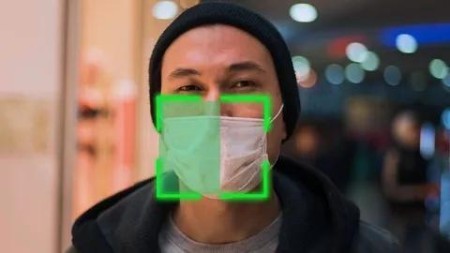
Real-Time Ai Face Mask Detection Using Python & Opencv
Published 5/2025
MP4 | Video: h264, 1920×1080 | Audio: AAC, 44.1 KHz
Real-Time Mask Detection: How AI Helps Enforce Safety Measures with Python & Computer Vision.
What you’ll learn
Understand the fundamentals of face mask detection using deep learning models and its role in ensuring public health safety through automated monitoring.
Set up a Python development environment with essential libraries, including OpenCV for image processing and Tkinter for real-time video streaming on the web.
Explore the YOLOv11 model, optimized for accurate and efficient face mask detection in real-time video streams.
Utilize a Roboflow dataset to train and evaluate the model, ensuring diverse and high-quality image data for improved detection accuracy.
Learn preprocessing techniques, such as image normalization, resizing, and augmentation, to enhance model performance and ensure compatibility with YOLOv11.
Implement real-time visualization by annotating video frames with bounding boxes, class labels, and confidence scores for face mask detection.
Develop a user-friendly application using Tkinter to display live video feeds with real-time mask detection capabilities.
Optimize model deployment for real-time use, ensuring low latency in video processing and accurate detection of masked and unmasked individuals.
Apply the developed system in real-world scenarios such as public spaces, hospitals, airports, and workplaces to enhance safety and compliance monitoring.
Requirements
Basic understanding of Python programming (helpful but not mandatory).
A laptop or desktop computer with internet access [Windows OS with Minimum 4GB of RAM).
No prior knowledge of AI or Machine Learning is required-this course is beginner-friendly.
Enthusiasm to learn and build practical projects using AI and IoT tools.
DescriptionOverview
Section 1: Introduction to Face Mask Detection and Recognition
Lecture 1 Course Introduction and Features
Section 2: Environment Setup for Python Development
Lecture 2 Installing Python
Lecture 3 VS Code Setup for Python Development
Section 3: Face Mask Detection System Project Overview
Lecture 4 Face Mask Detection
Section 4: Google Drive Mount
Lecture 5 Google Drive Mount
Section 5: Face Mask Detection Dataset Download
Lecture 6 Face Mask Detection Dataset Download
Section 6: Dataset Visualization
Lecture 7 Dataset Visualization
Section 7: Ultralytics Installation & Setting Up YOLOv11 for Mask Detection
Lecture 8 Ultralytics Installation & Setting Up YOLOv11 for Mask Detection
Section 8: YOLOv11 Model Training for Mask Detection
Lecture 9 YOLOv11 Model Training for Mask Detection
Section 9: Packages Explanation
Lecture 10 Packages Explanation
Section 10: Model Inference Code Explanation
Lecture 11 Model Inference Code Explanation
Section 11: Tkinter Implementation
Lecture 12 Tkinter Implementation
Section 12: Code Execution
Lecture 13 Code Execution
Section 13: Wrapping Up
Lecture 14 Course Wrap-Up

DDownload
https://www.keeplinks.org/p27/68384d4d15d31
https://ddownload.com/y0jp7tpy3iaj/yxusj.RealTime.AI.Face.Mask.Detection.Using.Python.OpenCV.rar
RapidGator
https://www.keeplinks.org/p27/68384f37c039a
https://rapidgator.net/file/6ac7e67214a8cf0d834cc1c410751464/yxusj.RealTime.AI.Face.Mask.Detection.Using.Python.OpenCV.rar
NitroFlare
https://nitroflare.com/view/2C0F699E14EA55F/yxusj.RealTime.AI.Face.Mask.Detection.Using.Python.OpenCV.rar