

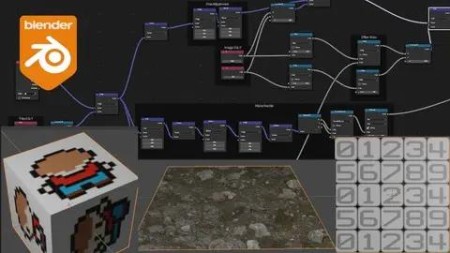
Shader Magic In Blender (Ver 3.41 And Above)
Published 1/2023
MP4 | Video: h264, 1280×720 | Audio: AAC, 44.1 KHz
More than just creating shapes! It’s also about all the common techniques used in games!
What you’ll learn
The most common shader techniques used in games and some Blende specific things.
How to work with the Blender Shader nodes
How to create procedural shapes from scratch in Blender
How Vector Math is working when creating Shaders.
Requirements
You should know how to handle basic tasks in Blender and have some knowledge of the Shader Editor.
Description
Overview
Section 1: Introduction
Lecture 1 Introduction
Lecture 2 The Setting
Lecture 3 The resources!!
Section 2: The base to create shaders
Lecture 4 Texture Coordinate
Lecture 5 Basic Masking
Lecture 6 We create a tile!
Lecture 7 We transform one tile in to many tiles.
Lecture 8 Time to clean up the tile a bit.
Lecture 9 How you create a nodegroup
Lecture 10 Using the Vector math node "Length"
Lecture 11 Repetition of the base
Section 3: The Built in Textures in Blender
Lecture 12 Brick Texture
Lecture 13 Checker Texture
Lecture 14 Environment Texture
Lecture 15 Gradient Texture
Lecture 16 IES Texture
Lecture 17 Image Texture
Lecture 18 Magic Texture
Lecture 19 Musgrave Texture
Lecture 20 Noise Texture
Lecture 21 Voronoi Texture
Lecture 22 Wave Texture
Lecture 23 White Noise Texture
Lecture 24 Explaining the dimensions on textures
Section 4: Create Shapes from Math
Lecture 25 Visualize math with graphs
Lecture 26 Using the Compare Node to check the value of UV
Lecture 27 How to use X and Y more than once to increase amount of possible shapes.
Lecture 28 Introducing the node "Power"
Lecture 31 Let’s make the rest of the shapes from a deck of cards
Lecture 32 Shape things using Vector curves
Lecture 33 How to add a second border pattern on a floor
Lecture 34 Examples using Power node a bit more
Lecture 35 Blending Mortar and tiles together on the tiles we created in the base session
Lecture 36 Setting bounds or borders on your UV and merging UV Together
Section 5: Practice making shapes
Lecture 37 Create a smiley
Lecture 38 Create a red cross
Lecture 39 Create a cylinder shaped pill
Lecture 40 Copy a floor tile pattern (circle shapes)
Lecture 41 Copy a floor tile pattern again (handling gray scale)
Section 6: Common Techniques used in games
Lecture 42 Blend textures using a second texture
Lecture 43 Blend textures together using Vertex Color
Lecture 44 Introduction to Vector Math Normal and "Dot Product"
Lecture 45 Using Dot Product as Fresnel effect
Lecture 46 Using Dot Product together with Normal Maps
Lecture 47 How to use the "Cross Product"
Lecture 48 What is the vector node "Snap"?
Lecture 49 How to use "Face Forward"
Lecture 50 Using "Vector Rotate"
Lecture 51 Rotating our tiles
Lecture 52 Example on creating scratches
Lecture 53 How to find edges and add dirt
Lecture 54 Take a look at Vector Bump
Lecture 55 Using Trim sheets
Lecture 56 Using Sprite Sheets
Lecture 57 Using Flow maps
Lecture 58 Learning about Parallax mapping
Lecture 59 Randomizing tiles from an atlas
Lecture 60 Finding edges on a 2D Texture
Lecture 61 Introduction to using "Radial"
Lecture 62 Using "Radials" to create polygons
Lecture 63 Using UV to create simple VFX
Lecture 64 Creating Index to tiles on a UV
Lecture 65 A deeper example of tile math
Lecture 66 How to UV Offset to create things like wooden planks

RapidGator
https://www.keeplinks.org/p27/695e78180d1ff