

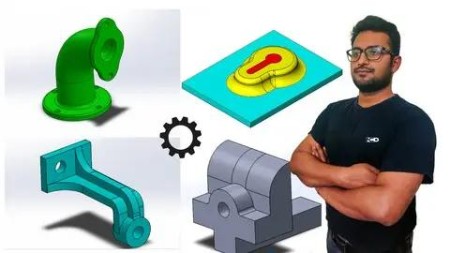
Solidworks: A Quick Beginners Course 2021-23
Published 1/2023
MP4 | Video: h264, 1280×720 | Audio: AAC, 44.1 KHz
What you’ll learn
Able to make Assembly and able to simulate them.
Project Works for Better Understanding.
Requirements
No prior knowledge required, just need desire to learn.
Any Version of SolidWorks after 2013.
Description
Overview
Section 1: Introduction
Lecture 1 Line Command.
Lecture 3 Circle, Rectangle Command
Lecture 4 Exercise: Our First Exercise.
Lecture 5 Mouse Handling & Workspace Accessories.
Lecture 6 Arcs, Ellipses & Shots.
Lecture 7 Editing Tools: Trim, Offset & Mirror.
Lecture 8 Editing Tools: Patterns, Copy, Move, Rotate & Scale.
Lecture 9 Undefined, Fully Defined & Over defined Sketches.
Lecture 10 Use of Relations.
Lecture 11 Exercise: Use of Relations and Patterns
Lecture 12 Exercise: Creating a Fully Defined Sketch.
Lecture 13 Extruded Boss/Base & Extruded Cut
Lecture 14 Properties of Extrude.
Lecture 15 Display & Parametric Features.
Lecture 16 Adding Fillets.
Lecture 17 Adding Chamfers.
Lecture 18 Revolved Boss/Base & Revolved Cut.
Lecture 19 Creating Shell & Multi-Shell.
Lecture 20 Using Section View.
Section 3: Let’s Play With Model Appearance.
Lecture 21 Adding or Changing Model Color.
Lecture 22 Adding Textures of Different Materials
Section 4: Let’s Learn Advance Modeling Tools.
Lecture 23 Convert Entities.
Lecture 24 Creating Rib Features.
Lecture 25 Linear and Circular Patterns.
Lecture 26 Some More Types of Patterns.
Lecture 27 Mirror Command.
Lecture 28 Creating Reference Planes.
Lecture 29 Swept Boss/Base & Swept Cut.
Lecture 30 Creating Helix with Sweep.
Lecture 31 Use of "Hole Wizard".
Lecture 32 Introduction to an Assembly.
Lecture 33 Creating Our First Assembly.
Lecture 34 Concept of Fix & Float.
Lecture 35 Learning Standard Mates.
Lecture 36 Toolbox Component.
Lecture 37 Design Library.
Section 6: Project Work: Assembly and Simulating of Spur Gear.
Lecture 38 An Introduction.
Lecture 39 Importing a Spur Gear.
Lecture 40 Creating a Reference Frame.
Lecture 41 Assembly of Spur Gear.
Lecture 42 Assembly with Different Gear Ratio.
Lecture 43 Finally: Creating Gear Simulation.
Section 7: Let’s Learn Drafting.
Lecture 44 Introduction to Drafting.
Lecture 45 Importing Standard Views.
Lecture 46 Working with Scales.
Lecture 47 Model View, Projected View & Auxiliary View.
Lecture 48 Creating Section Views.
Lecture 49 Dimensions & Auto-Dimensions.
Lecture 50 Adding a Note.
Lecture 51 Editing Sheet Format.
Section 8: Let’s Learn Assembly Drafting.
Lecture 52 Introduction to Assembly Drafting.
Lecture 53 Creating Exploded View.
Lecture 54 Balloons & Auto Balloons.
Lecture 55 Creating Bill of Materials.
Lecture 56 Filling out Vacant Sections.

RapidGator
https://www.keeplinks.org/p27/69ac64d4bd154
NitroFlare
https://www.keeplinks.org/p27/69ac659366bd2
UsersDrive
https://www.keeplinks.org/p27/69ac669dbd2e3