

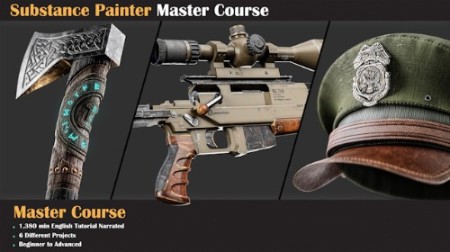
Substance Painter Master Course
MP4 | Video: h264, yuv420p, 1920×1080 | Audio: aac, 48000 Hz, 2 channels | Duration: 23h 50m | 5.75 GB
Welcome to the Substance Painter Master course!
23hours narrated Substance Painter Tutorial with 6 Project
1. Introduction
3. First Project: Steel Pot
Once we’ve got the basics down, we move on to a practical project. We’ll texture a steel pot in Substance Painter, show off our work in Marmoset Toolbag, and along the way, pick up the basics of using Marmoset.
4. Military Hat Project
5. Nordic Axe Project
6. Scifi Blade Project
Gear up for Project Scifi Blade adventure! Begin by setting up your model and use the Overlap method for UV. Then, jump into the action – import your model, bake mesh maps, and fine-tune display settings. Get hands-on crafting details for both the blade and handle. Develop materials for the handle, including plastic and steel-painted textures. Dive into the blade with base and layered materials. Elevate your design with surface decals and text, export your textures, and witness your creation in all its glory with a Marmoset Toolbag render.
7. Scifi Blade Project
Are you ready to texture an environment asset? Let’s kick things off with an air conditioner. We’ll begin by prepping the model for Substance Painter, setting up the scene, and diving into our creative process.
A highlight of this section is creating a custom mask using Photoshop, adding a touch of realism to our work. Once we’ve completed the texturing process in Substance Painter and achieved a fantastic air conditioner material, it’s time to showcase our creation in Marmoset Toolbag.
8. Sniper gun
We’re going to make a cool sniper gun! Handling the textures can be tricky, but we’ll manage the details in Substance Painter. We’ll also learn about creating designs for the gun using new methods for materials like wood, metal, and plastic. After that, we’ll use Marmoset to make our sniper gun look even cooler. And guess what? There’s a bonus chapter on Unreal Engine. We’ll show you how to set up textures in Unreal Engine for an extra touch. Ready to dive in?
RapidGator
https://www.keeplinks.org/p27/69d0df91f2e40
DDownload
https://www.keeplinks.org/p27/69d0e11e9be4b
NitroFlare
https://www.keeplinks.org/p27/69d0e45979f55
UsersDrive