

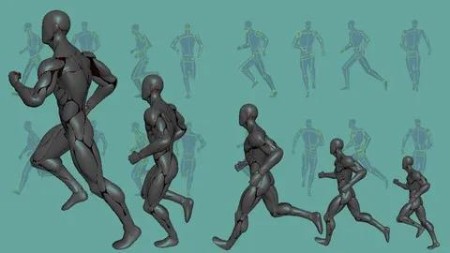
The Structured Method Of 3D Animation: Human Run Cycle
Published 9/2025
MP4 | Video: h264, 1920×1080 | Audio: AAC, 44.1 KHz
Create a dynamic and realistic human run cycle animation using a step-by-step, highly structured process.
What you’ll learn
Create a run cycle FAST in a few clearly defined steps
Create a realistic humanoid run cycle in a highly structured manner
Learn to use the dope sheet and the graph editor to make excellent run cycles in Maya
Create run cycles using Maya
Time the run cycle of a human
Plan and design a humanoid run cycle in a highly structured manner
Learn the complexity involved in the multi-axial movement of a realistic humanoid run cycle
Learn how to design the run cycle such that it can be easily edited using curves
Requirements
Basic experience having used Maya animation software
Desire to learn to create run cycles in a highly structured method
Description
Overview
Section 1: Introduction
Lecture 1 Introduction to the course
Section 2: Prep work – Downloading and prepping the humanoid rig
Lecture 2 Download & prep the Silver Cyborg Maya Rig
Lecture 3 Reference the rig into an empty Maya scene
Lecture 4 Prep the rig to make it more powerful looking, and easier to work with
Section 3: Prep work – Setting up the Maya scene file for your animation
Lecture 5 Preparing the Maya scene layout for character animation
Lecture 6 Set up a ground surface for your character to run over
Lecture 8 A note on setting up versions of Maya files
Section 4: Set up "Studio Library" tool to manage animation poses
Lecture 9 Set up Studio Library on your computer
Lecture 10 Set up the tool fully – create a Mirror Table in the tool customized for the rig
Section 5: Creating the Primary Running Pose!
Lecture 11 Overview
Lecture 12 Do the Hips and Legs first
Lecture 13 And now the Spine
Lecture 14 Next, the Neck and Head areas
Lecture 15 Now we move on to the Arms
Lecture 16 Great! Let’s review the Primary Running Pose we have created
Section 6: Creating the 3 CONTACT poses
Lecture 17 Creating the 2 CONTACT RIGHT poses
Lecture 18 Creating the 1 CONTACT LEFT pose
Lecture 19 Current State of the Run cycle: 3 CONTACT poses
Section 7: Timing, Stride Length, & Infinity Curves
Lecture 20 Defining the timing of the run cycle
Lecture 21 Defining the stride length of the run cycle
Lecture 22 Now lets set all the curves in the scene to infinity!
Lecture 23 Always keep improving the poses! Some udpates to the poses
Lecture 24 Current State of the Run Cycle: Stride Length & Infinity Curves set
Section 9: DOWN, UP and FLIGHT poses
Lecture 26 Down poses
Lecture 27 Up poses – An overview
Lecture 28 Up poses – Hip & Legs
Lecture 29 Up poses – the other leg
Lecture 30 Up poses – Cleanup the graphs
Lecture 31 Flight poses – An overview
Lecture 32 Flight poses – creating it
Lecture 33 Current State of the Run Cycle: Down Up & Flight Poses
Section 10: Hip Thrusts & Shifts
Lecture 34 Hip Thrusts – an overview
Lecture 35 Hip Thrusts – creating it
Lecture 36 Hip Lateral Shifts- an overview
Lecture 37 Hip Lateral Shifts – creating it
Lecture 38 Current State of the Run Cycle: Hip thrusts & Lateral Shifts
Section 11: Firming up the legs
Lecture 39 Legs firming up – an overview
Lecture 40 Legs firming up – doing the work
Lecture 41 Legs firming up – the knees
Lecture 42 Current State of the Run Cycle: Legs firmed up
Section 12: Two critical twists of the spine
Lecture 43 Twisting the spine – an overview
Lecture 44 Twisting the spine – creating them
Lecture 45 Current State of the Run Cycle: 2 critical spine twists added
Section 13: Extreme poses for the arms
Lecture 46 Arm Extreme poses – an overview
Lecture 47 Arm Extreme poses – At the Up- Right pose
Lecture 48 Arm Extreme poses – Using Studio Library tool to create the Up – Left pose
Lecture 49 Arm Extreme poses – checking the results
Lecture 50 Current State of the Run Cycle: Arm extreme poses created
Section 14: Squash & Stretch the spine
Lecture 51 Squash & Align at the Up poses
Lecture 52 Pushing the poses to amplify the squash
Lecture 53 Current State of the Run Cycle: Spine squashed & stretched
Section 15: General improvements – Hip, Spine, Legs
Lecture 54 Improving the hips
Lecture 55 Improving the spine
Lecture 56 Improving the legs
Section 16: Detailing the arm poses for accuracy in a realistic run cycle
Lecture 59 Current State of the Run Cycle: Arms Detailed- View From Side
Lecture 60 Current State of the Run Cycle: Arms Detailed – Front view
Section 17: Neck & Feet
Lecture 61 Squash- Stretch on the neck
Lecture 62 Foot slaps
Lecture 63 Current State of the Run Cycle: Neck & Feet done – Side view
Lecture 64 Current State of the Run Cycle: Neck & Feet done – Front view
Section 18: Splining!
Lecture 65 Splining – an overview
Lecture 66 Doing splining
Lecture 67 Viewing the results after splining
Lecture 68 Current State of the Run Cycle: Splined – Side view
Lecture 69 Current State of the Run Cycle: Splined – Front view
Section 19: Rendering a playblast – the process
Lecture 70 Setting up a playblast style rendering
Section 20: RENDERED Cyborg Run Cycle
Lecture 71 Silver Cyborg Run Cycle – Side view
Lecture 72 Silver Cyborg Run Cycle – Front view
Lecture 73 Silver Cyborg Run Cycle – Back view
Lecture 74 Silver Cyborg Run Cycle – Top view -a
Lecture 75 Silver Cyborg Run Cycle – Top view – b
Beginner to intermediate level character animation students,Animators who want to develop new skills in creating complex run cycles,Animators interested in realistic humanoid motions,Animators keen on upskilling their portfolios

RapidGator
https://www.keeplinks.org/p27/694f195359831
NitroFlare
https://www.keeplinks.org/p27/694f19e10dc99
DDownload
https://www.keeplinks.org/p27/694f1a4626d06