

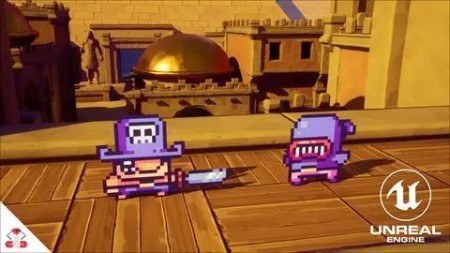
The Ultimate Unreal Engine 2D Game Development Course
Published 7/2023
MP4 | Video: h264, 1920×1080 | Audio: AAC, 44.1 KHz
Learn all you need to know about Paper 2D and PaperZD to make 2D and 2D/3D hybrid games in Unreal Engine 5!
What you’ll learn
How to make 2D Games with Unreal Engine 5
All about Sprites, Flipbooks, Tile Maps and Tile Sets
How to use the free PaperZD plugin to enhance your 2D games
Set up animation trees and anim notifies for your 2D animations
Create 2D enemy AI using the AI Controller and Behavior trees
How to mix 2D Sprites with 3D backgrounds to create 2D/3D Hybrid games
How to polish up your game using hitstop, sprite shake, coyote time and jump buffering
Requirements
No prior programming or Unreal Engine experience needed! You’ll learn everything you need to know.
Description
Overview
Section 1: Course Orientation
Lecture 1 Curriculum Overview
Lecture 2 Why make 2D Games with Unreal Engine?
Lecture 3 What version of Unreal Engine to use
Lecture 4 How to ask for help
Lecture 5 Backing up your Projects
Section 2: Unreal Engine 5 Crash Course
Lecture 6 About the UE 5 Crash Course
Lecture 7 How to Install Unreal Engine 5
Lecture 8 How to create a new Project
Lecture 9 How to navigate the Editor
Lecture 10 Content Drawer and Blueprints
Lecture 11 How to make a simple Blueprint
Lecture 12 Adding functionality to our Blueprint
Lecture 13 Useful Keyboard Shortcuts and Tips
Lecture 14 How to debug your games
Section 3: Paper 2D Basics
Lecture 15 What is Paper 2D?
Lecture 16 2D Project Settings
Lecture 17 Where to find 2D assets for Unreal Engine
Section 4: Quick Draw Project
Lecture 18 Quick Draw Overview
Lecture 19 Downloading the Quick Draw Assets
Lecture 20 Preparing our Sprites
Lecture 21 Making a Level Mockup
Lecture 22 Creating our Samurai Blueprint
Lecture 23 Moving Sprites with Timelines
Lecture 24 Inheritance and Child Blueprints
Lecture 25 Setting up the Game’s Rules and Phases
Lecture 26 Setting up the Player Input
Lecture 27 Adding a Camera and Adjusting Project Settings
Lecture 28 Making the Player Attack
Lecture 29 Attack Movement through Timelines
Lecture 30 Adding the Defeated State
Lecture 31 Creating Simple Enemy AI
Lecture 32 Resetting the Game
Lecture 33 Finishing Up
Section 5: Mash Runner Project
Lecture 34 Mash Runner Overview
Lecture 35 Downloading the Mash Runner Assets
Lecture 36 Setting Up the Project and Importing Assets
Lecture 37 Sprite Sheets and Flipbooks
Lecture 38 Creating the Runner Blueprint
Lecture 39 Possessing the Runner Character
Lecture 40 Making the Character Move
Lecture 41 Using the Run Animation
Lecture 42 Improving the Input
Lecture 43 Adding Speed Curves
Lecture 44 Triggering Events on Certain Frames
Lecture 45 Creating the Stage
Lecture 46 Making the Enemy Runner AI
Lecture 47 Setting Up the Goal
Lecture 48 Finishing Up
Section 6: PaperZD Introduction
Lecture 49 What is PaperZD?
Lecture 50 Installing PaperZD
Section 7: Tower Climb Platformer Project
Lecture 51 Tower Climb Platformer Overview
Lecture 52 Downloading the Tower Climb Assets
Lecture 53 Creating Flipbooks Through a JSON File
Lecture 54 Creating a PaperZD Character Blueprint
Lecture 55 Making the Character Walk and Jump
Lecture 56 Setting Up Our Animation Source and Using Our First Notify
Lecture 57 Creating a PaperZD Animation Blueprint
Lecture 58 Creating Our First Tile Set
Lecture 59 Creating A Tile Map
Lecture 60 Improving the Character Feel
Lecture 61 Setting Up the Enemy Blueprint
Lecture 62 Enemy AI Ledge and Wall Detection
Lecture 63 Defeat Player On Enemy Touch
Lecture 64 Improving the Player Defeated State
Lecture 65 Defeat Enemy On Being Stomped
Lecture 66 Making Platform Blueprints
Lecture 67 Making a Spring Launcher
Lecture 68 Designing a Level
Lecture 69 Implementing Coyote Time
Lecture 70 Implementing Jump Buffer
Lecture 71 Finishing Up
Section 8: Action Platformer Project
Lecture 72 Action Platformer Overview
Lecture 73 Downloading the Action Platformer Assets
Lecture 74 Setting Up the Project Base
Lecture 75 Setting Up Player Inputs and Movement
Lecture 76 Setting Up Player Animations with PaperZD
Lecture 77 Animation Override for Slash Attack
Lecture 78 Creating and Triggering Hitboxes
Lecture 79 Implementing the Stun State
Lecture 80 Health System and Applying Damage
Lecture 81 Hitstop and Sprite Shake
Lecture 82 Creating the Enemy Base
Lecture 83 Setting Up the Enemy AI
Lecture 84 Stunning the Enemy AI
Lecture 85 Making the Enemy Change Directions
Lecture 86 Allowing the Enemy to Attack
Lecture 87 Handling Aggro
Lecture 88 Creating the Ability System
Lecture 89 Creating the Sword Throw
Lecture 90 Adding the Sword Throwing Animations
Lecture 91 Adding the Map
Lecture 92 Adding the Goal and Spawners
Lecture 93 Improving the Visuals
Lecture 94 Finishing Up
Section 9: Course Completed
Lecture 95 What’s next?
Beginner and Intermediate Unreal Engine developers who want to make 2D Games

RapidGator
https://www.keeplinks.org/p27/69544efd15bc4
NitroFlare
https://www.keeplinks.org/p27/6954509b72cb0
DDownload
https://www.keeplinks.org/p27/695451de83ccf