

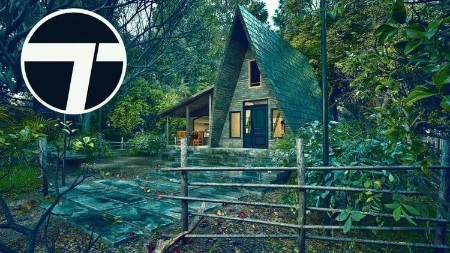
Twinmotion 2025 Masterclass: From Zero to Expert
Published 4/2025
Duration: 5h 56m | .MP4 1280×720, 30 fps(r) | AAC, 44100 Hz, 2ch | 6.7 GB
Create Stunning Renders with Ease – No Experience Needed!
What you’ll learn
– How to create high-quality real-time architectural visualizations using Twinmotion 2025 from scratch.
– How to control lighting, materials, and environmental settings to achieve realistic and cinematic results.
– How to produce still images, animations, panoramas, and video walkthroughs for client presentations or portfolios.
– Professional workflow techniques and real-world tips to optimize performance and storytelling through visuals.
Requirements
– A computer that meets the minimum system requirements to run Twinmotion 2025 smoothly. (A basic modern PC or laptop with a dedicated GPU is recommended.)
– An internet connection to download Twinmotion and access course materials.
– A willingness to learn, practice, and explore the power of real-time visualization.
Description
In today’s world, fast and effective visualization is no longer optional. Clients demand high-quality renders, dynamic walkthroughs, and immersive experiences. Twinmotion 2025 is one of the most powerful and user-friendly real-time rendering engines available, and this course is crafted to teach you how to master it – with clarity, structure, and real-world applications.
Each lesson is designed to be short, practical, and focused on specific tools or techniques. You will not only learn what the tools do, but also how to use them strategically in your own projects. Throughout the course, you’ll follow along with real examples that simulate professional workflows and real client demands.
This course is not just about pushing buttons – it’s aboutdeveloping a mindsetfor efficiency, quality, and storytelling through your visuals. You will learn how to structure your projects, optimize performance, and make decisions like a visualizer who works in the field every day.
By the end of this course, you will be able to:
Create and manage high-quality scenes in Twinmotion from scratch
Control lighting and environmental settings to achieve realistic results
Apply and customize materials to match design intent
Produce images, panoramas, animations, and presentations
Troubleshoot common rendering problems with confidence
Understand how to prepare files and workflows for different types of projects (residential, commercial, exterior, interior, etc.)
The course also includes professional tips that come from over 20 years of experience in 3D visualization. These insights are designed to help you avoid the common traps beginners fall into and accelerate your learning journey.
You will also get downloadable project files and templates that you can use in your own work or as practice material. This way, you are not only watching me build a scene – you are building one yourself, side by side.
This course is perfect for:
Architects and interior designers who want fast and effective presentation tools
Students and professionals in the fields of design, urban planning, landscaping, or architecture
Anyone interested in producing beautiful visuals without a steep technical learning curve
Let’s begin your journey from zero to expert – and let’s make every render count.
Who this course is for:
– An architect who wants to impress clients with fast, stunning visuals,
– An interior designer looking to create realistic environments and moods,
– Or a student who wants to learn a powerful tool and build a professional portfolio.
More Info
