

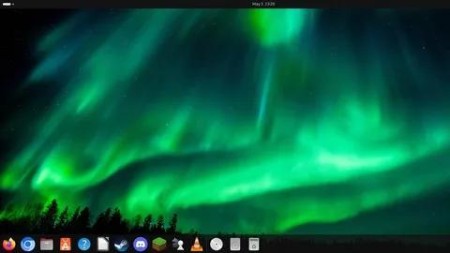
Ubuntu Desktop For Absolute Beginners
Published 5/2025
MP4 | Video: h264, 1920×1080 | Audio: AAC, 44.1 KHz
What you’ll learn
Understand what Linux and Ubuntu Desktop are, and how they differ from other operating systems.
Identify the different versions and system requirements of Ubuntu Desktop.
Download, install, and set up Ubuntu Desktop.
Navigate and customize the Ubuntu Desktop environment, including the taskbar, search functions, and settings menu.
Understand Ubuntu’s file and disk structure, including key directories like /home.
Use Ubuntu Software Center and the Terminal to install, manage, and remove applications.
Explore key productivity applications.
Learn how to use communication and collaboration tools.
Use system monitoring tools and the Terminal for basic troubleshooting.
Manage system updates, backups, user accounts, and file permissions securely.
Gain confidence in using Ubuntu for daily tasks like browsing, media consumption, and office work.
Access help resources and engage with the Ubuntu community when encountering issues.
Requirements
No prior Linux or Ubuntu experience is required – this course is designed for complete beginners.
A basic understanding of how to use a computer (e.g., using a mouse, keyboard, and navigating simple interfaces).
(Optional but recommended) Virtualization software like VMware Workstation Player or VirtualBox.
Description
Overview
Section 1: Introduction
Lecture 1 Introduction to Course
Lecture 2 Dan Mill Training
Lecture 3 What is Linux?
Lecture 4 What is Ubuntu Desktop?
Section 2: Installing Ubuntu Desktop
Lecture 5 Versions of Ubuntu Desktop
Lecture 6 System Requirements
Lecture 7 Downloading Ubuntu Desktop
Lecture 8 What is Ubuntu Pro?
Lecture 9 Setting up our Virtual Machine
Lecture 10 Installing Ubuntu Desktop
Lecture 11 First Time Login
Section 3: The Ubuntu Desktop Environment
Lecture 12 Overview of the default desktop environment
Lecture 13 Settings Menu
Lecture 14 Navigating the Search Function
Lecture 15 Understanding Ubuntu’s Disk Structure
Lecture 16 Understanding Ubuntu’s Home Structure
Lecture 17 Understanding Disk and File Structures in Ubuntu – A Complete Guide
Lecture 18 Managing Files and Directories
Section 4: Software Management in Ubuntu
Lecture 19 Using the Ubuntu Software Center
Lecture 20 Update Apps
Lecture 21 LibreOffice
Lecture 22 Installing Software via the Terminal
Lecture 23 Gaming on Ubuntu Desktop
Lecture 24 Gaming with Steam
Section 5: Using Ubuntu for Daily Tasks
Lecture 25 Important Applications
Lecture 26 Web Browsing with Firefox and Chromium
Lecture 27 Email Clients
Lecture 28 Messaging
Lecture 29 Music Player
Lecture 30 Media Player
Lecture 31 Development Tools
Section 6: System Management, Maintenance and Troubleshooting
Lecture 32 Introduction to the Terminal
Lecture 33 System Monitoring Tools
Lecture 34 Keeping Ubuntu Up-to-Date
Lecture 35 Backups
Lecture 36 Restores and Backup Best Practices
Lecture 37 Create New Users
Section 7: Conclusion and Next Steps
Lecture 38 Getting Help and Using Community Resources
Lecture 39 Summary and Key Takeaways

DDownload
https://www.keeplinks.org/p27/683a06aa86f40
RapidGator
https://www.keeplinks.org/p27/683a06edc9b7a
NitroFlare