

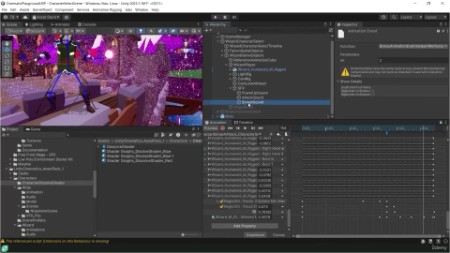
Unity Cutscenes: Master Cinematics, Animation And Trailers
Published 9/2024
MP4 | Video: h264, 1920×1080 | Audio: AAC, 44.1 KHz
Create Interactive Cut-Scenes, Epic Boss Fights and Cinematic Trailers Using Unity’s Cinemachine and Timeline Tools
What you’ll learn
Level up your game dev skills by crafting cinematic cut-scenes that wow players.
Craft jaw-dropping camera moves using Unity’s Cinemachine wizardry.
Build smooth animation sequences with Unity’s Timeline and Animation tools.
Design interactive cut-scenes that blend seamlessly into your gameplay.
Develop epic boss fights with dynamic cameras and awesome effects.
Unlock next-level post-processing tricks for cinematic polish.
Supercharge cut-scene interactivity with Animator and NavMesh magic.
Requirements
Basic Unity Knowledge: Familiarity with Unity’s interface and basic functions, including game object manipulation and scene setup.
Eagerness to Learn: A passion for game development and storytelling through cinematics is essential for fully engaging with the course material.
Description
Overview
Section 1: Introduction & Setup
Lecture 1 Welcome to the Course
Lecture 2 URP Cinematic Studio Setup
Lecture 3 Intro to the Animation Window
Lecture 4 Intro to Mixamo Animations
Lecture 5 Intro to Post Processing and Lighting
Lecture 6 Animation Rigging Basics
Lecture 7 Intro to Animating in Timeline
Lecture 8 Intro to Cinemachine in Timeline
Lecture 9 Accessing Our Projects
Lecture 10 Community & Support
Section 2: Cinemachine Basics
Lecture 11 Section Intro: Cinemachine Basics
Lecture 12 Mastering Virtual Cameras
Lecture 13 Animating Virtual Cameras in Timeline
Lecture 15 Adding a Dolly Camera and Track
Lecture 16 Mastering Dolly Cameras
Lecture 17 Intro to Clear Shot Cameras
Lecture 18 Adding Clear Shot Dolly Cameras
Lecture 19 Adding a Target Group Camera
Section 3: Boss Fight Cut Scene
Lecture 20 Section Intro: Boss Fight Cut-Scene
Lecture 21 The Approach
Lecture 22 The Destination
Lecture 23 The Agent
Lecture 24 The Animator
Lecture 25 The Boss: Animations
Lecture 26 The Timeline
Lecture 27 The Action Shot
Lecture 28 The Showdown: Player Anims and VFX
Lecture 29 The Showdown: Concepts and Design
Lecture 30 Connecting the Dots
Lecture 31 Smoothing the Transition
Lecture 32 The Checklist
Lecture 35 The Boss: Timeline SFX
Lecture 36 The Exit Plan: Cameras
Lecture 37 The Exit Plan: Player
Lecture 38 The Exit Plan: Boss
Lecture 39 The Exit Plan: Props and Lighting
Lecture 40 The Exit Plan: Post-Processing
Lecture 41 The Exit
Section 4: Character Select Scene
Lecture 42 Section Intro: Character Select
Lecture 43 Wizard Setup
Lecture 44 Ninja Setup
Lecture 45 Basic UI Setup
Lecture 46 Characters & Cameras
Lecture 47 Ninja Animations
Lecture 48 Wizard Animations
Lecture 49 Animator Controllers
Lecture 50 Path of the Dragon
Lecture 51 Dolly Tracks and Timelines
Lecture 52 Fine-Tuning for Impact
Lecture 53 Adding VFX & SFX
Lecture 54 Exiting the Sequence
Section 5: Cinematic Trailer Sequences
Lecture 55 Section Intro: Cinematic Trailer
Lecture 56 First Pass
Lecture 57 Second Pass
Lecture 58 Final Pass
Lecture 59 Final Product
Aspiring Game Developers: Ideal if you want to elevate your game development skills by creating cinematic cut-scenes that enhance storytelling and player engagement.,Intermediate Unity Users: Perfect if you’re seeking to deepen your understanding of Cinemachine and Timeline, for creating high-quality visuals.,Content Creators and Trailers Makers: Great for creating compelling trailers and cinematic sequences for promotional purposes or storytelling in your games.
