

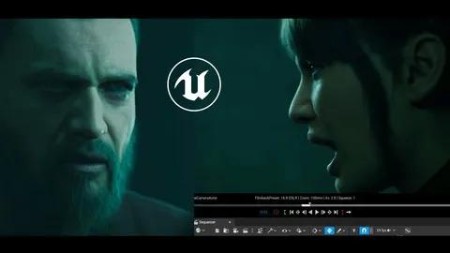
Unreal Cinematic Mastery -From Beginner To Cinematic Creator
Published 2/2025
MP4 | Video: h264, 1920×1080 | Audio: AAC, 44.1 KHz
Master Unreal Engine cinematics, installation to final render. Learn Metahumans, lighting, animation, Sequencer, Editing
What you’ll learn
Install and navigate Unreal Engine 5.5, even with no prior experience.
Create and animate Metahuman characters using Sequencer with step-by-step guidance.
Set up cinematic lighting, depth of field, and camera work for professional-level visuals
Build, animate, and render a complete cinematic from scratch with no skipped steps
Requirements
No prior Unreal Engine experience needed-this course guides complete beginners from installation to final cinematic.
A computer capable of running Unreal Engine 5.5 for hands-on learning.
Basic knowledge of filmmaking or animation is helpful but not required.
Adobe Premiere Pro (optional) for finalizing your cinematic, though alternative editing software can be used.
Description
Overview
Section 1: Introduction
Lecture 1 Introduction
Lecture 2 Install and Launch Unreal Engine 5.5, Create First Project, Install FAB
Lecture 3 Understanding the Unreal Engine Interface
Lecture 4 Importing 3D Assets, Setting Up Environments, and Using FAB Marketplace
Section 2: Importing, Setting Up, Customizing and Animating Metahumans
Lecture 5 Import, set up, and customize Metahuman characters
Lecture 6 Adding Animation to a Metahuman and Retargeting, Adding Animation Layers
Section 3: Creating an Empty Level with Proper Lighting
Lecture 7 Creating an Empty Level with Proper Lighting
Section 4: Creating a Cinematic Camera and Navigating Sequencer
Lecture 8 Creating a Cinematic Camera and Navigating Sequencer
Section 5: Rendering Your Cinematic Shot in Movie Render Queue
Lecture 9 Rendering Your Cinematic Shot in Movie Render Queue
Section 6: Efficient Lighting and Shot Creation Workflow in Sequencer
Lecture 10 Efficient Lighting and Shot Creation Workflow in Sequencer
Section 7: Creating a Full Cinematic from Scratch – Step-by-Step Workflow
Lecture 11 Creating a Full Cinematic from Scratch – Scene Setup and First Pass
Lecture 12 Setting Up the First Camera and Refining the Scene
Lecture 13 Adding More Shots and Refining Lighting
Lecture 14 Adjusting LOD on Metahumans for Improved Lighting Workflow
Lecture 15 Lighting Refinement
Lecture 16 Using the Audio to Lipsync tool for Metahumans.
Lecture 17 Adding the Last Shots
Lecture 18 Editing inside Unreal
Lecture 19 Animating the Scene
Lecture 20 Rendering Your Shots
Lecture 21 Importing and Editing shots in Premiere Pro
Lecture 22 Final Cinematic
Section 8: Unreal Engine 5.5 Cinematic Beginner’s Guide (PDF)
Lecture 23 This PDF compiles all the key information in one place
Section 9: Downloadable Unreal Project Scene
Lecture 24 Access and explore the provided Unreal Engine project scene

AusFile
https://www.keeplinks.org/p27/67e73b23a39ba
RapidGator
https://www.keeplinks.org/p27/67e73f53e3bfc
TurboBit
https://www.keeplinks.org/p27/67e73fc0dce59
FileFactory