

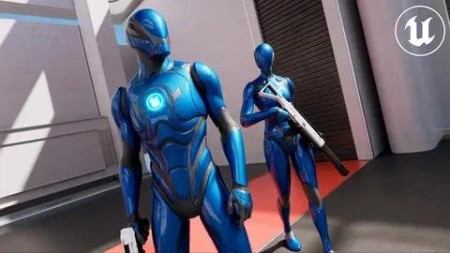
Unreal Engine 5 – Blueprints Game Developer Masterclass
Published 12/2022
MP4 | Video: h264, 1280×720 | Audio: AAC, 44.1 KHz
Learn Blueprints and create your own games without any coding knowledge. Create your first AAA game via this course.
What you’ll learn
Learn to program using Blueprints, without needing to write code.
Create logics using Blueprints system.
Setup an FPS human-controlled character.
Make a complete game by the end of this course.
Requirements
No programming experience necessary.
You’ll need a PC or Mac capable of running Unreal Engine.
About 15GB of free disc space.
At least 8GB of RAM is recommended.
Basic Unreal Engine Editor skills like move around your camera, rotate, scale and move objects.
Description
Overview
Section 1: Introduction
Lecture 1 Course Introduction
Section 2: Unreal Engine Fundamentals
Lecture 2 Blueprints Introduction
Lecture 3 Event Graph Basics
Lecture 4 Blueprints Execution Order
Lecture 5 Always Use Comments
Lecture 6 Organize Your Blocks Connections
Lecture 7 Different Nodes Shapes and Colors
Lecture 9 Integer
Lecture 10 Float
Lecture 11 Boolean
Lecture 12 Vector
Lecture 13 Rotator
Lecture 14 Text, String and Name
Lecture 15 String Functions
Lecture 17 Conditionals Between Values
Lecture 21 Spawn Actors in The Scene Via Blueprints
Section 4: Learn Arrays
Lecture 22 Introduction to Arrays
Lecture 23 Create Your First Array
Lecture 24 Get Element From Array
Lecture 25 Find Item In Array
Lecture 26 Find The Length of The Array
Lecture 27 Array Last Index
Lecture 28 Array Contains
Lecture 29 Insert Item In Array
Lecture 30 Remove Item From Array
Lecture 31 Clear The Array
Lecture 32 Append Array
Section 5: Understanding of Unreal Engine Flow Control
Lecture 33 Branches
Lecture 34 Sequance
Lecture 35 For Loop
Lecture 36 While Loop
Lecture 37 Do N
Lecture 38 Do Once
Lecture 39 Flip Flop
Lecture 40 Gate
Lecture 41 Multi Gate
Section 6: Functions, Events and Macros
Lecture 42 Functions, Events and Macros
Lecture 43 Collapse Nodes
Lecture 44 Events
Lecture 45 Custom Events
Lecture 46 Custom Events Inputs
Lecture 47 Functions
Lecture 48 Functions – Inputs and Outputs
Lecture 49 Macros
Lecture 50 Macros and Exec
Lecture 51 Macros Library
Section 7: What are Enumerators
Lecture 52 Enumerator Explanation
Lecture 53 Get and Set
Lecture 54 Creating Custom Enumerators
Lecture 55 Compare Enumerators Values
Lecture 56 Switch Utility with Enumerators
Section 8: Classes
Lecture 57 Game Structure
Lecture 58 Actors
Lecture 59 Components
Lecture 60 Game Mode
Lecture 61 Pawn
Lecture 62 Character
Lecture 63 Controller
Section 9: Actors
Lecture 64 Static Mesh
Lecture 65 Transformations
Lecture 66 Spawn and Destroy Actors
Lecture 67 IsValid Check
Lecture 68 Get All Actors
Lecture 69 Skeletal Mesh
Lecture 70 Triggers
Lecture 71 Mesh Tags
Lecture 72 Actors Exercise
Lecture 73 Actors Exercise Solution
Section 10: Blueprints Communication
Lecture 74 Blueprint Communication
Lecture 75 Direct Communication
Lecture 76 Cast
Lecture 77 Blueprint Interfaces – Basics
Lecture 78 Blueprint Interface – Inputs
Lecture 79 Blueprint Interface – Outputs
Lecture 80 Event Dispatcher
Section 11: Create First Person Character
Lecture 81 Basic First Person Character Setup
Lecture 82 Camera Setup
Lecture 83 Mouse – Camera Control
Lecture 84 Mouse – Camera Controls Mapping
Lecture 85 PS4 Joystick – Camera Controls
Lecture 86 Keyboard – Movement
Lecture 87 PS4 Joystick -Movement
Lecture 88 Jump and Crouch With Keyboard and Joystick
Lecture 89 Setup Custom Walk and Crouch Speed
Lecture 90 Setup Character Run
Lecture 91 Objects Interaction – Sphere Cast
Lecture 92 Grab Objects
Lecture 93 Throw Object
Section 12: How to Control The Time in Unreal Engine
Lecture 94 Timeline Introduction
Lecture 95 Timeline – Float Track
Lecture 96 Timeline – Vector Track
Lecture 97 Timeline – Event Track
Lecture 98 Timeline – Color Track
Lecture 99 Timeline – Float Track Movement
Lecture 100 Timeline – Vector Track Movement
Lecture 101 Timeline – Event Track Movement
Lecture 102 Timeline – Color Track Material
Lecture 103 Timeline – Curves
Lecture 104 Timeline – Custom Curves
Lecture 105 Timeline – Loop
Lecture 106 Timeline – Length
Lecture 107 Timeline – Playback Position
Lecture 108 Timeline – Auto Play
Lecture 109 Timeline – Ignore Time Dilation
Lecture 110 Timeline – Inputs
Lecture 111 Timeline – Outputs
Lecture 112 Timer – Set Timer By Event and Clear Timer
Lecture 113 Timer – Set Timer By Function and Clear Timer
Lecture 114 FPS and Debugging Tools Explained
Lecture 115 Tick – Movement Wrong Way
Lecture 116 Tick – Movement Velocity Right Way
Section 13: How to Control Unreal Engine Space
Lecture 117 Vector Theory
Lecture 118 Origin Point
Lecture 119 Vector Calculations via Blueprints
Lecture 120 Vector Length Calculations
Lecture 121 Distance between two Actors
Lecture 122 Normalized Vector – Math Behind it
Lecture 123 Normalize Vector
Lecture 124 Forward Vector
Lecture 125 Right Vector
Lecture 126 Up Vector
Lecture 127 Rotate Vector
Lecture 128 Rotation from X Vector
Lecture 129 Find Look at Rotation
Lecture 130 Velocity
Section 14: Color & Materials in Unreal Engine
Lecture 131 PBR Workflow
Lecture 132 Materials
Lecture 133 Creating a Material
Lecture 134 Base Color
Lecture 135 Metallic
Lecture 136 Roughness
Lecture 137 Textures and Quixel Bridge
Lecture 138 What are UVs
Lecture 139 Texture Coordinate
Lecture 140 Emissive Material
Lecture 141 Normal Map and Ambient Occlusion
Lecture 142 Lerp
Lecture 143 Scalar Parameter
Lecture 144 Vector Parameter
Lecture 145 Texture Parameter
Lecture 146 Change Parameters using Blueprints
Lecture 147 Material Instance
Lecture 148 Material Instance using Blueprints
Section 15: UI/UX – Unreal Interface
Lecture 149 Widget Blueprint

AusFile
https://www.keeplinks.org/p27/67e3bb49a0611
RapidGator
https://www.keeplinks.org/p27/67e3bec04cc78
TurboBit
https://www.keeplinks.org/p27/67e3bfdc71603
FileFactory