

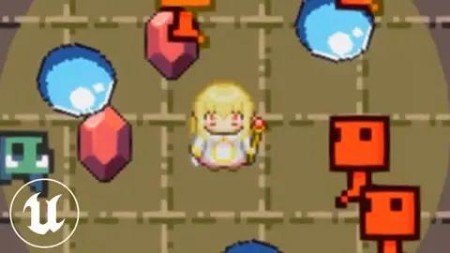
Unreal Engine 5: Create A Top-Down 2D Survivors Style Game
Published 11/2023
MP4 | Video: h264, 1920×1080 | Audio: AAC, 44.1 KHz
Learn how to create a top-down 2D vampire-survival roguelike game from scratch in unreal engine 5 !
What you’ll learn
Skill upgrade roguelike mechanics – design 10+ unique skills including active and passive types, enemy waves with different patterns, experience and magnet item
Pooling system for performance optimization – creating "pools" to store instances for large number of actors including enemies, bullets and pickable items
Shop system and auto save-loading system – increase player character stats by costing in-game resource, refund function included with saving and loading system
Real-time leaderboard – Encourage players to achieve high scores by adding free real-time leaderboard, competing other players!
Requirements
Some programming/game development experience
Description
First of all, this course is based on a my commercial game I created.And I recommend to learn this course by using UE5.3 . If you use newer version, some plugins might be not available.This course took me several hundreds of hours to develop, with detailed videos spreading over more than 70 lectures, covering wide scope of modules to create a survivors style game including:Setup paper flipbook animations for player character, 20+ mobs and 2 BOSSES movement56 waves of enemies that increase in difficulty over time with different patterns13 unique roguelike upgradable skills and player character leveling up systemObject pooling framework to handle large number of actors during 20 minutes gameplayUnique skills for BOSSES and 2 types of layer sorting methodsPermanent save-loading system to save progress and shop systemEnhanced Input movement component for controlling player Reusable damage texts instance and animation, sound management to avoid crashing issueUtilize data table to handle large number of attributes of player character, skills, enemiesRandom spawning hordes of mobs outside screen to attack player characterSmoothe transition behavior of pickable items when player character is collecting themImplement 8 active skill slots and 8 passive skill slots logics to accomodate selected skillsSpecial skill logics, its indicating gauge and visual effectsRandom buff effects according to activated level in shop systemImplement global leaderboard dashboard for all players.For more information, please check outline of this course for a glimpse into topics we will go through.Last but not least, if you are a beginner of unreal engine, I highly recommend you follow instructions in detailed video tutorial exactly before you tweak any logics, so that it is more effective for you to learn the course.
Overview
Section 1: Introduction
Lecture 1 Introduction
Lecture 2 Reference project (UE5.3)
Section 2: Basic Setup
Lecture 3 Create Project and Player Flipbooks
Lecture 4 TileMap and Scaling
Lecture 5 Create Player Character
Lecture 6 Setup Enhanced Inputs
Lecture 7 Animating Player Character
Lecture 8 Create Dummy Enemy
Lecture 9 Bullet Projectile
Section 3: Pooling Framework
Lecture 10 Overview of Pooling Framework
Lecture 13 Combat Interface
Lecture 14 Add Sound Management
Lecture 15 Apply Damage to Enemies
Lecture 16 Display Damaged Number
Lecture 17 Data Table And Enemy Initialization
Lecture 18 Fading Out Effect
Lecture 19 Enemies Move To Player
Lecture 20 Pooling Mobs
Lecture 21 Spawn Mobs Outside Screen
Lecture 22 Pooling Mob Death
Lecture 23 Relative And World Rotation
Lecture 24 How To Make Game More Interesting
Lecture 25 Create Pickup Actor
Lecture 26 Pickup Transition Movement
Lecture 27 Pooling Pickups
Lecture 28 Create Magnet Effect
Lecture 29 Initialize Player Attributes And Skills
Lecture 30 Create MainUI
Lecture 31 Display Time And EXPInfo
Lecture 32 Level Up System
Lecture 33 Player Character Death And Game Over
Lecture 34 Killings Score And Coin
Lecture 35 Two Methods To Avoid Flicking
Section 4: Skill Module
Lecture 36 Fill Skill Table
Lecture 37 Create Skill Selection Slot
Lecture 38 Add Selection Panel
Lecture 39 Skill Filtering Logics
Lecture 40 Add Skill Tabs
Lecture 41 Reroll Skills
Junior game developers who are instersted in visual scripting,Game developers who are looking for a top-down 2D development guide for unreal engine,Intermediate/experienced game developer,People who are interested in game development

RapidGator
https://www.keeplinks.org/p27/6924b287a74b4
NitroFlare
https://www.keeplinks.org/p27/6924b5e3516eb
DDownload
https://www.keeplinks.org/p27/6924b772bdd8d