

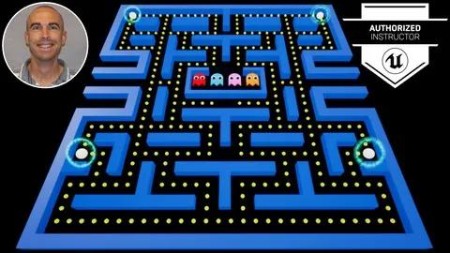
Unreal Engine: Create An Arcade Classic!
Last updated 11/2024
MP4 | Video: h264, 1920×1080 | Audio: AAC, 44.1 KHz
Like "Fortnite?" Master the tools used to build it as we re-create an arcade classic using the Unreal Engine.
What you’ll learn
Understand how to download, install, and setup a project in the Unreal Engine
Script interactive gameplay elements utilizing Unreal Engine’s Blueprint Scripting tools
Layout, animate, and give functionality to custom-made menu screens and in-game HUD
Create a COMPLETE gaming experience from scratch!
Requirements
SUGGESTED: Desktop PC with Windows 7 (or later) 64-bit – OR – a Mac with Mac OS X 10.9.2 or later
SUGGESTED: 8 GB RAM
SUGGESTED: Quad-core Intel or AMD processor
SUGGESTED: DirectX 11 compatible video card
SUGGESTED: Unreal Engine version 4.18 or later
NO programming experience needed! You’ll learn how to code functionality using Unreal’s "blueprint scripting" as we go!
Description
Overview
Section 1: Introduction
Lecture 1 Welcome
Section 2: Project Setup
Lecture 2 Project Primer!
Lecture 3 Download and Install
Lecture 4 Create Project
Lecture 5 Folder Structure
Lecture 6 Import Marketplace Assets
Section 3: Editor Essentials – (FOR BEGINNERS!!!)
Lecture 11 Viewport Nav – Mouse
Lecture 12 Viewport Nav – Keyboard
Lecture 13 Viewport Nav – Maya
Lecture 14 Orthographic Views
Lecture 15 View Modes / Show Flags
Section 4: Actor Essentials – (FOR BEGINNERS!!!)
Lecture 16 Placing Actors
Lecture 17 Moving Actors
Lecture 18 Rotating Actors
Lecture 19 Scaling Actors
Section 5: Level Building
Lecture 20 Geometry Overview
Lecture 21 Additive & Subtractive Brushes
Lecture 22 Geometry Brush Settings
Lecture 23 Geometry Editing
Lecture 24 Building To The Grid
Lecture 25 Building Efficiency Tips
Section 6: Materials
Lecture 32 Applying Materials To Level
Section 7: Avatar Creation
Lecture 33 Player Avatar
Section 8: Sounds
Lecture 36 Import Sounds
Lecture 37 Sound Cues
Section 9: Blueprint Creation
Lecture 38 Class Blueprint Overview
Lecture 39 Player Blueprint
Lecture 40 Enemy Blueprint
Lecture 41 Enemy House Blueprint
Lecture 42 Pellet Blueprint
Lecture 43 Power Pellet Blueprint
Lecture 44 Cherry Blueprint
Lecture 45 Orange Blueprint
Lecture 46 Power-Up Blueprint
Section 10: Blueprint Scripting Fundamentals – (FOR BEGINNERS!!!)
Lecture 47 Scripting Overview
Lecture 48 Events
Lecture 49 Functions
Lecture 52 Flow Control
Lecture 53 Game Mode Blueprint – Gameplay
Lecture 54 Gameplay Camera
Lecture 55 Player Gobble Animation
Lecture 58 Enemy House Entrance / Exit
Lecture 59 Pellet / Power Pellet Eaten
Lecture 60 Fruit Eaten
Lecture 61 Power-Up Eaten
Lecture 68 Warping
Lecture 69 Game Polish Pass
Lecture 72 Player Death FX – Animation
Lecture 73 Player Death FX – Screen Shake
Lecture 74 Player Respawn
Lecture 77 Enemy Eaten
Lecture 78 Enemy Respawn
Lecture 79 Enemy Reset
Section 13: Enemy A.I.
Lecture 82 Navigation Mesh
Lecture 83 Target Points
Lecture 87 Enemy Type – "Hunter"
Lecture 88 Enemy Nav – Stop
Lecture 90 Nav Mesh – Supported Agents
Lecture 91 Enemy Child Blueprints
Section 14: Game Presentation
Lecture 92 HUD Overview
Lecture 93 Game Instance Blueprint
Lecture 94 Import Fonts
Lecture 95 HUD Creation
Lecture 96 HUD Layout
Lecture 97 HUD Bindings
Lecture 98 HUD – Update Lives
Lecture 99 HUD – Update Score – Items
Lecture 102 HUD – Intro Animation
Lecture 103 HUD – Life Lost Animation
Section 15: Game Tuning
Lecture 107 Camera Tuning
Lecture 108 Level Tuning
Lecture 109 Player Tuning
Lecture 110 Enemy Tuning
Lecture 111 Special Item Tuning
Section 16: Menu Screens
Lecture 112 Game Mode Blueprint – Menu
Lecture 113 Import Images
Lecture 114 Main Menu – Layout
Lecture 115 Main Menu – Animations
Lecture 118 Level Complete Menu – Layout
Lecture 119 Level Complete Menu – Animations
Lecture 120 Level Complete Menu – Functionality
Lecture 121 Game Over Menu – Layout
Lecture 122 Game Over Menu – Animations
Lecture 123 Game Over Menu – Functionality
Lecture 124 Pause Menu – Layout
Lecture 125 Pause Menu – Animations
Lecture 126 Pause Menu – Functionality
Section 17: BONUS – Saving & Loading
Lecture 127 Creating More Levels
Lecture 128 Game Data Struct
Lecture 129 Save Game Blueprint
Lecture 133 Save / Load – Main Menu
Lecture 134 Save / Load – Level Complete Menu
Lecture 135 Save / Load – Game Over Menu
Lecture 136 Continue Info – Layout
Lecture 137 Continue Info – Functionality
Section 18: BONUS – Top Scores
Lecture 138 Top Scores Struct
Lecture 139 Top Scores Blueprint
Lecture 143 Top Scores – Line Layout
Lecture 144 Top Scores – Line Functionality
Lecture 145 Top Scores – Screen Layout
Lecture 146 Top Scores – Screen Animations
Lecture 149 Top Scores – Music
Lecture 152 Top Scores – Notify Animation
Section 19: Extras
Lecture 155 Looping Levels
Lecture 158 Enemy Eyes – Meshes
Lecture 161 Packaging a Project
Anyone interested in learning how to use the Unreal Engine to create games,NO PRIOR VIDEO GAME DESIGN KNOWLEDGE OR UNREAL ENGINE EXPERIENCE NEEDED!

RapidGator
https://www.keeplinks.org/p27/6912fc176d1f8
NitroFlare
https://www.keeplinks.org/p27/69130828007ba
DDownload
https://www.keeplinks.org/p27/6913114398590