

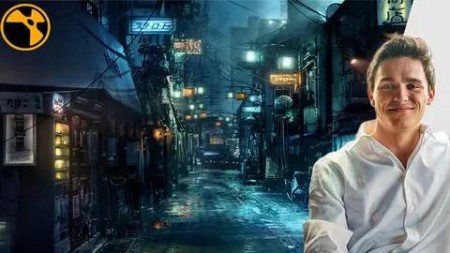
Vfx Color Grading And Re-Lighting In Nuke – Nk404
Last updated 7/2021
MP4 | Video: h264, 1280×720 | Audio: AAC, 44.1 KHz
What you’ll learn
Advanced Color Grading Techniques
Day to Night Tips and Techniques
Fundamentals of Light and Physics
Image Frequency Separation and Uses
Advanced Color Remap Techniques
Creating Depth Passes from 2d Images
Using a Raytracer to force perspective
Creating animated elements from 2d imagery
Layering and Integrating 2d Elements
Understanding the basics of Color Schemes and Color Balance
Learn to study, observe, and identify patterns from image reference
Bounce light techniques
Stacking Highlights and Keyers
3d / 2.5d Re-Light Tricks
Lining up and model-building a scene
Painting Light Techniques
Using alternative (hidden) merge operations
Building atmosphere elements and casting light through it
2d/3d Techniques to create reflections
Requirements
Have Nuke 12 installed
Have a working computer
Have an internet speed high enough to download the project file (A few gigabytes).
Have at least 5GB storage.
Description
Overview
Section 1: Introduction and Core Ideas
Lecture 1 Introduction and overview
Lecture 2 Shooting Conditions, Budgets, Level of Detail, Limitations
Lecture 3 Good Compositing Takes Many Iterations, Versions Overview
Lecture 4 Understanding Color Scheme and Balance
Lecture 5 Finding and Studying Reference (Extra Reference in Resource tab)
Lecture 6 Physics of Reflections, Physics of Light
Lecture 7 Comp Quick Overview, explaining compositing structure
Lecture 8 Downloading The Project
Section 2: Blocking It Out
Lecture 9 Paint out and MIN operation
Lecture 10 Neutralizing The Scene
Lecture 11 Secondary Darkening
Lecture 14 TVI Scale
Section 3: Building it up
Lecture 15 BG Rooftop Atmos
Lecture 16 MG Rooftop Light
Lecture 17 Lighting up the back alley
Section 4: Creating a Lantern
Lecture 18 Lantern Overview
Lecture 19 The Core
Lecture 20 Dirt, Glow, Glints
Lecture 21 The 4 Layers of "Ping" [Theory]
Lecture 25 Adding some wires, and tiny reflections
Lecture 27 Templating, Duplicating
Section 5: Orange Light, Quick Lesson
Lecture 28 Orange Neon Sign [Overview]
Lecture 29 Orange Neon Sign [Practical]
Lecture 30 Orange lIght pings
Section 6: The Clear Screen
Lecture 31 Clear Screen Overview
Lecture 32 Scene Lineup
Lecture 33 Replacing the curtain, adding animation
Section 7: 3d Re-lighting Technique
Lecture 34 Spotlights, and 3d Lighting Techniques
Lecture 35 Placing the 3D Lights
Lecture 36 Adjusting the Intensity, Re-mapping values
Lecture 37 Spotlight bounces and reflections
Lecture 38 Spotlight Volumes and Glows
Section 8: A challenge
Lecture 39 Optional, few more lights if you want to
Section 9: Main reflections
Lecture 40 Mirror and Glass [Custom Node]
Lecture 41 Mirror and Glass Reflections
Lecture 42 Frequency Separation [Theory]
Lecture 43 Practical Project Lesson
Section 10: Fog
Lecture 44 Fog Overview
Lecture 45 Creating a Depth Pass
Lecture 46 Layering Depth Smoke P1
Lecture 47 Depth Mist
Lecture 48 Main Depth Fog
Lecture 49 Ground Vent Smoke
Section 11: Post
Lecture 50 Contrast, Primary Grades
Lecture 51 PSD Color Paint Over
Lecture 52 Fog and Wires
Lecture 53 Extra Puddles
Lecture 54 Push-in and Grain
Section 12: That’s a wrap!
Lecture 55 Bonus Lecture
DDownload
https://www.keeplinks.org/p27/68977e4d2ec9c
RapidGator
https://www.keeplinks.org/p27/68978282bc515
NitroFlare
https://www.keeplinks.org/p27/6897857b27f89