

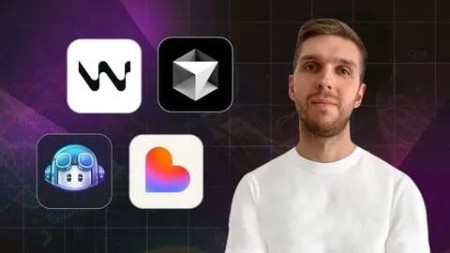
Vibe Coding Camp: Github Copilot, Cursor, Lovable, Windsurf
Published 8/2025
MP4 | Video: h264, 1920×1080 | Audio: AAC, 44.1 KHz
What you’ll learn
Set up and use GitHub Copilot, Windsurf and Cursor AI to write, edit, and refactor code faster with AI assistance in your code editor.
Master Github Copilot, Windsurf and Cursor features like Code Autocomplete, Agent Mode, Context Awareness, and much more.
Use Lovable AI to build full-stack applications without coding and learn Prompt Engineering techniques
Connect Lovable apps to Supabase for Authentication, Database, and Deploy Your App with a custom domain
And much more to enhance your AI coding skills.
Requirements
No any experience with AI Coding Assistants required
Description
Overview
Section 1: Introduction
Lecture 1 Course Requirements
Lecture 2 How to Study on Udemy
Section 2: GITHUB COPILOT: Introduction to Github Copilot
Lecture 3 Introduction: Why You Should Use Github Copilot
Lecture 4 Overview of GitHub Copilot
Lecture 5 Popular Use Cases of GitHub Copilot for Developers
Lecture 6 Github Copilot Payment Plans & Limitations
Lecture 7 Understand Github Copilot Data Privacy
Lecture 8 Setting Up Github Copilot and VS Code
Lecture 10 Learn more about Code Completions
Lecture 11 Use Inline Chat for Editor and Terminal
Lecture 13 Use of Github Copilot Chat Interface
Section 4: Understand Copilot Chat Modes and Context
Lecture 14 Using Copilot Chat – Ask Mode
Lecture 15 Editing Code with Copilot – Edit Mode
Lecture 16 Automate Tasks with Copilot – Agent Mode
Lecture 17 Using Chat Context for Better Responses
Section 5: Introduction to Cursor AI
Lecture 18 Overview of Cursor AI
Lecture 19 Popular Use Cases of Cursor AI for Developers
Lecture 20 Cursor AI Payment Plans & Limitations
Lecture 21 Understand Cursor AI Data Privacy
Lecture 22 Setting Up Cursor AI Code Editor
Lecture 24 Learn more about Tab Completions
Lecture 25 Use Inline Chat for Editor and Terminal
Lecture 26 Use of Cursor AI Chat Interface
Section 7: Understand Cursor Chat Modes and Context
Lecture 27 Using Cursor Chat – Ask Mode
Lecture 28 Editing Code with Cursor – Manual Mode
Lecture 29 Automate Tasks with Cursor – Agent Mode
Lecture 30 Using Chat Context for Better Responses
Section 8: WINDSURF: Introduction to Windsurf
Lecture 31 Introduction: Why You Should Use Windsurf
Lecture 32 Overview of Windsurf
Lecture 33 Popular Use Cases of Windsurf for Developers
Lecture 34 Windsurf Payment Plans & Limitations
Lecture 35 Understand Windsurf Data Privacy
Lecture 36 Setting Up the Windsurf Editor
Lecture 38 Learn more about Tab & Supercomplete
Lecture 39 Use In-line Command for Quick Questioons
Lecture 40 Windsurf Codelenses for Quick Actions
Lecture 41 Use of Windsurf Cascade (Chat Interface)
Section 10: WINDSURF: Understand Windsurf Chat Modes and Context
Lecture 42 Using Windsurf Cascade – Chat Mode
Lecture 43 Editing Code with Cascade – Write Mode
Lecture 44 Plan your App with Cascade – Plan Mode
Lecture 45 Using Chat Context for Better Responses
Section 11: Introduction to Lovable
Lecture 46 What is Lovable?
Lecture 47 Lovable interface overview
Lecture 48 Lovable prompt templates
Lecture 49 Overview of Chat Mode and Agent Mode
Lecture 50 Overview of History Mode Feature
Lecture 51 Overview of Dev Mode Feature
Lecture 52 Overview Visual Edit Feature
Lecture 53 Rapid prototyping for product managers & UX designers
Lecture 54 Building an MVP without a developer
Lecture 55 Creating marketing websites and landing pages
Lecture 56 Developing internal tools and dashboards
Lecture 57 AI-driven app iteration and scaling
Lecture 58 Strategic applications of Lovable in the enterprise
Section 13: Build the Task Manager UI with Lovable
Lecture 59 Plan What Your App Does and How It Works
Lecture 60 Learn 4 Prompt Styles from Basic to Advanced
Lecture 61 Try 4 Prompts in Lovable and Compare Created Apps
Lecture 62 Make Final Tweaks to Improve the App Design
Section 14: Connect Task Manager to Supabase with Lovable
Lecture 63 Overview of Supabase integration
Lecture 64 Connecting Supabase to Lovable
Lecture 65 Add Email/Password Authentication with Supabase
Lecture 66 Add Social Login Links with Supabase
Lecture 67 Store Tasks, Projects and Team Data in Supabase
Section 15: Publish Your Task Manager App with Lovable
Lecture 68 Publish Your Application for Real Users
Lecture 69 Use Your Own Domain Name for the App
Lecture 70 How to Leave a Review
Lecture 71 How to Get a Certificate

RapidGator
https://www.keeplinks.org/p27/69072a1932f1e
NitroFlare
https://www.keeplinks.org/p27/69072aff11ef5
DDownload
https://www.keeplinks.org/p27/69072bb1d3a68