

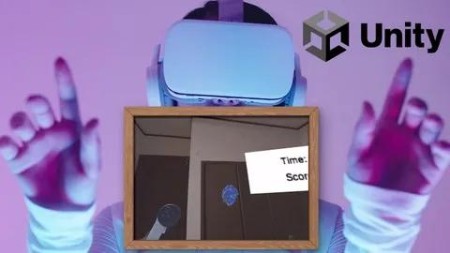
Xr App Development For Meta Quest (Metaxr All-In-One Sdk)
Published 5/2025
MP4 | Video: h264, 1920×1080 | Audio: AAC, 44.1 KHz
Let’s Develop XR Apps for Meta Quest Using Unity!
What you’ll learn
You will learn the basics of how to use Unity.
You will learn how to develop XR applications for Meta Quest.
You will learn the basics of C#.
You will learn how to use Building Blocks, implement collision detection, set up timer functions, and configure sound effects.
Requirements
You don’t need any programming experience.
This course will be conducted using a Windows PC.
This course assumes that Unity is already installed.
Description
Overview
Section 1: Introduction
Lecture 1 Introduction
Lecture 2 Installing Unity and Creating a New Project
Lecture 3 How to Use Unity: The Basics
Section 2: Preparing for Meta Quest App Development
Lecture 4 Installing the Meta XR All-in-One SDK
Lecture 5 Developer Mode Setup
Lecture 6 How to Show Hands in Meta Quest
Section 3: Let’s Explore What Features Are Available in Building Blocks! (Hand Tracking)
Lecture 7 Grab Interaction
Lecture 8 Explanation of Touch Hand Grab, Distance Grab, and Ray Interaction
Lecture 9 Screen transition by directly touching the button with Poke Interaction
Lecture 10 InteractableColorVisual.cs
Section 4: Let’s Explore the Features of Building Blocks! (Controller Edition)
Lecture 11 Controller Display and Teleport
Lecture 12 Let’s try changing the object’s color with Controller Buttons Mapper
Lecture 13 ChangeColor.cs
Section 5: Let’s try out what features are available in Building Blocks! (Others)
Lecture 14 Let’s create a window in the virtual space and display the real space.
Lecture 15 Let’s display the real space with Passthrough
Section 6: Let’s create an item-catching game!
Lecture 16 Setting up Obstacles and Score Items
Lecture 17 Setting the Spawn Location Where Objects are Generated
Lecture 18 Generate Objects and Set Them to Fly
Lecture 19 Let’s increase the spawn locations.
Lecture 20 Collision Detection
Lecture 21 Set the sound effect to play upon collision
Lecture 22 Score Setup
Lecture 23 Adding Bonus Items
Lecture 24 Display Timer
Lecture 25 Screen Transition at Game End
Lecture 26 Display score on the final screen
Lecture 27 Change Display Content Based on Score
Lecture 28 Final Thoughts on the Course
Lecture 29 ObjectSpawner
Lecture 30 PlayerCollision
Lecture 31 GameManager
Lecture 32 GameSceneManager
Lecture 33 EndSceneManager
Programming beginners who are interested in XR app development,Anyone interested in developing apps for Meta Quest,Unity beginners who are interested in game development,Those who want to learn how to use Unity

DDownload
https://www.keeplinks.org/p27/683a1d12efe76
RapidGator
https://www.keeplinks.org/p27/683a1e92365d9
NitroFlare